

SKILL.md file and surfaces findings when relevant instructions are not followed.
Prerequisites
To use Skill insights in pull request findings:- Native skills must be enabled for your organization. See Enable Native skills.
- A
SKILL.mdfile must exist in one of these repository directories:.qodo/skills,.claude/skills,.cursor/skills,.agents/skills, orskills. Qodo checks them in that order and uses the first match. This file defines the skills Qodo uses during pull request reviews.
How Skill insights are detected
When Qodo reviews a pull request, it identifies skills relevant to the changes and applies the instructions defined in those skills. If a skill includes constraints, expectations, or review guidance, Qodo evaluates whether the changes comply and surfaces a finding when a mismatch is detected. Not every skill affects code review. Skills intended only for code generation or workflow automation may not be used during pull request review.Understand Skill insights in your findings
When Qodo surfaces a finding, it indicates that the code does not align with instructions defined in a repository skill. Skill insights are displayed within findings in the pull request as supporting context that explains why a finding was raised. They appear as a Skill insight label inside the finding, alongside other metadata such as severity or category.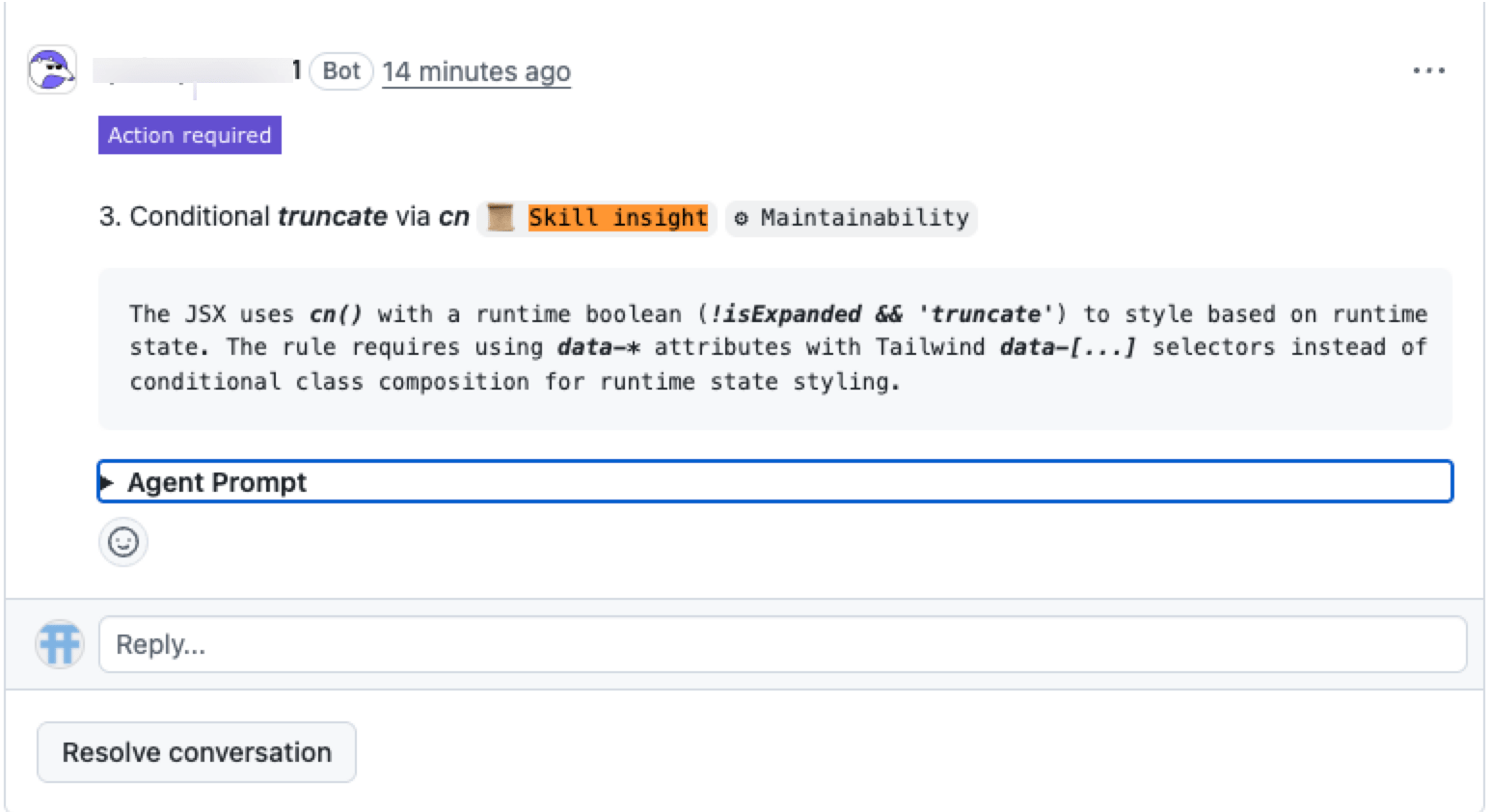
- Why the finding was raised
- Which skill is relevant
- The context behind the feedback
- How it relates to your repository practices
Related resources
- View all skills used in your code review across your repositories: For admins, view all skills used in code review across your repositories.