

BetaMulti-tenantSingle-tenant
Cross-repository conflicts are findings generated by Qodo’s cross-repository code review that flag a change in a pull request that would break a related repository.
How cross-repository conflicts are generated
Cross-repository conflicts are generated by Qodo’s cross-repository code review, which reviews pull requests in repositories that have a defined relationship with other repositories. When a pull request modifies a component covered by a relationship, such as a shared library, an API contract, or a database schema, the agent reads the related repositories and traces the impact in both directions. If a change would break a related repository, it reports a cross-repository conflict finding with a direct link to the affected lines in that repository. The review runs automatically on any pull request in a repository that has at least one active relationship. For how relationships are defined and how cross-repository review works in depth, see Cross-repository code review.Prerequisites
- Log in to the Qodo portal.
- Set up a relationship between repositories. For more information, see Manage cross-repository relationships.
- In the Configurations > Context tab, verify that Cross-repo context is enabled.
View the cross-repository conflict in the findings
Cross-repository code review adds the following finding type to the review output: 🔗 Cross-repo conflict: A change in the pull request would break a related repository.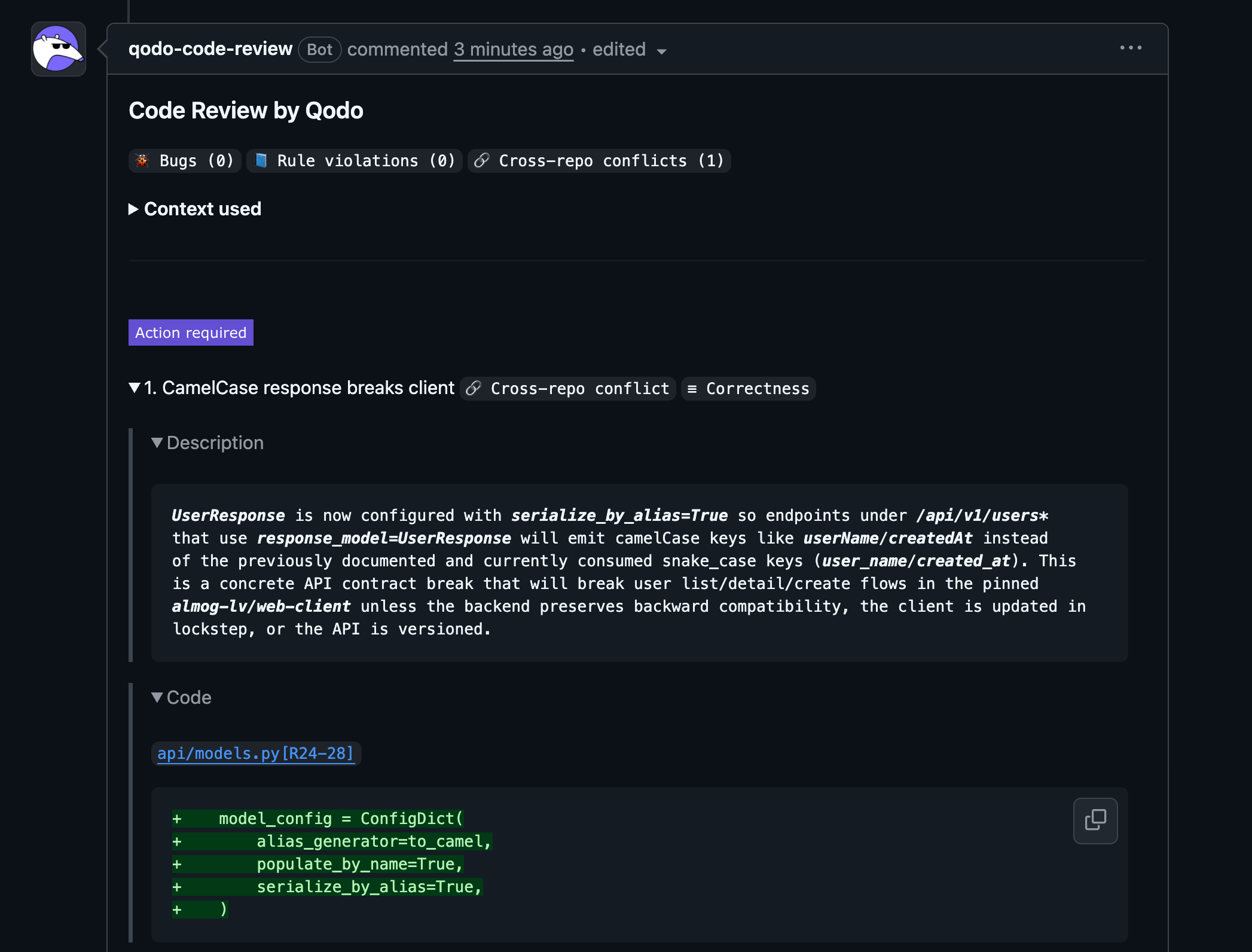
- 🐞 Bugs
- 📘 Rule violations
- 📎 Requirement gaps
Cross-repo.
Cross-repository conflict details
Each cross-repository conflict finding includes:- Description: Explanation of the breaking change and which related repository is affected
- Code reference: Link to the affected lines in the related repository
- Evidence: The related repository code used to detect the conflict
- Agent prompt: A suggested prompt to help resolve the issue