

Before you begin
To use skills, you need:- At least one
SKILL.mdfile in one of these repository directories:.qodo/skills,.claude/skills,.cursor/skills,.agents/skills, orskills. Qodo checks them in that order and uses the first match. - Admin access to the Qodo portal.
Enable Native skills
Native skills are disabled by default at the organization level.Enable using the Qodo portal (Recommended)
Navigate to Configurations > Context > Review standards and enable the Native skills toggle. See Configure Qodo using the portal.Enable using .pr_agent.toml
false.
How Qodo uses skills
Qodo scans repositories to discover skill files. When a skill can be applied during code review, Qodo identifies it and includes it in the review process, where its review rules are evaluated against the code changes. When a pull request is opened, Qodo evaluates the code against the rules assigned to that repository. Violations are surfaced in the pull request to provide reviewers with context before merging.View skills and repository coverage
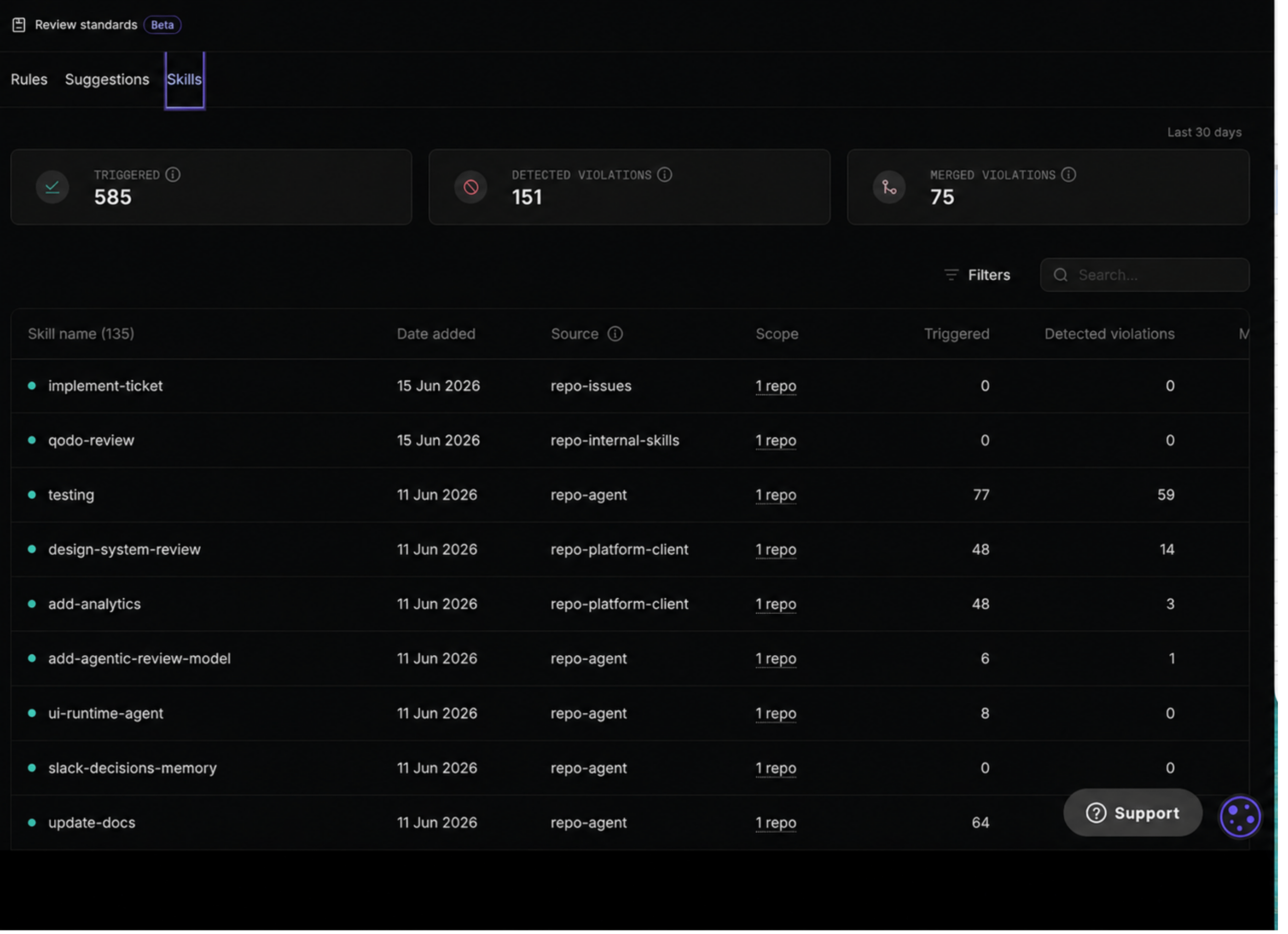
Find and filter skills
Use the filter bar to find a specific skill, or filter skills by Status, Category, Source and Scope. This helps you quickly locate skills, understand where they are applied, and review their current enforcement status across repositories.View skill coverage and activity
For each skill, the following information is available:
This information helps administrators understand which skills are actively contributing to code quality, where they are being enforced, and how widely they are used across the organization.
Manage repository assignments
You can change the repositories associated with the skill based on your needs.- Log in to the Qodo portal and navigate to Review standards in the left navigation bar.
- Click the Skills tab.
-
Select a skill in the table.
The right navigation tab opens. -
Click Edit.
The Skill-related pane opens. Under Scope, the repositories associated with the skill are displayed.
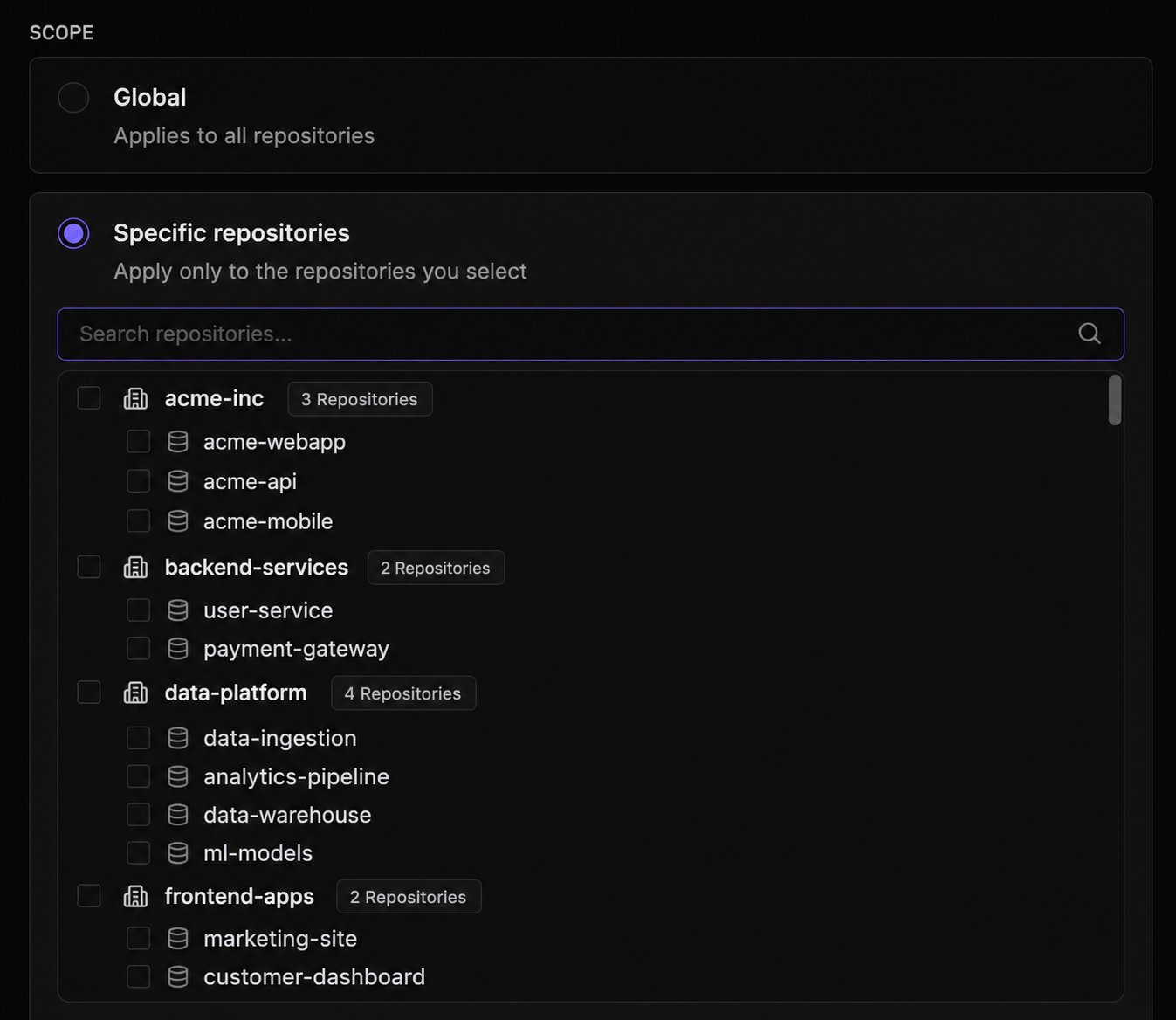
- Select Global, or select Specific repositories to add or remove.
- Click Save.
This edits the scope for a single skill at a time from the skill’s side panel. To edit scope for multiple skills at once, see Manage skills in bulk.
Deactivate a skill
Skills are automatically activated once Qodo detects, analyzes, and adds them to the Skills list. To stop a skill from being applied during reviews, set its status to Inactive. The skill remains available in the Skills list and can be reactivated at any time.- Log in to the Qodo portal and navigate to Review Standards in the left navigation bar.
- Click the Skills tab.
- Select a skill in the table.
The left navigation tab opens. - Select the Active drop-down and select Inactive.
Manage skills in bulk
Multiple skills can be activated, deactivated, or rescoped at once from the Skills table.1
Select skills
Select the checkbox next to each skill, or select the checkbox in the table’s top row to select every skill at once.
2
Choose an action
- Activate or Deactivate: Update the enabled state for all selected skills.
- Define scope: Set the scope for all selected skills at once. Select Global to apply the selected skills organization-wide, or Specific repositories to select a total of 25 entities (organizations and repositories), with an optional path pattern for each selected repository.
3
Confirm the action
A confirmation dialog appears before the action is applied. Confirm to apply the change to all selected skills.
Understand skill analytics
The analytics section at the top of the Skills page provides a high-level view of rule activity and effectiveness for the selected time period.
These metrics help teams understand how frequently rules are applied, measure their effectiveness, and identify opportunities to improve review standards and code quality.
A high number of merged violations can indicate that rule violations are reaching the main branch despite being flagged during review. Use this metric to identify which skills are generating the most merged violations and determine whether additional review processes or enforcement measures are needed.
Related resources
- View skill-related findings: View skill-related findings in your pull request.