

Research Preview: The Remediate findings feature is set as Research Preview and is under active development. Functionality and results may evolve as we continue to improve the feature. We recommend reviewing and validating outputs before use, and advise against using these features in production or business-critical workflows.
High, Medium, and Low are the default severity labels, renamed from the portal using the Severity terminology setting. See Configure Qodo using the portal.
Choose the remediation method that best meets your needs
Qodo provides the following methods to remediate findings identified during code review:Fix with chat
Use the chat to remediate specific findings through a conversational workflow. This option is best for targeted fixes, smaller changes, or when you want more control over the remediation process. Example: “Qodo, fix the null pointer issue in this PR.”Enable the Fix with chat feature in your PRs
- Log in to the Qodo portal.
- Navigate to Configurations > Workflow.
- Verify that Chat with Qodo is enabled. This feature is enabled by default. For more information, see Use Conversational Chat in pull requests.
- Under the Remediation tab, click the Remediation agent toggle.
-
Set the remediation behavior:
a. To automatically generate fixes for review findings, click the Auto fix toggle.
b. Select the level of severity level at or above for the findings will be fixed.
- High: Default
- Medium
- Low
- Set the pull request behavior, for remediations. a. To open a dedicated pull request for the fix, click Open a fix PR toggle. When disabled, fixes are pushed directly to the source branch. b. To automatically close the fix pull request after the finding is resolved, click the Close fix PR when done toggle. You can reopen the pull request at any time before merge.
Fix findings through chat
- Start a conversation by mentioning
@qodo,qodo, or/qodoat the beginning of a PR comment. - Ask Qodo to fix the issue using natural language.
- Qodo views the comment and adds .
- Qodo opens a PR with the fix and produces a final report and closes the PR.
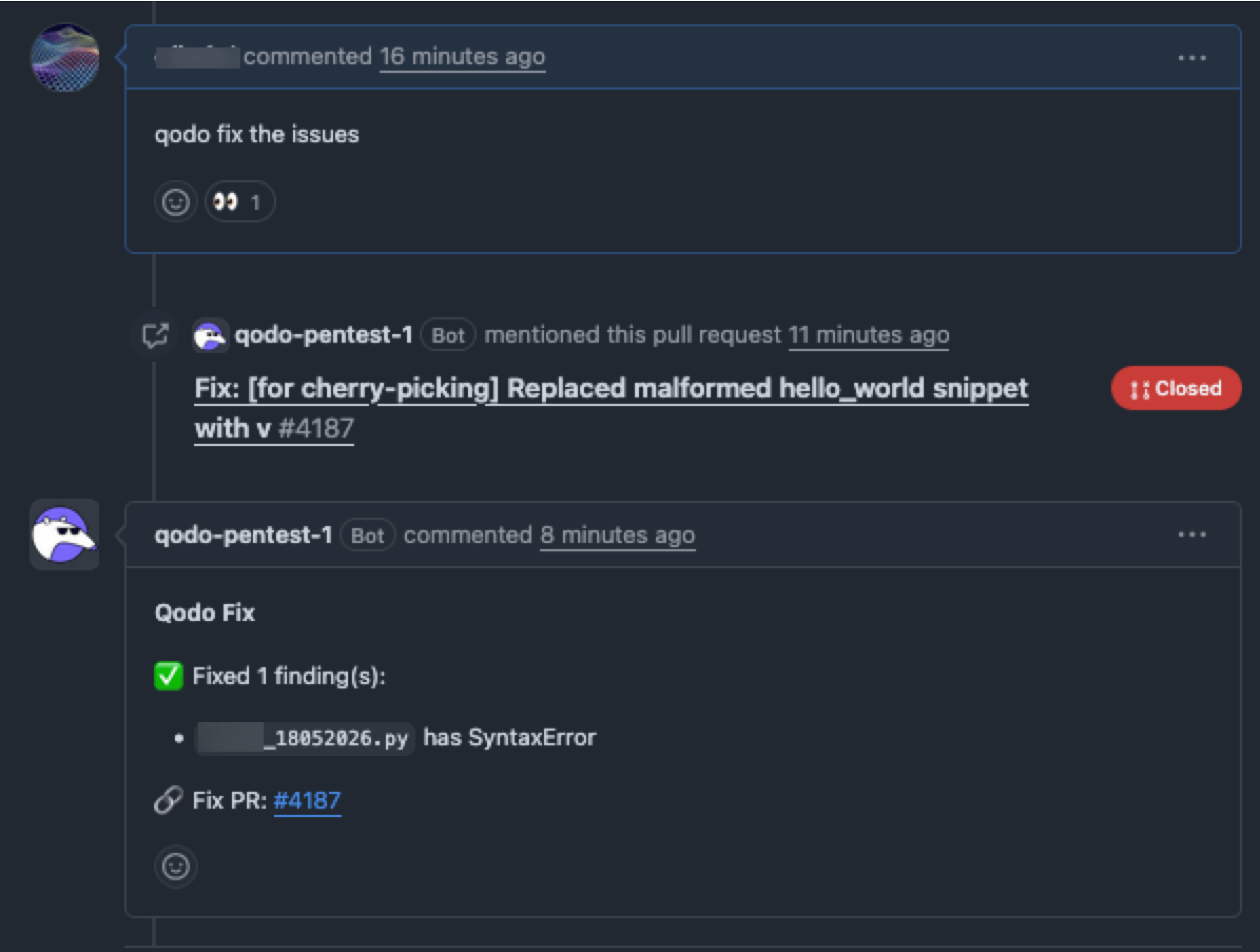
Automatically remediate findings at scale
Use the Remediation Agent to automatically remediate findings at scale. You can remediate selected findings or all findings that match your configured severity threshold. The agent creates a new branch from the pull request under review, applies the fixes, and opens a separate remediation pull request containing the proposed changes. Example: “Qodo, fix all high-severity findings in this PR.”Enable the remediation agent on your PRs
- Log in to the Qodo portal.
- Navigate to Configurations > Remediation.
- Scroll down and select the Remediation agent toggle.
-
Under Auto-fix severity, select the highest severity level the Remediation agent should remediate:
- High
- Medium
- Low
-
[Optional] Configure pull request behavior for fixes.
-
For the Open a fix PR option.
- Enable to deliver fixes in a separate pull request.
- Disable to apply fixes directly to the current branch.
- For the Close fix PR when done option. Enable to automatically close the fix pull request once all fixes are applied.
-
For the Open a fix PR option.
Enable using .pr_agent.toml
The Remediation agent toggle setschat_agent.enable_fixer_agent:
fixer_agent.enable. The portal sets this automatically; when configuring .pr_agent.toml directly, set it explicitly as well, or the remediation agent won’t run:
fixer_agent.enable_auto_fix:
fixer_agent.action_level_threshold:
The Open a fix PR toggle sets
fixer_agent.open_new_pr:
The Close fix PR when done toggle sets
fixer_agent.close_fix_pr:
What happens when remediation runs
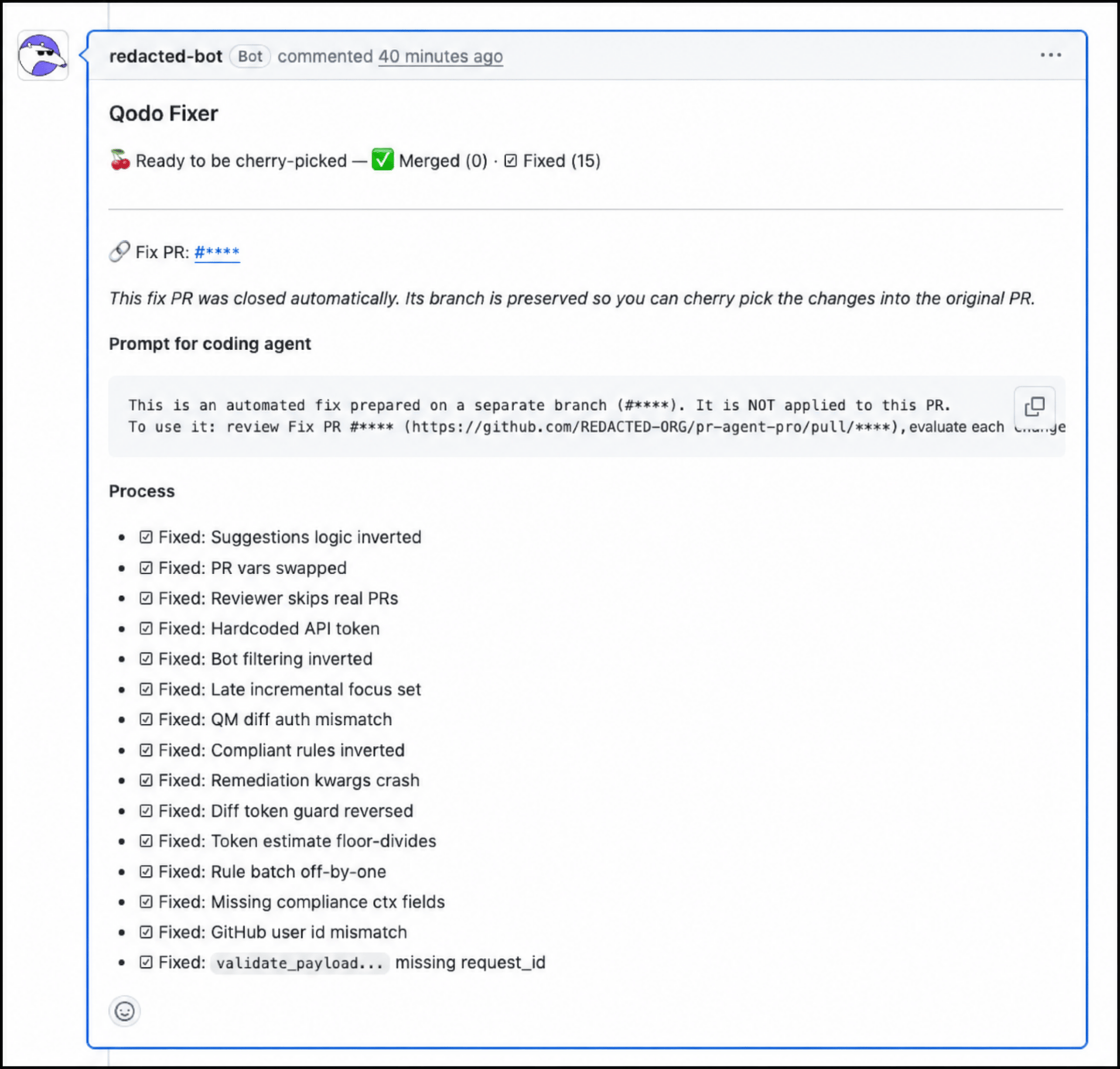
When remediation is triggered for a pull request:- Qodo creates a child branch from the pull request branch, applies the fix, and opens a separate remediation pull request.
- The Remediation Agent applies fixes for the selected findings.
- A remediation pull request is opened with the proposed changes.
- You can review the generated commits and merge the remediation pull request when ready.
Related resources
- Conversational Chat: More about chatting with Qodo in your pull requests.
- Suggest committable fixes: Attach committable suggestions directly to inline findings.
- Configure Qodo using the portal: Manage remediation settings centrally from the Qodo portal Configurations page.