

Research Preview: The Qodo Spec Agent is set as Research Preview and is under active development. Functionality and results may evolve as we continue to improve the feature. We recommend reviewing and validating outputs before use, and advise against using these features in production or business-critical workflows.
How requirement gaps are generated
Requirement gaps are generated by the Qodo Spec Agent, which analyzes pull requests that include a linked specification. The agent compares the implementation in the pull request against the requirements defined in the specification and identifies any discrepancies. When a requirement is not fully satisfied, the Spec Agent reports a 📎 Requirement gap finding. The Spec Agent runs automatically whenever a pull request is opened or updated.Prerequisites
- Log in to the Qodo portal.
- Set up a documentation integration. For more information, see Integrate Qodo with Documentation and Design.
- Navigate to Configurations > Context > Spec & design.
- Enable the Spec agents toggle. Changes are saved automatically.
Set using .pr_agent.toml
The portal’s Spec agents toggle shows as off until you interact with it. Until then, this engine default applies regardless.View the requirement gap in the findings
The Spec Agent adds the following finding type to the review output: 📎 Requirement gap: A requirement defined in the specification is not fully implemented in the pull request.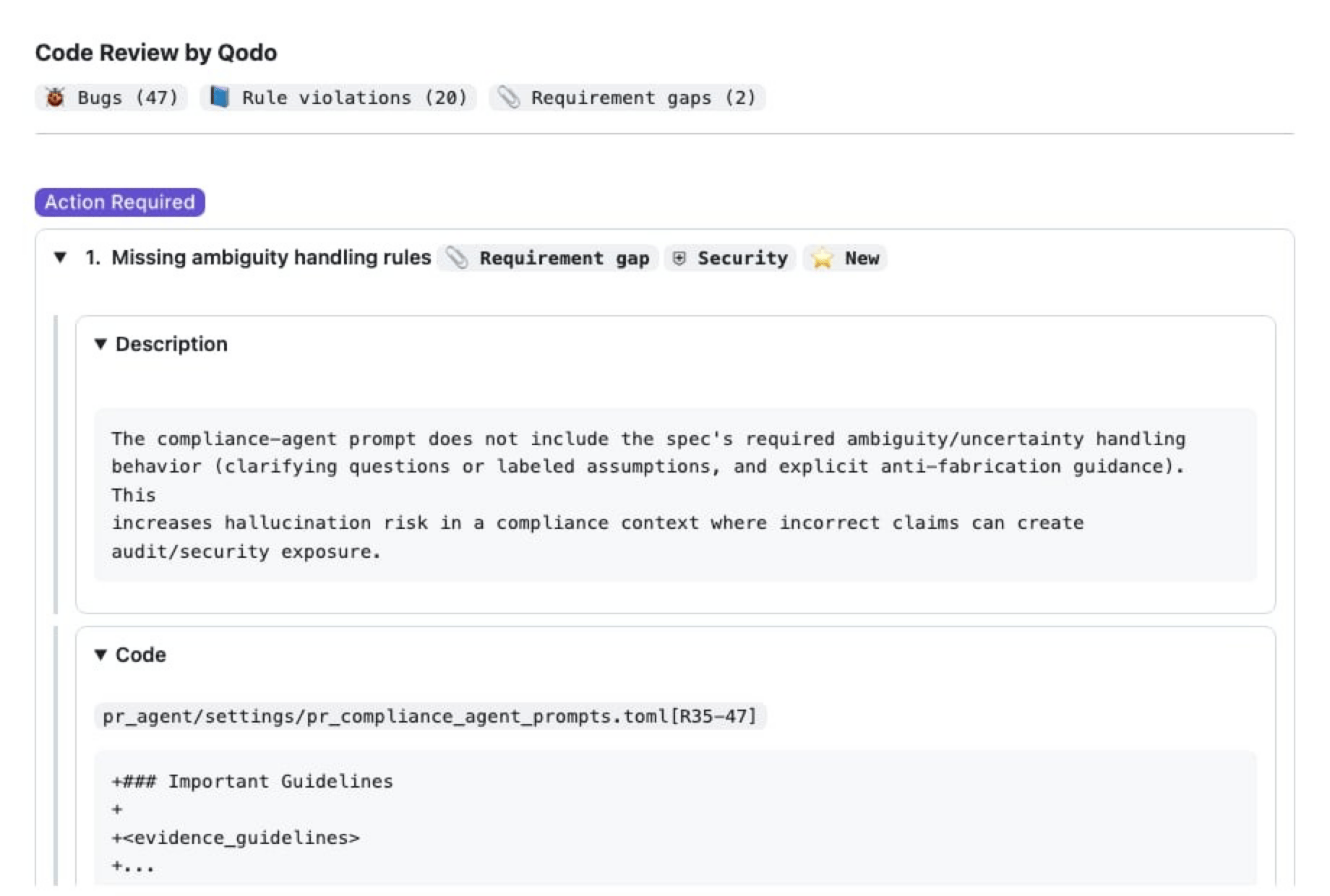
- 🐞 Bugs
- 📘 Rule violations
- 📎 Requirement gaps
Requirement gap details
Each requirement gap finding includes:- Description: Explanation of what requirement is missing or incomplete
- Code reference: Link to the relevant lines in the pull request diff
- Evidence: The specification section used for validation
- Agent prompt: A suggested prompt to help resolve the issue