

GitHubGitLabAzure DevOps
Blast radius is Qodo’s classification of a code change’s risk, based on its scope and sensitivity. Qodo makes this classification available as a native pull request tag (Azure DevOps) or label (GitHub, GitLab), so you can triage which pull requests need the closest review directly from your Git provider’s pull request list.
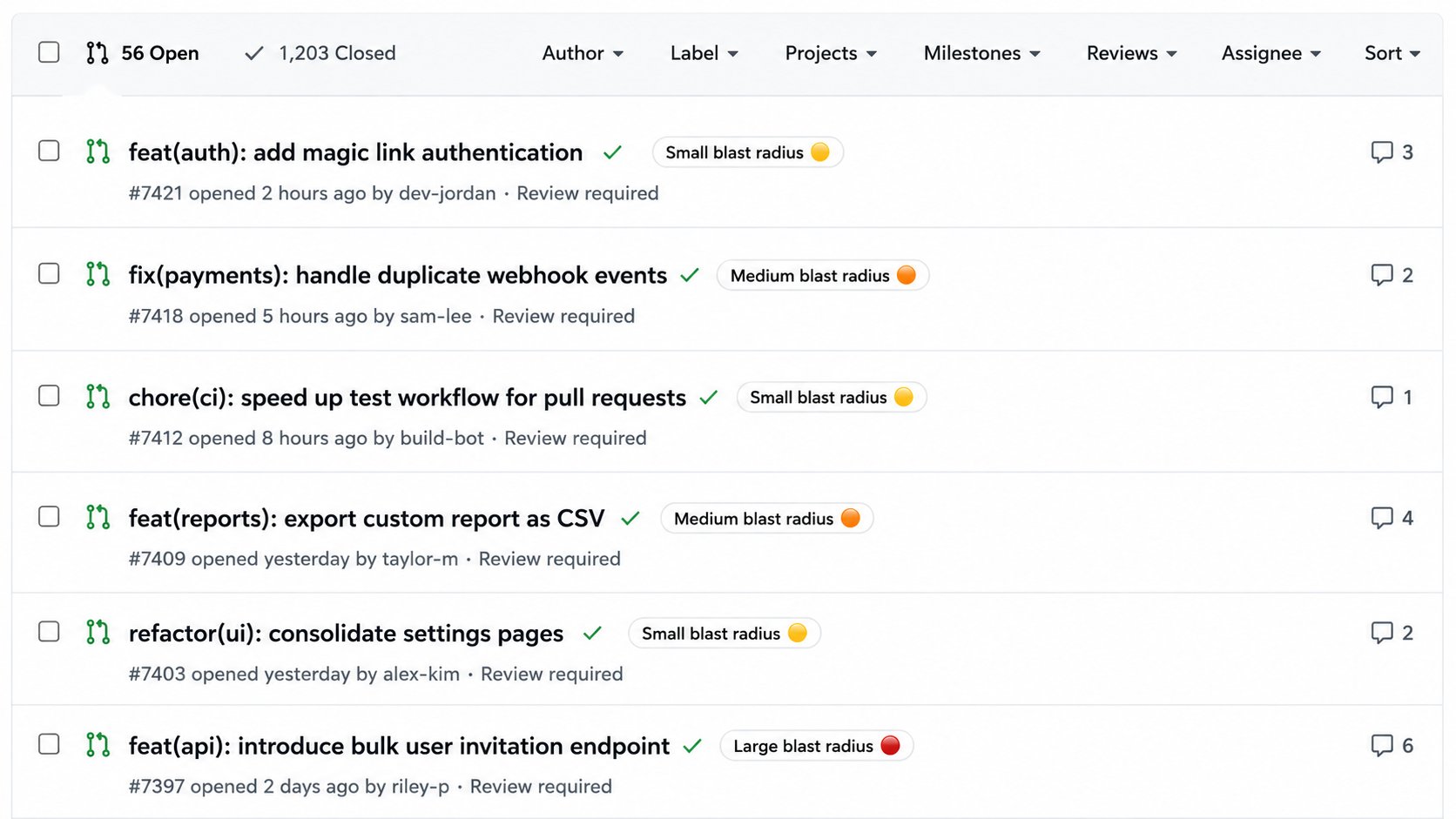
How blast radius is classified
Qodo estimates risk by analyzing the change in the context of the codebase it affects, not just the size of the diff. It weighs the impact and intent behind the change: a one-line edit to a production database configuration can carry more risk than a large documentation update, and the classification reflects that difference. Each pull request receives one of three risk levels:- 🔴 Large blast radius
- 🟠 Medium blast radius
- 🟡 Small blast radius
Azure DevOps: Native tags don’t support displaying emoji in pull requests. As a result, the tag appears as plain text, for example “Large blast radius”.
Configure blast radius
Configure blast radius in the Qodo portal (Recommended)
- Log in to the Qodo portal.
- Navigate to Configurations > Workflow > Code review.
- Enable Publish blast radius label.
Configure blast radius in .pr_agent.toml
false.
Related resources
- Anatomy of a Qodo Code Review: How native pull request labels fit into the review.
- Generate labels automatically: Add custom, content-based labels alongside the blast radius label.
- Optimize AI effort with Review effort mode: Match review depth to the risk of each change.