Research Preview: This feature is under active development. Functionality and behavior may evolve as we continue to improve the feature. Research Preview features are not covered by any SLA.
Prerequisites
- Log in to the Qodo portal.
- If you are an existing user, in the Configurations > Context tab, enable Web search. Web search is enabled by default for new users.
Set using .pr_agent.toml
false. New workspaces get this enabled automatically by the portal; existing workspaces and hand-written .pr_agent.toml files fall back to this default.
How web search works
When Qodo reviews a pull request, it identifies third-party dependencies referenced in the changes and searches the web for relevant documentation, specifications, and release notes. The review agent uses this information to:- Detect usage that conflicts with the latest API or specification for a dependency.
- Flag deprecated methods, removed features, or breaking changes introduced in newer versions.
- Ground third-party evidence in official docs, issues, and other helpful sources available instead of the model’s internal knowledge, in order to prevent hallucinations.
View web search references in findings
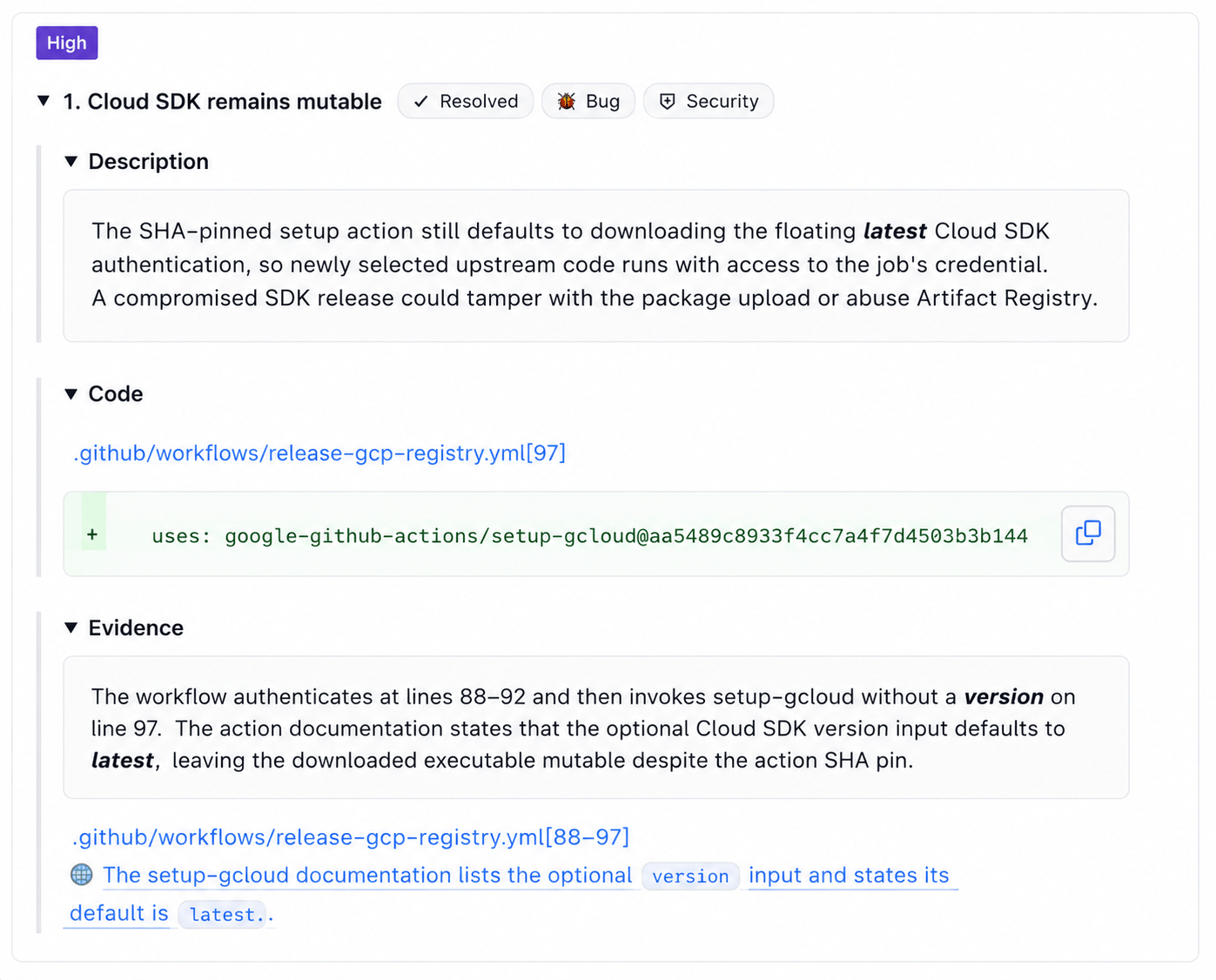
When web search contributes to a finding, the Context sources panel in the review comment lists the external sources the agent referenced. This shows you which documentation, release notes, or other sources informed the finding.