

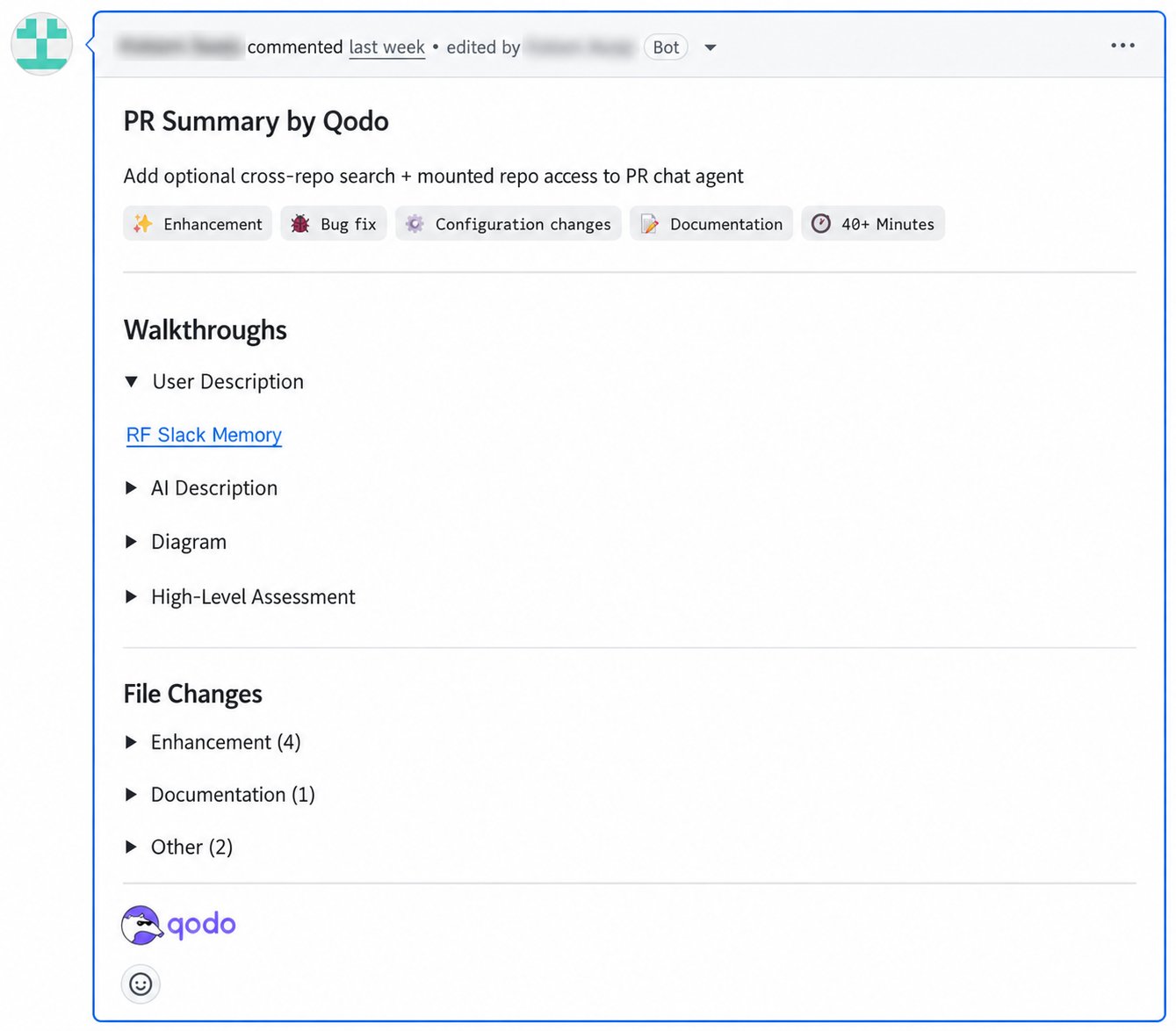
- Summary, tags, and time estimate: A brief summary of the PR’s intent, followed by tags (Bug fix, Tests, Enhancement, Documentation, or Configuration changes) and a time estimate, so reviewers can prioritize before opening a single file.
- Walkthroughs: A Description, Diagram, and High-Level Assessment that break down what changed, how, and why.
- File Changes: Modified files grouped by category, for a quick view of the change surface.
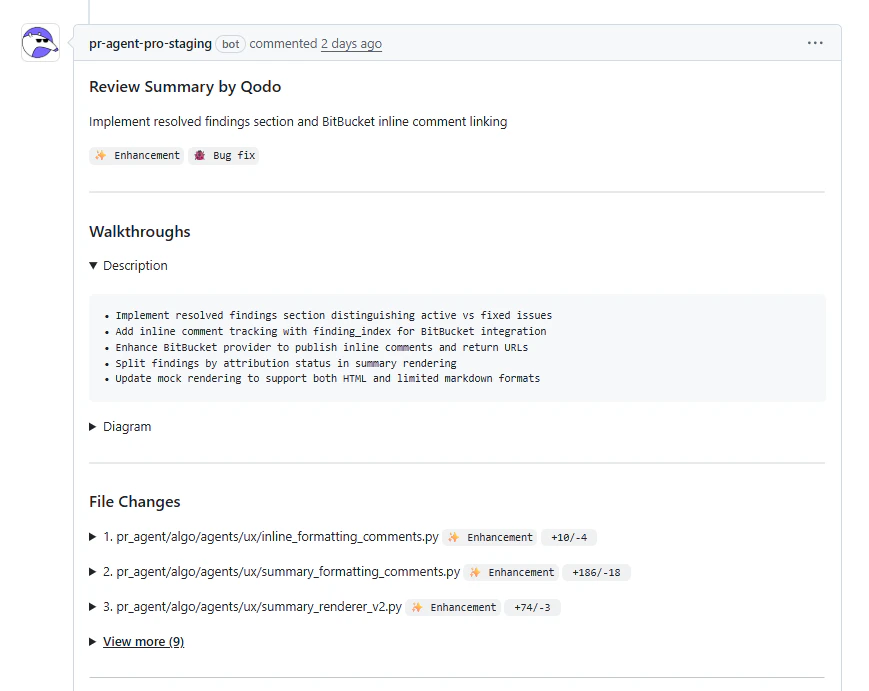
Generate a PR summary manually
Comment on the pull request:/agentic_describe
Qodo acknowledges the request and posts the generated summary directly in the pull request.
Generate a PR summary automatically
Qodo generates a summary automatically when a pull request is opened or updated. This is the default behavior. If you want to change the default behavior, use one of the following methods.Configure automatic PR summaries in the Qodo portal (Recommended)
- Log in to the Qodo portal.
- Navigate to Configurations > Workflow > PR summary.
- Set PR summary trigger to Manual only (generated using
/agentic_describe) or Published PRs (generated automatically when a PR is published, default).
Disable automatic PR summaries in .pr_agent.toml
Automatic PR summaries run when/agentic_describe is included in pr_commands. Remove it from the list to disable automatic summaries and rely on manual requests only.
pr_commands is set per Git provider section, or in [config] as a fallback for providers that don’t define their own. For more information, see Configuration and command reference.
Set the location of the summary in the pull request
By default, Qodo posts the PR summary as a standalone comment and does not modify the pull request description. To publish it in the pull request description instead, or let Qodo choose dynamically, see Comment location.Publish the review time estimate as a native label or tag
GitHubGitLabAzure DevOps
As pull request volume grows, seeing the review effort directly in your Git provider’s pull request list makes it easier to compare and triage which reviews to tackle first, without opening each one.
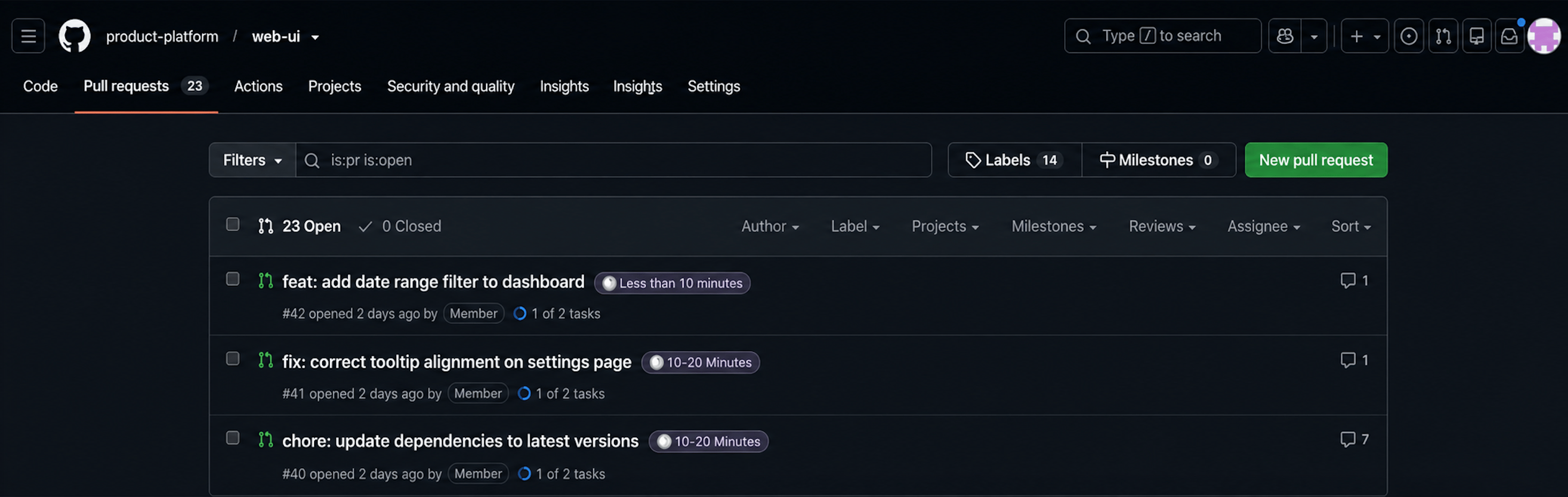
Configure the review time estimate label in the Qodo portal (Recommended)
- Log in to the Qodo portal.
- Navigate to Configurations > Workflow > PR summary.
- Enable Publish review time estimate label.
Configure the review time estimate label in .pr_agent.toml
false.
Related resources
- Anatomy of a Qodo Code Review: The parts of the PR summary and how to read them.
- Determine where Qodo posts the PR summary: Post the summary as a comment or in the pull request description.
- Customize the code review experience: What you can configure, and where to configure it.