

Starting with version 3.3, Merge Risk replaces the previous Blast radius feature. Blast radius is now one of the three Merge Risk factors. The Blast radius feature is off by default.Existing customers who have it enabled will continue to see both configurations until they turn it off in the Qodo portal. Both Blast radius configurations are then hidden, leaving only the Merge Risk configuration.
- Blast radius: How broadly a failure could affect functionality.
- Behavioral complexity: How difficult the changed behavior and its interactions are to reason about.
- Potential damage: How severe the consequences could be and what recovery would require.
How Merge Risk is calculated
Qodo analyzes the full pull request to assess its potential impact, rather than relying only on the size of the diff. The assessment considers the nature of the changes, the functionality they affect, and the potential consequences of merging them. The assessment evaluates three factors:Blast radius
Estimates how broadly a failure caused by the change could affect the codebase or product functionality. Changes affecting shared components or widely used functionality can have a broader blast radius than changes isolated to a specific area.Behavioral complexity
Evaluates how difficult the changed behavior is to understand and reason about, including interactions between components and dependencies. Changes involving complex logic or multiple interacting parts can be harder to validate.Potential damage
Estimates the severity of the consequences if the change causes a failure, including the effort and complexity involved in recovering from it. Changes that could cause significant data loss, service disruption, or other serious consequences can carry higher potential damage.Understanding the assessment
Each factor includes an explanation of its assigned risk level and supporting evidence. The assessment also identifies risks and recommends areas to investigate during review. The overall risk level provides a summary of the pull request’s potential consequences. Use the individual factor assessments to understand what contributes to that rating and where to focus additional attention.Configure Merge Risk
Configure Merge Risk in the Qodo portal (Recommended)
Merge Risk is disabled by default. Enable it in the Qodo portal to assess pull requests automatically and optionally publish the results as native pull request labels or tags.1
Log in to the Qodo portal.
2
Navigate to Configurations > Workflows.
3
Open the Merge Risk section.
4
Enable Merge Risk.
5
Configure the assessment and labeling options as needed.
Publish merge risk labels
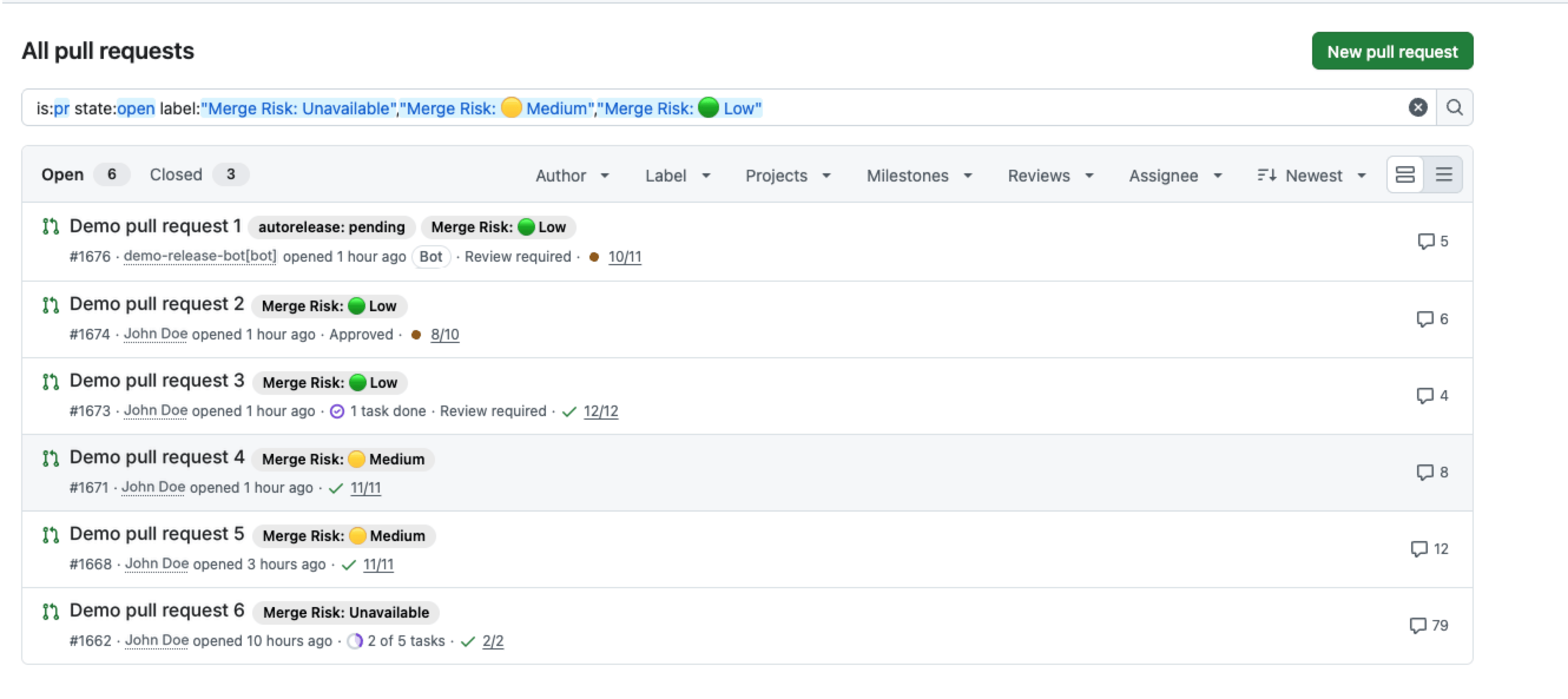
You can publish the overall risk assessment as a native pull request label (GitHub and GitLab) or tag (Azure DevOps). This makes it easier to identify and prioritize pull requests directly from your Git provider. Enable Add Merge Risk label to apply the overall risk level, for example,Merge Risk: High.
You can also select individual factors under Factor labels to publish their assessments separately:
- Blast radius
- Behavioral complexity
- Potential damage
Merge Risk: High and an individual factor label such as Blast radius: High.
Factor labels are optional and are available only when Add Merge Risk label is enabled.
Configure merge risk in .pr_agent.toml
Related resources
- Anatomy of a Qodo Code Review: Understand the components of a Qodo pull request review.
- Generate labels automatically: Add custom, content-based labels to pull requests.
- Optimize AI effort with Review effort mode: Match review depth to the requirements of each change.