

BetaMulti-tenantSingle-tenant
Repository relationships define which repositories depend on each other. Qodo can discover them automatically, you can trigger discovery for a specific repository, or you can define them manually. Once defined, Qodo automatically uses them to detect breaking changes across repositories when a pull request (PR) is opened. This runs by default. See Disable Cross-repo context to turn it off.
Prerequisites
- Repositories must be installed using the Qodo installation wizard. Repositories installed using a previous method will not appear until reinstalled. See the migration guide for your Git provider.
Where to manage relationships
The Repositories page has two entry points for managing relationships:- Relationships tab: View and manage all relationships across your organization.
- Repository sidebar: View and manage relationships scoped to a specific repository.
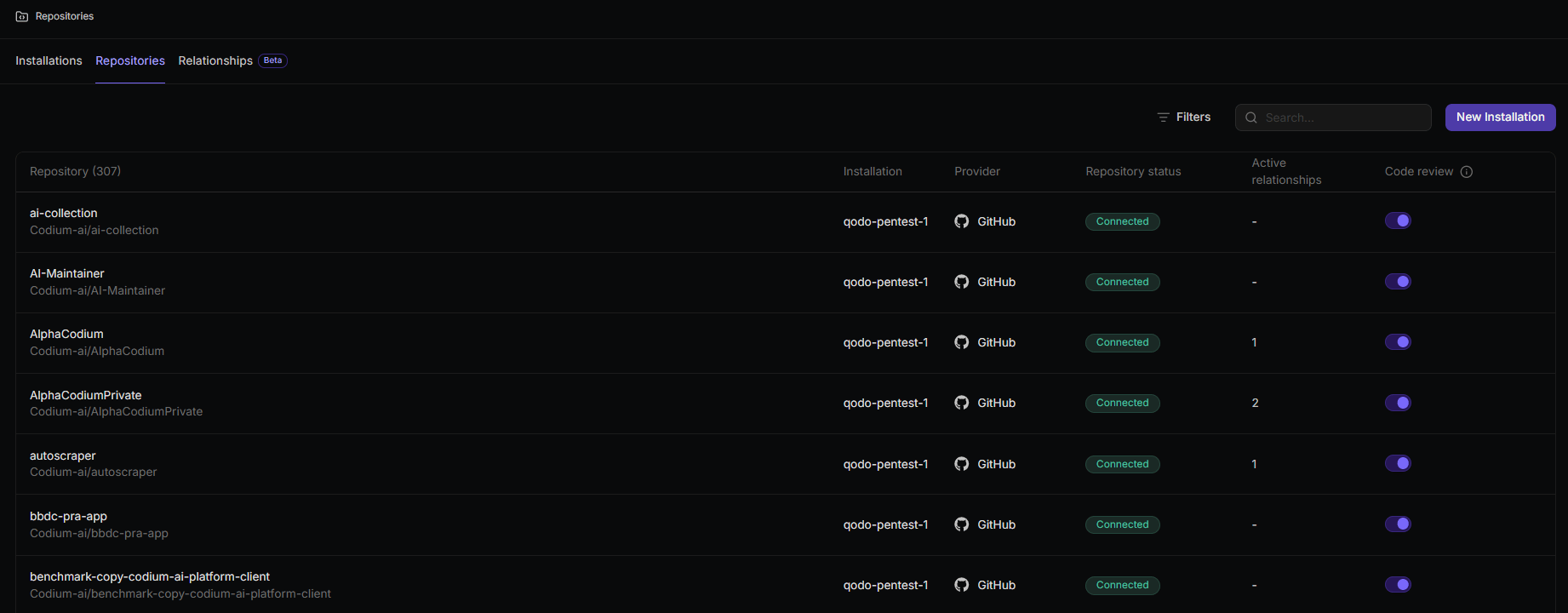
View all relationships
- Go to the Repositories page and select the Relationships tab.
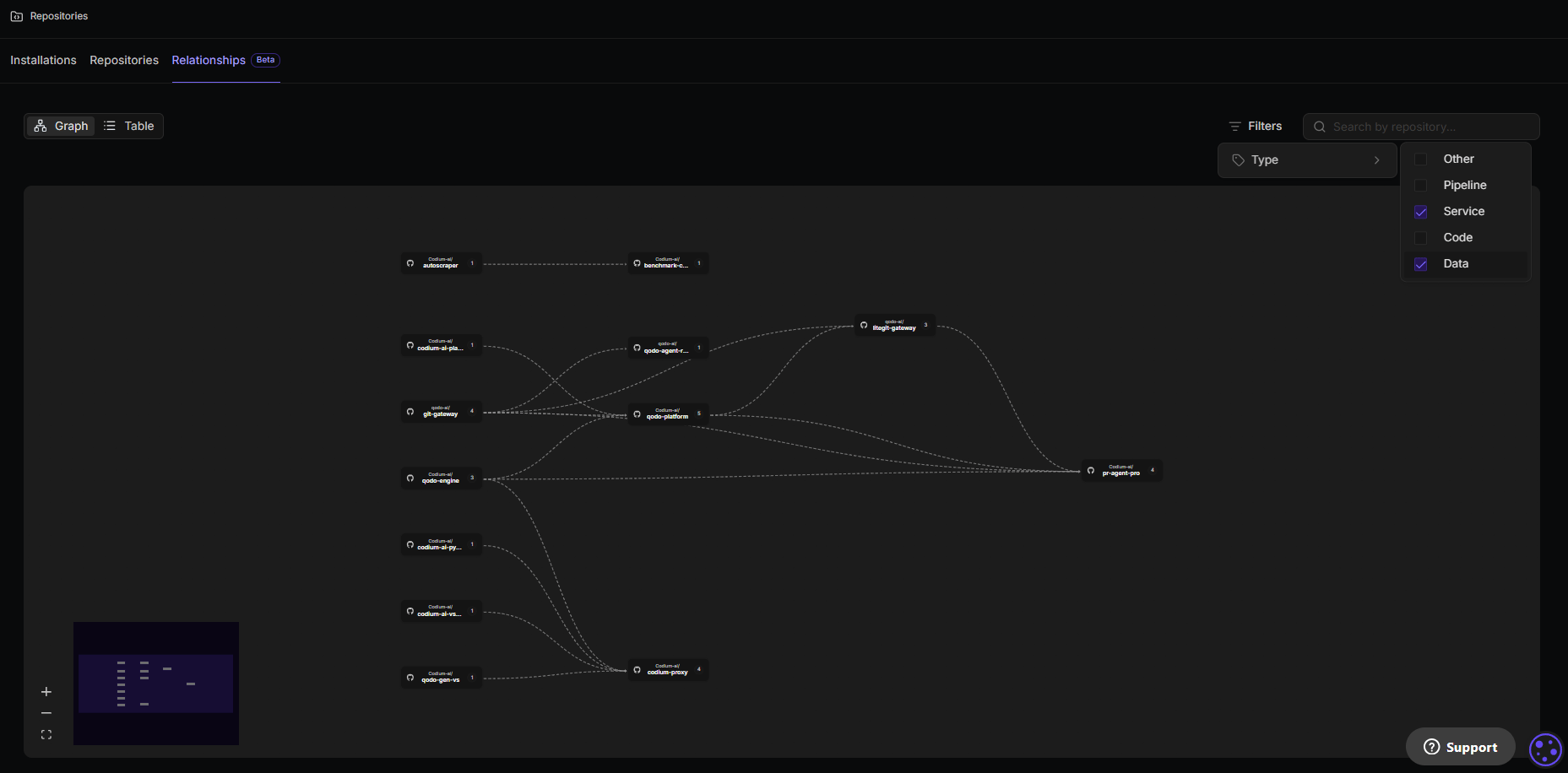
View relationships for a specific repository
- Go to the Repositories page and select the Repositories tab.
- Click the row of the repository you want to inspect.
- The sidebar opens on the right. The Cross repository relationships section shows all relationships defined for that repository, including the linked repository, relationship type, description, and status.
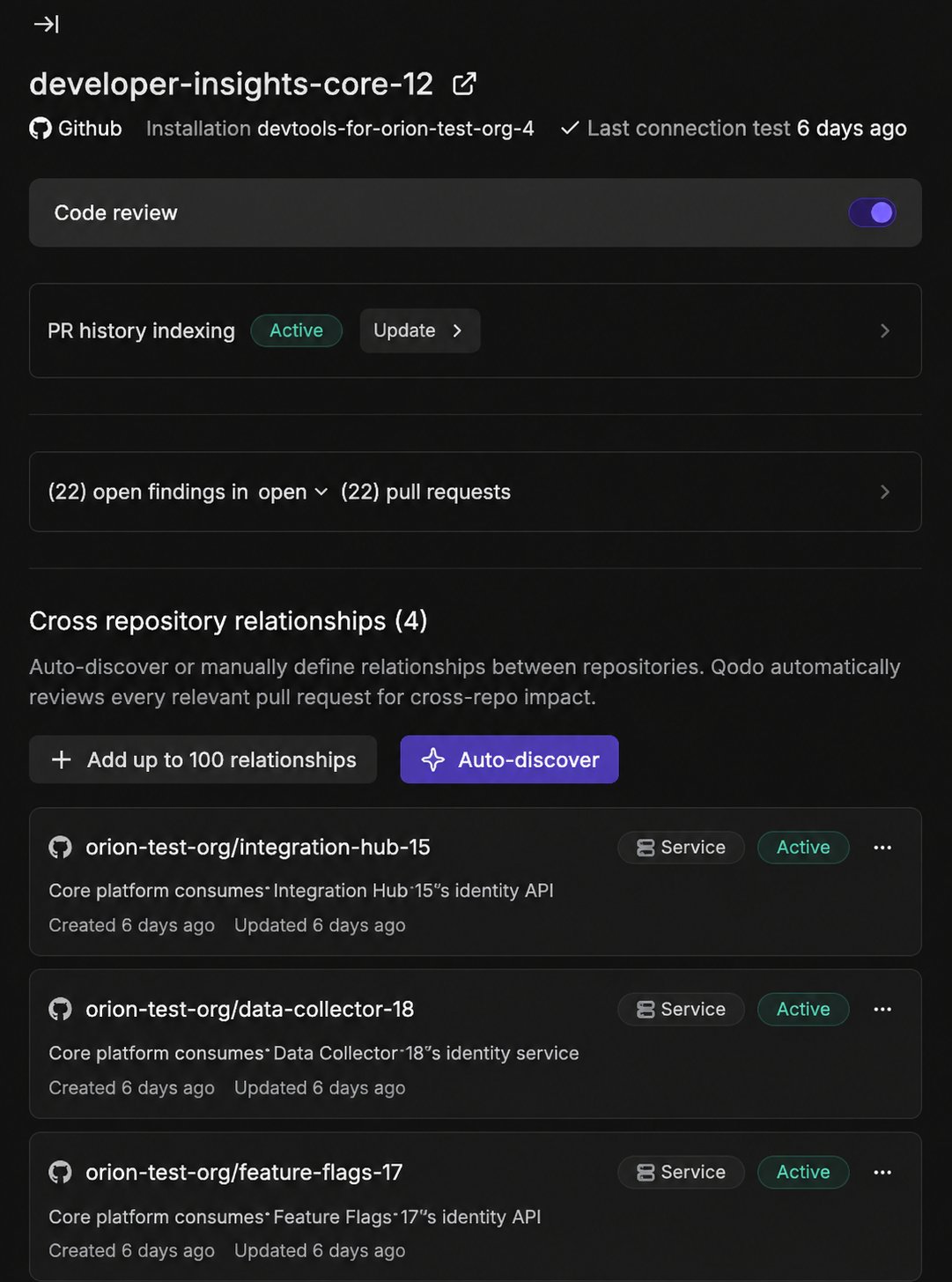
Discover and add relationships
Qodo discovers relationships automatically for key repositories. You can also trigger discovery on demand for a specific repository, or add relationships yourself. These are displayed in the repository sidebar’s Cross repository relationships section or the Relationships table, and used the same way during review.Relationships are non-directional. The order of Repository A and Repository B does not affect how the agent uses the relationship.
Automatic discovery across your organization
Qodo discovers relationships automatically, without any action from you. Any relationships found are displayed in the Cross repository relationships section. When discovery happens depends on which installation wizard connected your Git provider to Qodo:Auto-discover relationships per repository
Trigger Qodo to scan a specific repository and find its related repositories.- Go to the Repositories page and select the Repositories tab.
- Click the row of the repository you want to analyze to open its sidebar.
- In the Cross repository relationships section, click Auto-discover.
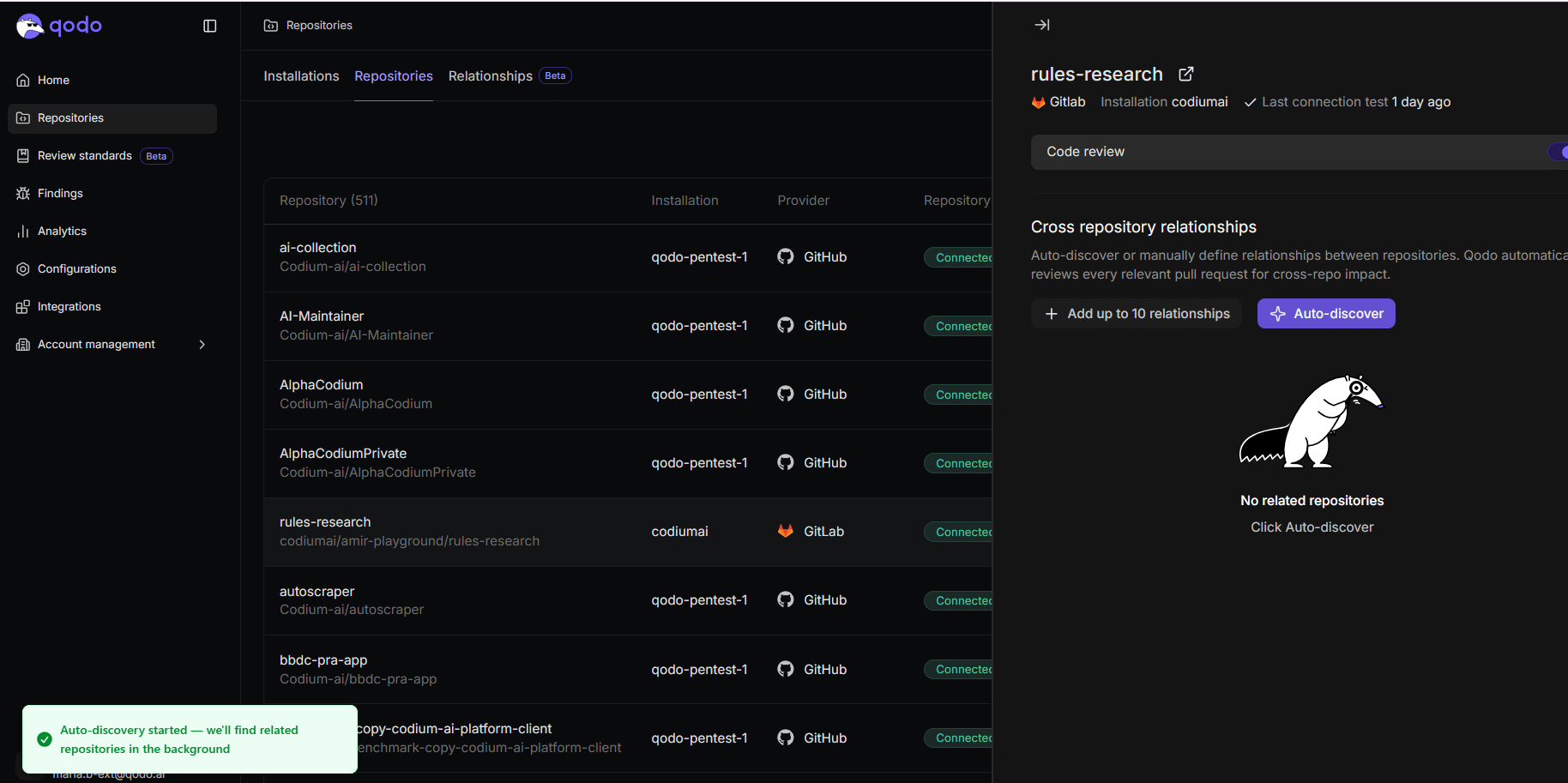
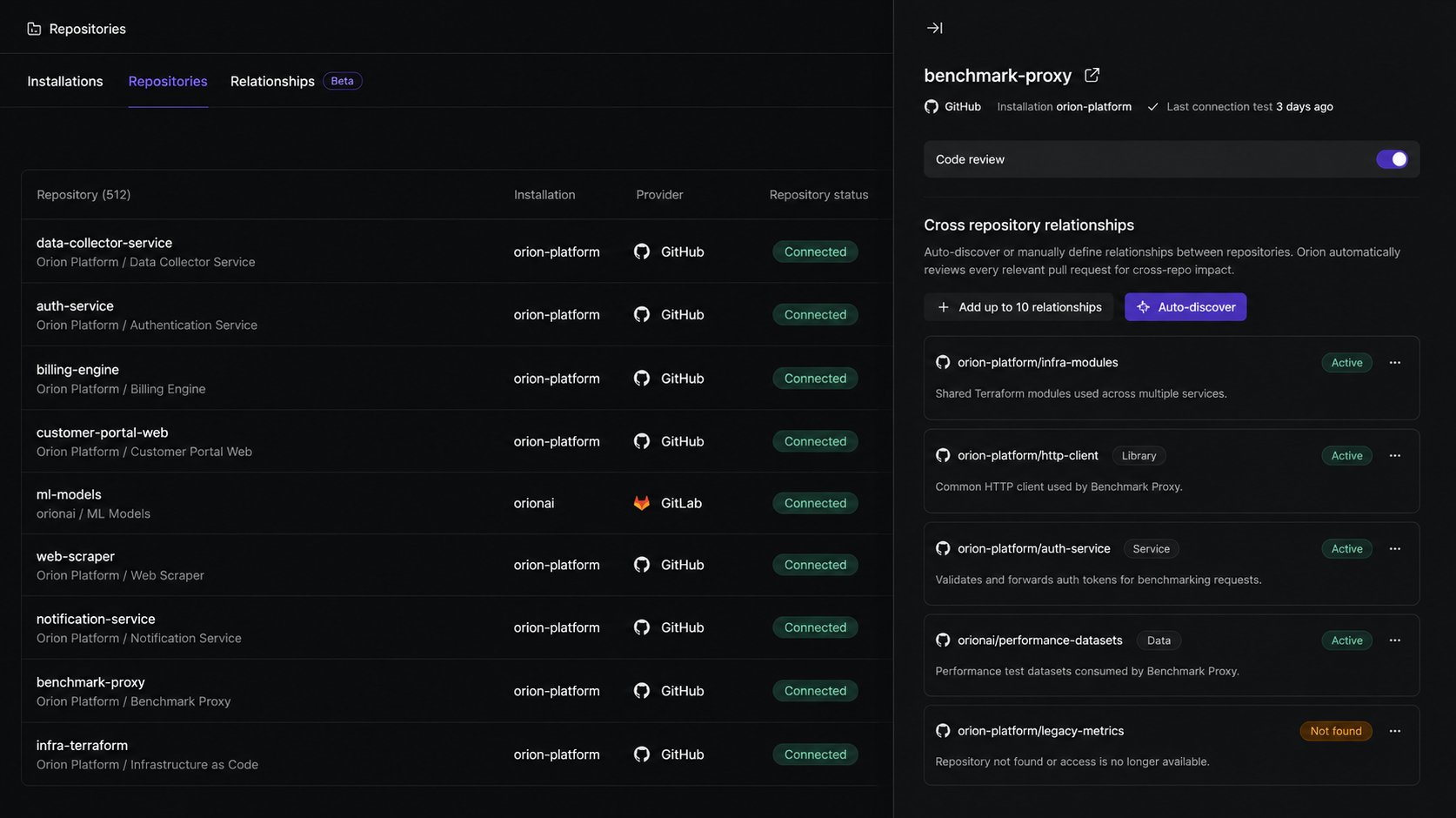
Only one discovery run can be active per repository at a time. If you start auto-discovery while a run is already in progress, Qodo shows that auto-discovery is already in progress for the repository.
Add relationships manually
You can also add relationships yourself from a repository’s sidebar.- Go to the Repositories page and select the Repositories tab.
- Click the row of one of the repositories to open its sidebar.
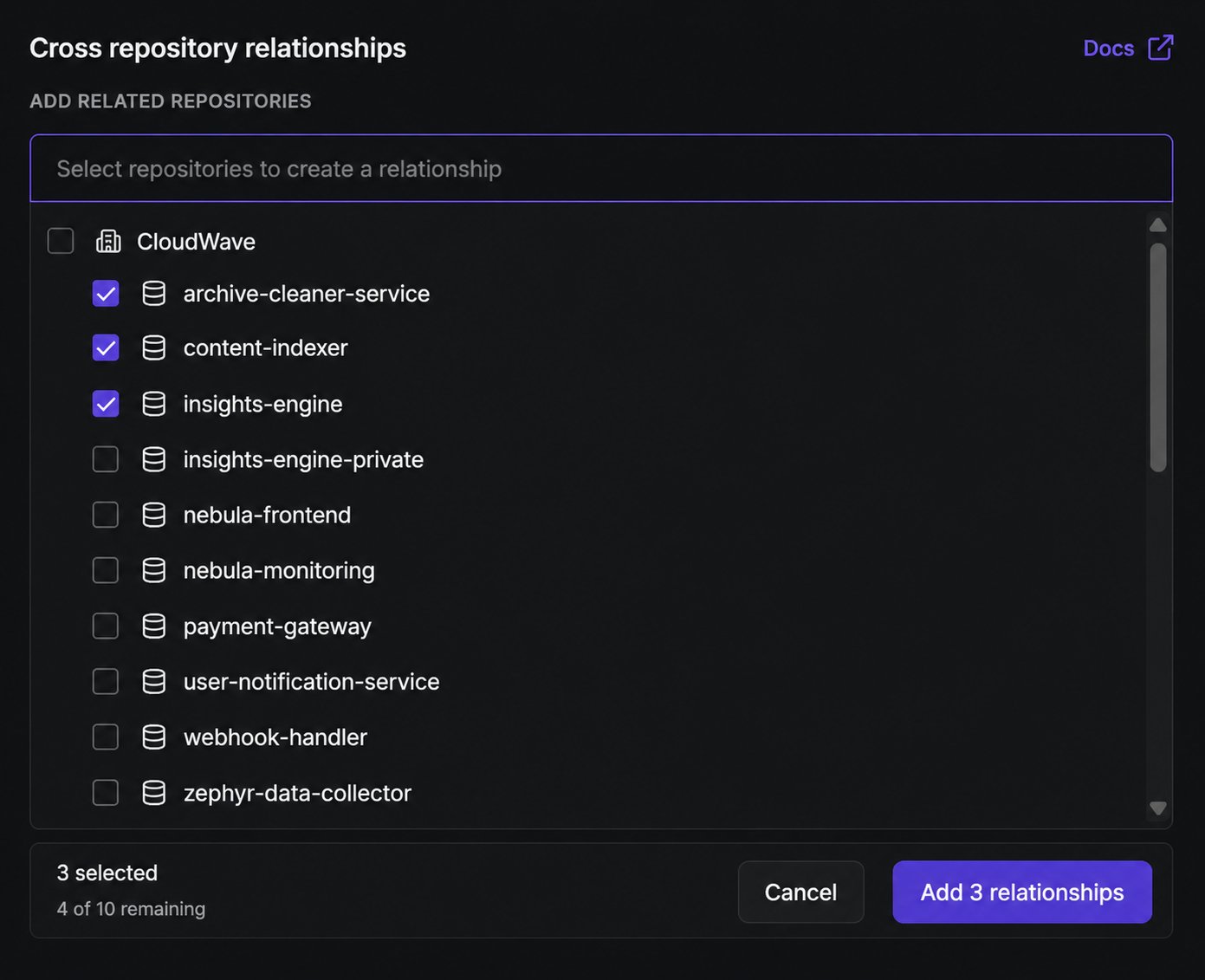
- In the Cross repository relationships section, under Add related repositories, select the Select repositories to create a relationship field.
- Select the repositories to link. Each repository supports up to 100 relationships.
- Click Add relationships.
Keep relationship information current
Regardless of how a relationship was created, later activity keeps the information about the relationship current. You can see when that happened from its Updated date, and which pull request caused it from a link to that PR. See Relationships tab reference for the full list of fields shown for each relationship.Relationship statuses
Whether a relationship is auto-discovered or added manually, Qodo processes it and shows one of the following statuses:For a description of each relationship type, see Cross-repository code review.
When a PR triggers a review, Qodo analyzes the 10 active relationships most relevant to that PR.
Retry a relationship connection
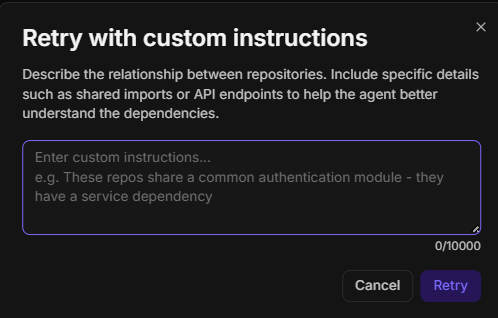
If a relationship shows Not found or Error, Qodo could not establish the connection on its own. You can provide additional context to guide the analysis and retry:- Click the three-dot menu on the relationship.
- Select Retry with custom instructions.
- In the Retry with custom instructions dialog, describe the dependency between the two repositories. These instructions give the agent additional context to guide the relationship analysis.
- Click Retry.
Remove a relationship
Qodo doesn’t automatically remove a relationship once the dependency no longer applies, delete it manually to keep coverage accurate.From the Relationships tab
- Go to the Repositories page and select the Relationships tab.
- Click the three-dot menu on the relationship you want to remove.
- Select Delete relationship.
- In the confirmation dialog, click Delete relationship to confirm.
From the repository sidebar
- Go to the Repositories page and select the Repositories tab.
- Click the row of the relevant repository.
- In the sidebar, click the three-dot menu on the relationship you want to remove.
- Select Delete.
- Confirm the deletion.
Export relationship details
Each relationship has a markdown file that describes the dependency in detail. To download it, click the three-dot menu on any relationship and select Download markdown. Use this to review what Qodo has inferred about the relationship or to share it with your team.Disable Cross-repo context
Cross-repo context is enabled by default. To turn it off:Disable using the Qodo portal (Recommended)
Navigate to Configurations > Context > Cross-repo context and disable the toggle. See Configure Qodo using the portal.Disable using .pr_agent.toml
true.
Next steps
- Cross-repository code review: Understand how Qodo uses relationships to detect breaking changes.
- Manage code review across repositories: View and manage your repositories and installations.