Prerequisites
- Log in to the Qodo portal.
- In the Configurations > Code review tab, enable Web search.
How web search works
When Qodo reviews a pull request, it identifies third-party dependencies referenced in the changes and searches the web for their latest official documentation, specifications, and release notes. The review agent uses this information to:- Detect usage that conflicts with the latest API or specification for a dependency.
- Flag deprecated methods, removed features, or breaking changes introduced in newer versions.
- Ground third-party evidence in in official docs, Issues and other helpful sources available instead of models internal knowledge, in order to prevent hallucinations.
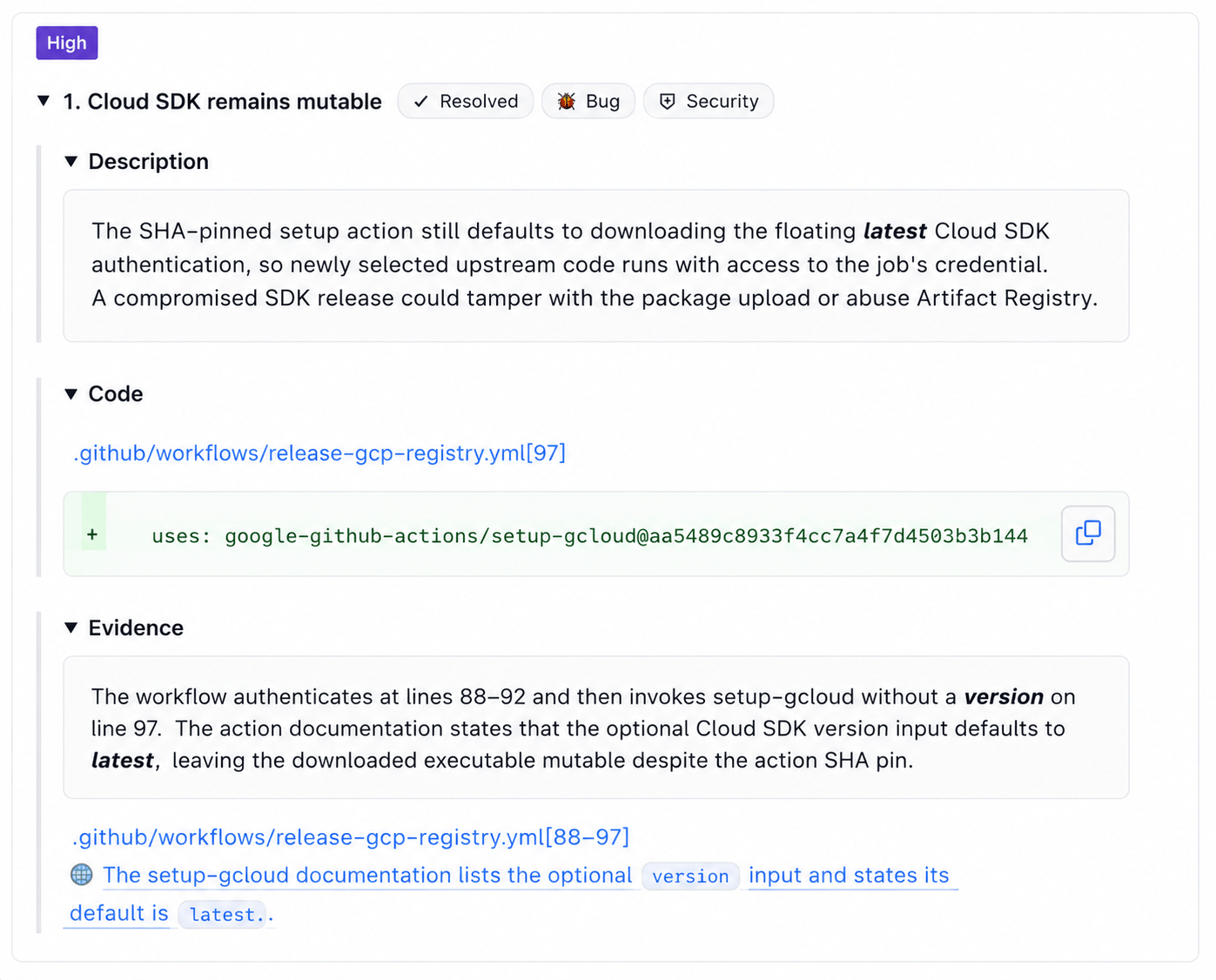
View web search references in your pull request findings
When web search contributes to a finding, the Context used panel in the review comment lists the external sources the agent referenced. This gives you visibility into what documentation or release notes informed the finding.