

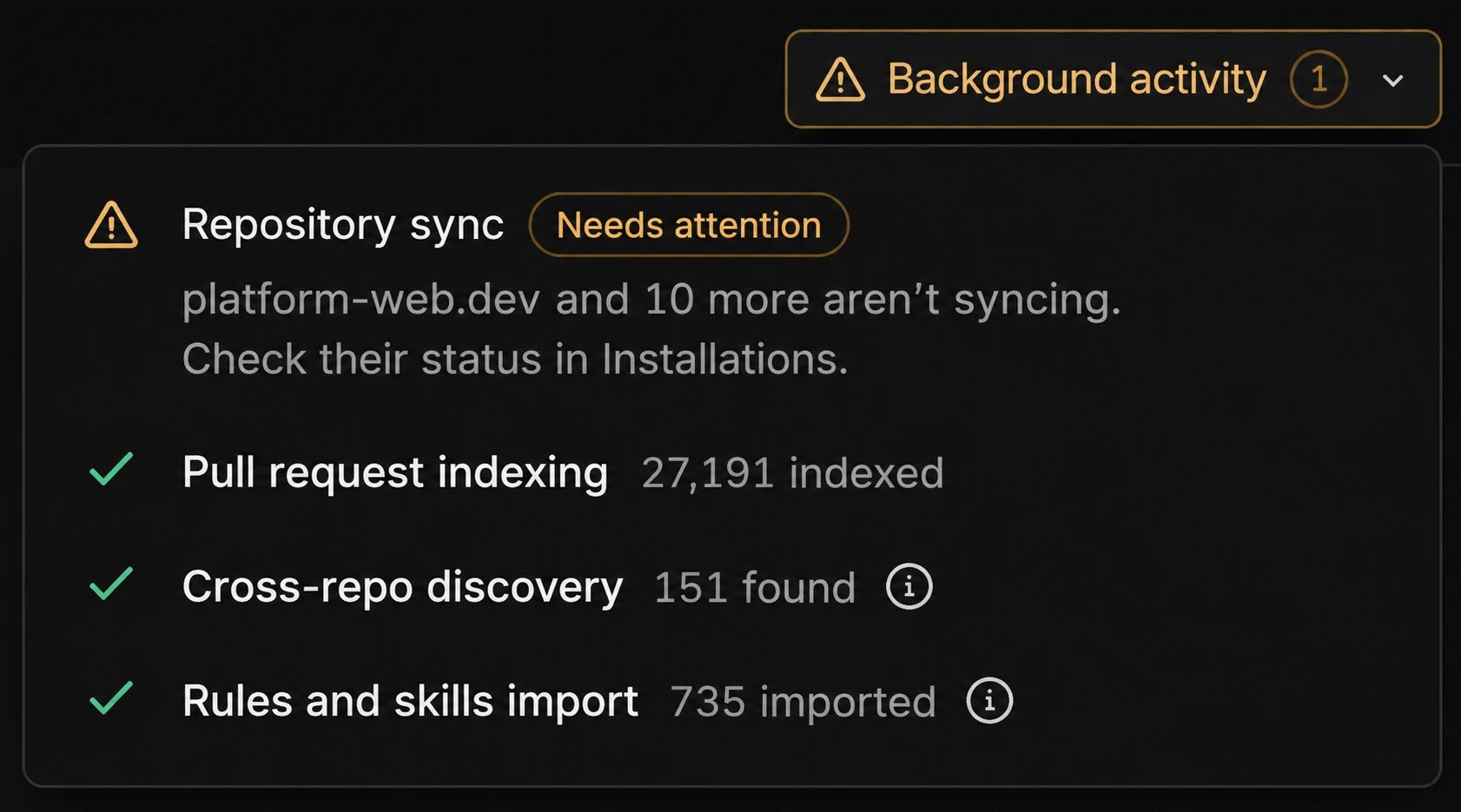
What Background activity tracks
Each process has its own row in the panel:- Repository sync: Syncs each connected repository with Qodo. For more information, see Manage Git repositories by installation.
- Pull request indexing: Indexes each repository’s pull request (PR) history. For more information, see Monitor and manage repositories.
- Cross-repo discovery: Finds relationships between your repositories. For more information, see View cross-repository relationships.
- Rules and skills import: Imports the rules and skills you select from your repositories. For more information, see Generate and manage rules.
Troubleshoot a process that needs attention
1
Check the status
Click Background activity to open the panel, then check each row.
When a process needs attention, its row shows a Needs attention label, and the Background activity button shows a warning icon. The number on the button counts the processes that are running or need attention. When every process has finished, the button shrinks to a checkmark.
2
Review the status details
A row that needs attention includes a short description of the problem and how to fix it, for example:
- “payments-service and web-app couldn’t be indexed. Retry indexing in Repositories.”
- “acme-org and 10 more aren’t syncing. Check their status in Installations.”
If you aren’t an admin, the description asks you to contact an admin. Most fixes require admin permissions.
3
Open the page where you can fix it
Click the row to open the page for that process. When something needs attention, Qodo takes you to the page where the problem appears.
4
Fix the problem
Follow the description on the row or the item. Common fixes:
- Retry: Click Retry next to the repository or installation.
- Reconnect or complete setup: Reconnect the installation or complete its setup in Installations.
- Unsuspend: Unsuspend the Qodo app in your GitHub settings.
- Rescan: Select the repositories in the import list and rescan them.
- Auto-discover: Run Auto-discover on the repository.
5
Confirm the fix
Open Background activity again. When the process finishes, the row shows a checkmark and a count.If the problem persists, contact Qodo Support.
Next steps
- Manage Git repositories by installation: Check installation status and resolve connection errors.
- Monitor and manage repositories: Check connection health and PR history indexing for each repository.
- View cross-repository relationships: Review the relationships Qodo discovered.
- Generate and manage rules: Review the rules and skills Qodo imported.