

BetaGitHubGitLabBitbucket CloudAzure DevOps
Who can view and manage rules?
- Admins can create, edit, enable, approve, and delete rules.
- Members can generate rules in the portal. However, these rules appear in the Pending rules tab and require admin approval before becoming active. Members can also view active rules, pending rules, and review rule outcomes during code reviews.
View your rules
In the Qodo portal, navigate to Review Standards from the left menu.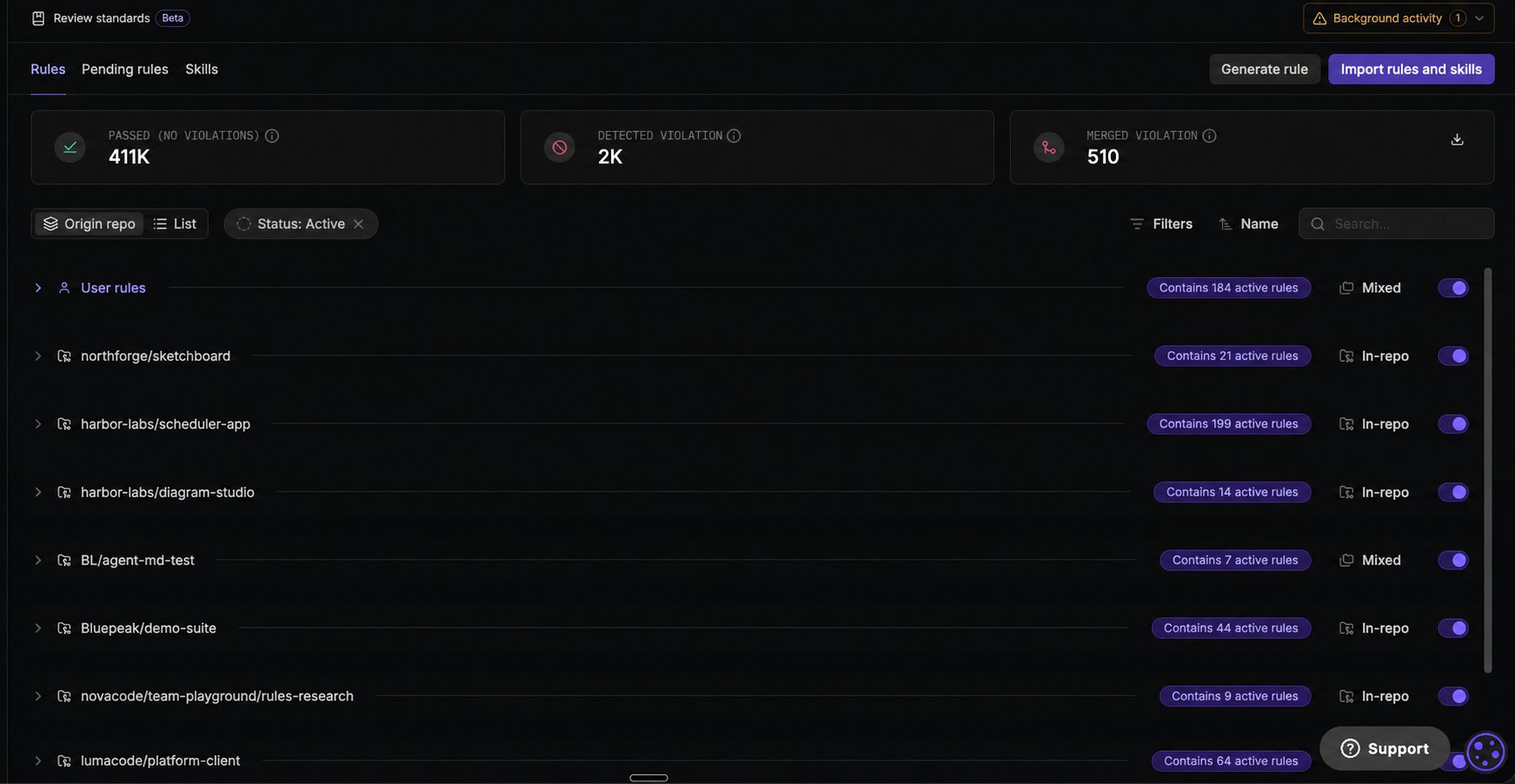
Change how rules are grouped
Use the grouping controls above the table to change how rules are organized: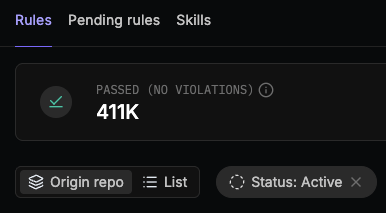
Anatomy of a rule
A rule consists of the following fields:
Rule scope
Scope defines where the rule is enforced. You can narrow the scope to limit enforcement:
- Global (default): applies the rule to all repositories across all Git organizations.
- Git organization: applies the rule to selected Git organizations.
- Repository: applies only to selected repositories.
- Path patterns: applies to specific directories or files within a repository. Path patterns are optional and can only be added after selecting a repository, and are especially useful for monorepos where different projects or services live under the same repository.
Rules extracted from supported files (such as AGENTS.md) are automatically scoped to the folder containing that file, with no additional portal configuration needed.
Scope can be edited for a single rule at a time from the rule’s side panel (see Edit rule), or for multiple rules at once (see Manage rules in bulk).
Generate a rule
Use this flow to describe a rule in natural language and let Qodo agent generate a structured draft.1
Start rule generation

- From Rules, click Generate.
- Enter a short description of the rule’s intent.
- Click Generate rule.
- “Disallow
console.login production builds” - “Avoid SQL string concatenation with user input”

2
Review the generated rule draft
Qodo generates a complete rule draft that can be edited before activation.
3
Related rules check
Before activation, Qodo checks for:
- Conflicts
- Duplicates
- Overlapping scope
4
Click Accept & activate

If you are a member (non-admin), your rule appears in the Pending rules tab for admin review before activation, unless an admin has enabled Auto-approve user suggestions. See Review and activate pending rules.
Manage existing rules
Management actions for existing rules are available from the actions menu (⋮) in the table in the Rules tab. These actions are optional and can be performed at any time by admins or team admins. To open the rule behind a specific finding, click the rule link in the finding’s Evidence section in the pull request. See Anatomy of a Qodo Code Review.Manage rules in bulk
Multiple rules can be activated, deactivated, or rescoped at once from the Rules tab.1
Select rules
Select the checkbox next to each rule, or select the checkbox in the table’s top row to select every rule at once.
2
Choose an action
- Activate or Deactivate: Update the enabled state for all selected rules.
- Define scope: Set the scope for all selected rules at once. Select Global to apply the selected rules organization-wide, or Specific repositories to select a total of 25 entities (organizations and repositories), with an optional path pattern for each selected repository. See Rule scope for more details on scopes.
3
Confirm the action
A confirmation dialog appears before the action is applied. Confirm to apply the change to all selected rules.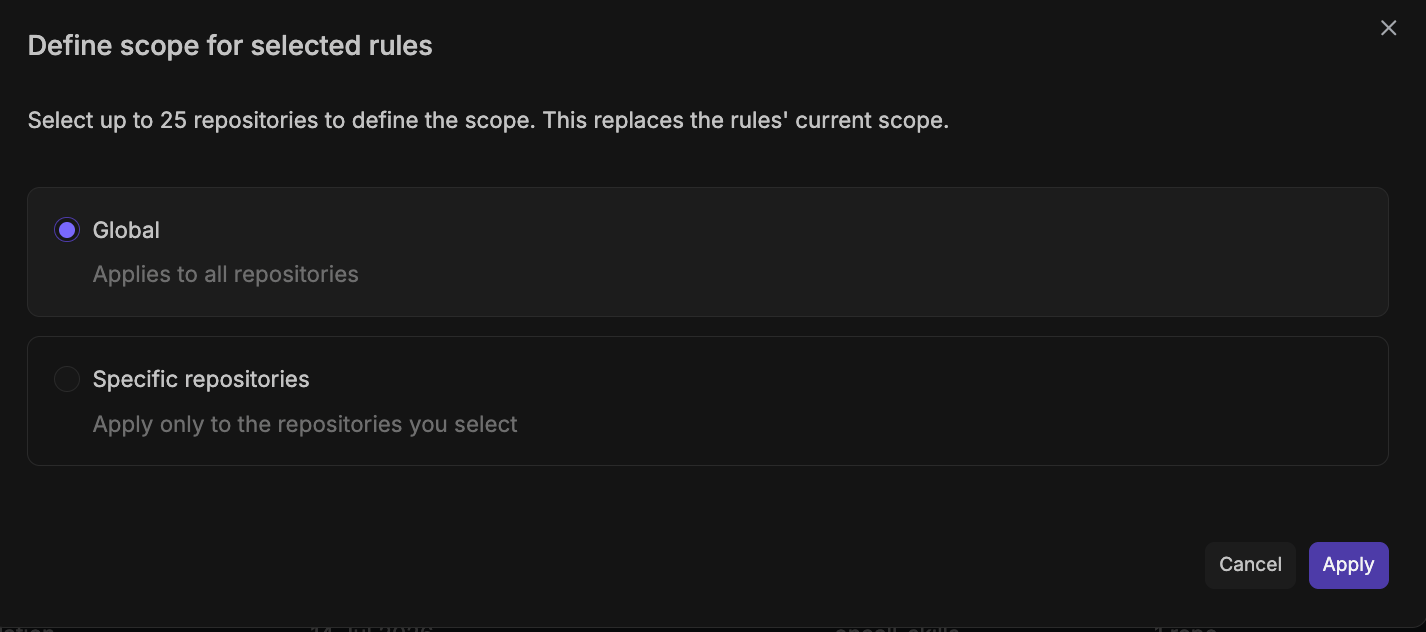
Automatic rule updates from files
Qodo continuously monitors files that have already been imported. When changes are merged to one of these files, Qodo processes them and automatically updates the Review Standards to reflect the file’s current contents. The scope of extracted rules is automatically determined by the file’s location in the repository. If a new supported file is added to a repository after that repository was imported, Qodo doesn’t detect it automatically. Re-import the repository from Import rules and skills to pick it up. New rules extracted from supported files are:- Added directly as active rules.
- Enriched with category, severity, scope, and examples.
Fetch rules using get-qodo-rules skill
Supported AI coding agents can access your Review Standards directly using the get-qodo-rules skill.
The skill fetches repository specific rules from the Qodo platform API, including organization, repository, and path-level rules, and loads them into the agent context. This allows the agent to reference the same rules that are defined in Qodo.
This capability is optional and does not replace Qodo’s rule enforcement. It enables agents to use the rules already configured for the repository. Using the skill requires a Qodo API key and rules configured in the Qodo platform.
For more information, see:
- To set up the Rules Skill, see the open-source installation instructions.
- For an overview on Qodo Agent Skills, see Agent Skills.
Troubleshoot rules and skills import
Check rules and skills import progress and fix import problems from Background activity in the top-right corner of the portal. For more information, see Troubleshoot background processes.Next steps
- Best practices for setting rules: Get guidance on writing clear, impactful, and maintainable rules.
- Analyze rule performance across pull requests: Track how often rules are violated and resolved before merge.