

BetaGitHubGitLabAzure DevOpsMulti-tenantSingle-tenant
Every engineering team has standards that live outside any document: patterns that senior engineers flag consistently, conventions enforced through repeated review comments, and practices that exist only in reviewer memory. Most of these never make it into formal rules.
Rule Miner analyzes your organization’s pull request history to surface these patterns automatically and generate rules from them, turning tribal knowledge and informal, repeated feedback into enforceable standards without requiring manual rule creation.
How Qodo learns from your pull request history
Qodo scans pull request discussions across your connected repositories and identifies recurring review patterns: comments that were accepted by developers and led to code changes, recurring behaviors that reviewers consistently flag, and the accept/reject patterns that follow. From these patterns, Qodo generates rules and either activates them directly or adds them to the Suggestions tab for approval before activation, depending on your configuration. After the initial analysis, Qodo continues to scan new pull requests at regular intervals, adding new rules as patterns emerge.What signals shape the rules
Only comments that were accepted by developers and led to code changes are considered. Among those, the following factors determine which patterns become rules:Configure Rule Miner
To configure Rule Miner, go to the portal configuration page, open the Context tab, and find the Review standards section. Use the repository selector to apply settings to all repositories or a specific one.Rule Miner is enabled by default. For organizations that started using Qodo since September 1, 2026, generated rules activate automatically. For organizations onboarded before that date, generated rules first appear as suggestions in Rules > Suggestions for review before they are enforced. You can change this behavior using the settings below.
How rules are activated after generation
If auto-approve is off, review and activate generated rules from Rules > Suggestions. See Suggested rules for the full flow.
How Rule Miner generates rules over time
Rule Miner is a learning system. The rules it generates reflect your team’s actual review behavior, and the output grows more precise as more pull request activity accumulates over time. On first run: The first run is triggered when the first pull request is opened on a repository after it connects to Qodo, not automatically at connection time. Once triggered, Rule Miner analyzes your organization’s recent pull request history and generates an initial batch of up to 10 rules per repository, depending on the volume and consistency of your review history. Rules appear in the Rules tab on the Review Standards page within a few hours of the first run, with a source type of Mined Pattern. Rule Miner draws on an indexed window of up to approximately 1,000 of your repository’s most recently merged pull requests, which can include activity from before your repository was connected. This is not your repository’s full history, so the size of the first batch depends on how much reviewed, merged activity falls within that indexed window.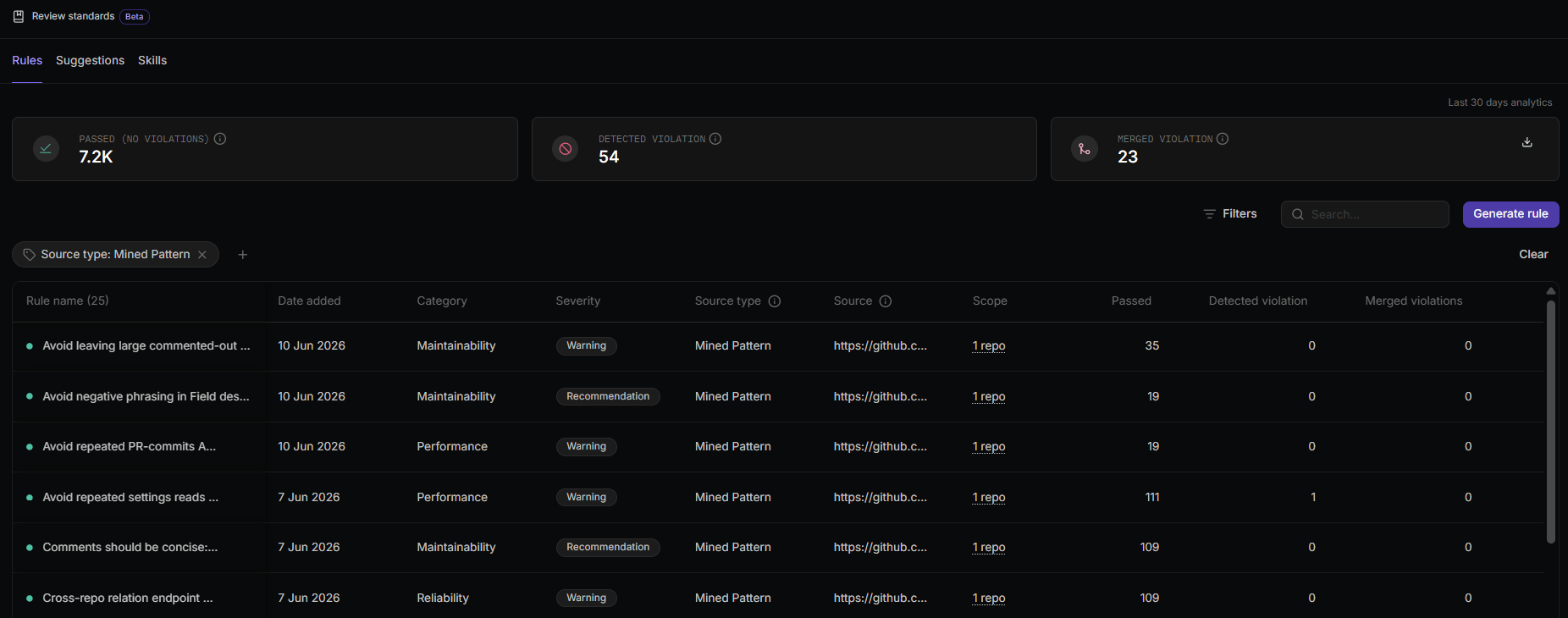
Understanding rule volume
Rule Miner surfaces standards your team has already enforced in code reviews. The number of rules it generates reflects your review activity, not a fixed target. A repository can be perfectly healthy and still produce only a few rules, or none at all. That’s normal, and depends on the content and review activity in the repository, not an error.Why a repository may produce few or no rules
Rule Miner looks for a narrow, high-confidence signal, and each stage filters the available review activity:- The comment must call out a specific code issue or standard. General praise, questions, and minor nitpicks don’t count.
- The author must have applied the suggested fix for a comment to count as a candidate signal. A comment whose fix was dismissed or ignored doesn’t contribute to a new rule, though rejected suggestions from an already-active rule instead reduce that rule’s signal over time.
- The pattern typically needs to recur, unless it comes from a reviewer with strong ownership of the affected code. See What signals shape the rules.
How to read what you see
Get more rules
Because rules are a by-product of how your team reviews code, more rules come from:- Specific, actionable review comments that identify a concrete issue or standard.
- Authors applying suggested fixes instead of resolving threads without making the change.
- Consistent review activity so recurring patterns have a chance to emerge.
View the source pull requests for each rule
Each rule includes a link back to the pull request it was generated from. The link appears in the Source field in the rules table and in the rule sidebar. When Rule Miner mines the same pattern from more than one pull request, the Source field shows the pull request count instead of a single link. Hovering it in the rules table lists each contributing pull request; the rule sidebar lists them under Mined pattern from [count] pull requests.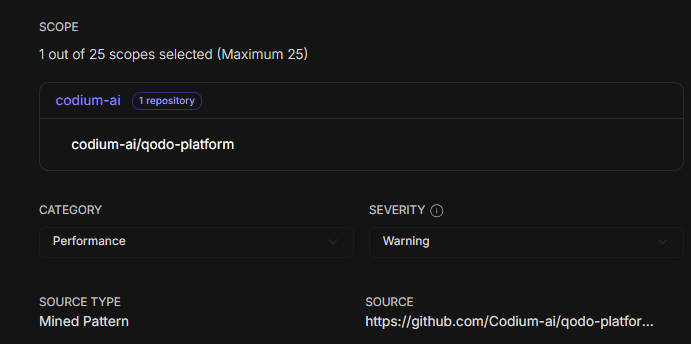
- Verify that a generated rule reflects a real, recurring standard.
- Share context with teammates when reviewing or editing a rule.
- Understand why a rule was generated before deciding to activate or dismiss it.
View pull request indexing status from anywhere in the portal
Click Background activity in the top right corner of the portal to open the panel and check pull request indexing progress without leaving your current page. The row shows how many pull requests have been indexed so far. Click it to see the full repository list on Repositories.
The row only appears once indexing applies to at least one repository.
Next steps
- Suggested rules: Review and activate the rules Rule Miner generates when auto-approve is off.
- Generate and manage rules: Edit, activate, or remove rules after they are generated.
- Rule analytics: Track how mined rules perform across pull requests over time.
- Rule Miner or Relevance isn’t producing results: Troubleshoot a repository that isn’t generating rules.