

Beta
The Relationships tab shows all cross-repo relationships defined across your organization. Use it to audit coverage, check relationship status, and manage connections between repositories.
Toggle between Table and Graph view
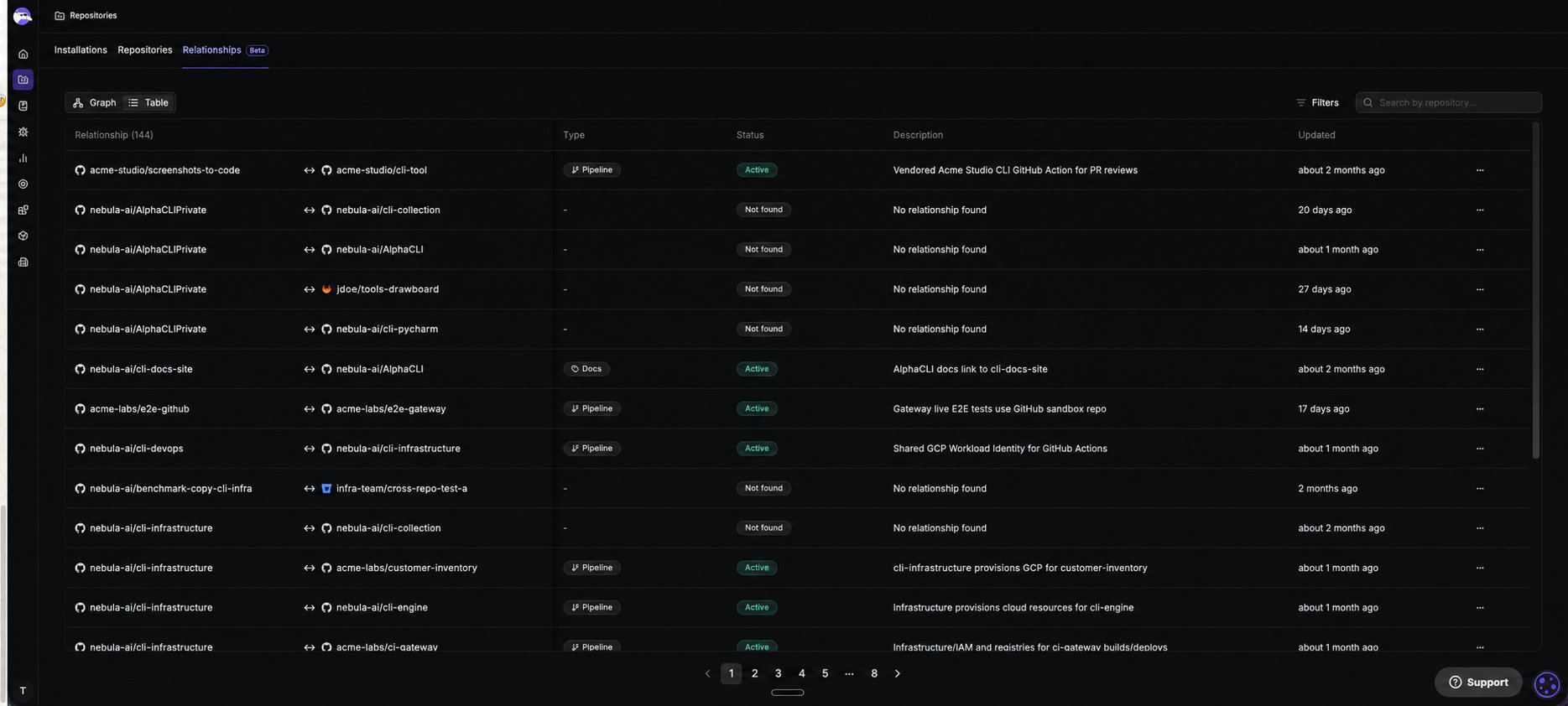
The Relationships tab has two views: Graph, which opens by default, and Table. Switch to Table view to see every relationship listed with full detail, useful for filtering, searching, or acting on a relationship from its three-dot menu.- Toggle between Table and Graph view using the controls at the top left of the tab.
Check relationship status
Check relationship status to confirm Qodo has successfully mapped the dependency and will trace impact between the two repositories on future pull requests.
Once active, Qodo checks the relationship on every subsequent pull request (PR). See Manage cross-repository relationships for how Qodo targets which branch or PR to review.
Search or filter relationships
Use the Search bar to find relationships by repository name, available in both Table and Graph view. Use the Filters menu to narrow the list by Type, Organization, or Provider, available in both Table and Graph view, or by Status, available in Table view only.Table view
Table view lists every relationship in a flat table, with actions available from each relationship’s three-dot menu.Relationships tab reference
To add a new relationship, see Manage cross-repository relationships.
Reestablish relationship connections
If a relationship shows Not found or Error, Qodo could not establish the connection on its own. Provide additional context to guide the analysis and retry.1
Open the retry dialog
Click the three-dot menu on the relationship and select Retry with custom instructions.
2
Describe the dependency
In the Retry with custom instructions dialog, describe the dependency between the two repositories. These instructions give the agent additional context to guide the relationship analysis.
3
Retry
Click Retry. Qodo reprocesses the relationship using your instructions. If it establishes a connection, the status changes to Active.
Remove relationships
Remove a relationship when Qodo should no longer trace impact between two repositories.- Click the three-dot menu on the relationship you want to remove, select Delete relationship, then confirm in the dialog.
Export relationship details
Each relationship has a markdown file describing the dependency in detail, useful for reviewing what Qodo inferred or sharing context with your team.- Click the three-dot menu on any relationship and select Download markdown.
Graph view
Graph view has two modes: Map, which opens by default and is useful for exploring how repositories connect, and Monitor, for reviewing findings across related repositories. Click any repository to open its sidebar, where you can view its relationships and add new ones.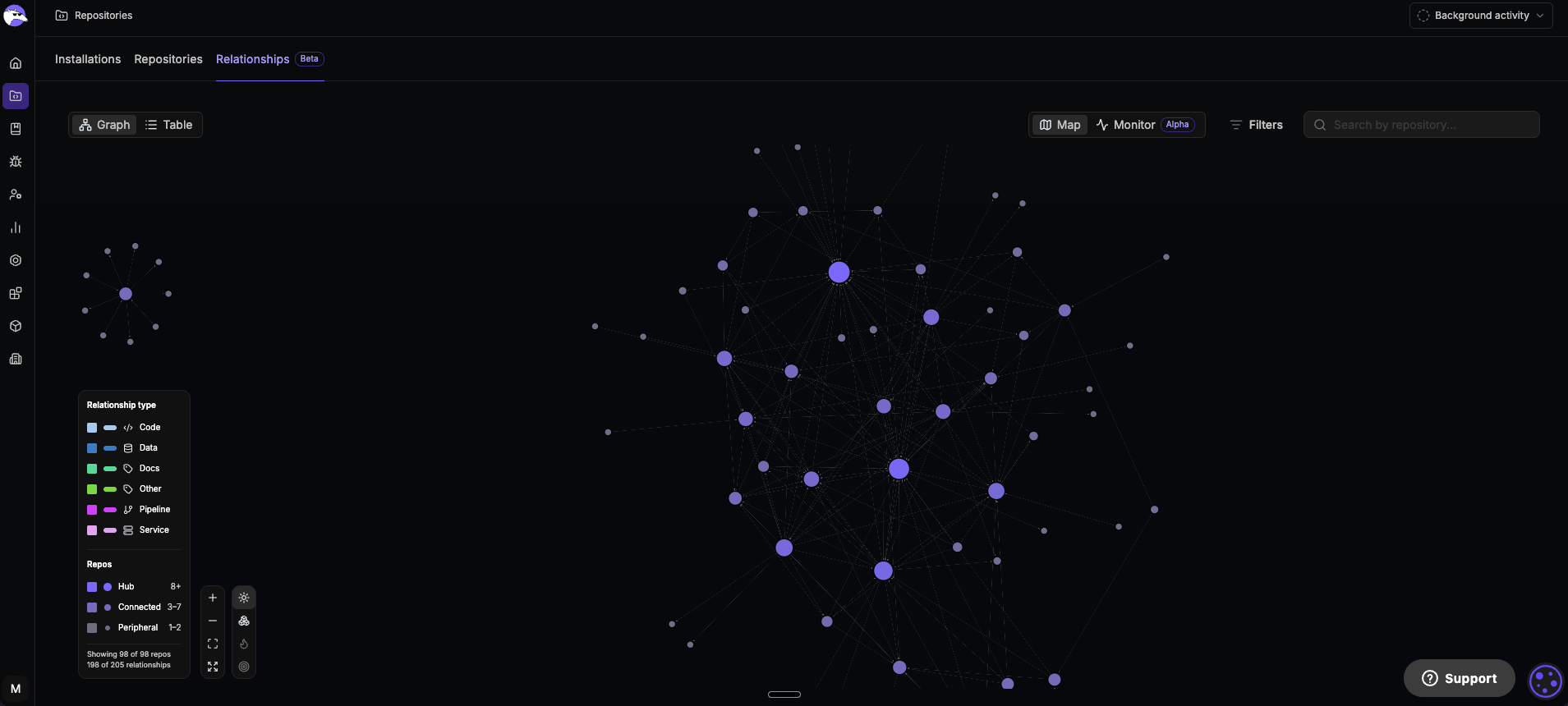
Select any combination of tiers in the Repos legend, or any combination of types in the Relationship type legend, to show only matching repositories or connections. For example, select both Hub and Connected to hide peripheral repositories.
See Gain insight with Software Map to explore the graph, including layout options, and to monitor code review findings across your repository relationships.
Troubleshoot cross-repo discovery
Check cross-repo discovery progress and fix discovery problems from Background activity in the top-right corner of the portal. For more information, see Troubleshoot background processes.Next steps
- Manage Git repositories by installation: Add installations and resolve connection errors.
- Monitor and manage repositories: View and manage individual repositories, connection health, and PR history indexing.
- Cross-repository code review: Understand how Qodo uses relationships to detect breaking changes across repositories.