

Existing organizations start on the Customization preset. Your current settings are preserved exactly as they were before review presets existed, and nothing changes until you choose to switch. New organizations choose a review preset as part of onboarding, and start from that preset’s values on day one. Either way, you can switch presets at any time.
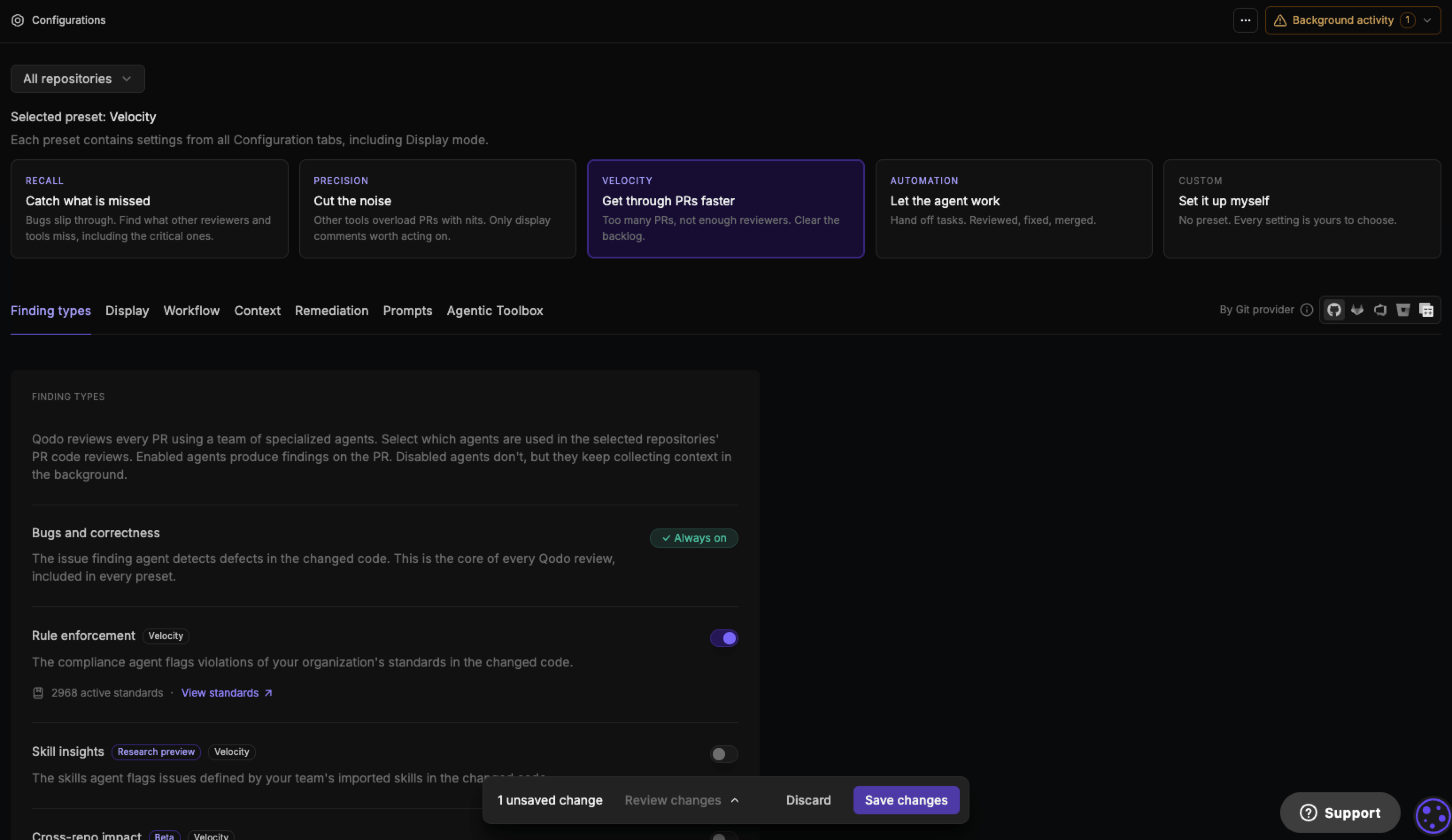
Types of review presets
Switch to a preset that suits your needs
- Navigate to the Configurations page in the Qodo portal.
- Under Review preset, at the top of the page, select a preset card.
- Review the Switch to [Preset]? confirmation dialog. It names each finding-type agent the preset turns on or off, and summarizes how many other settings change and across which tabs, for example Context and Remediation.
-
Select Switch preset to apply the change, or Cancel to keep your current configuration.
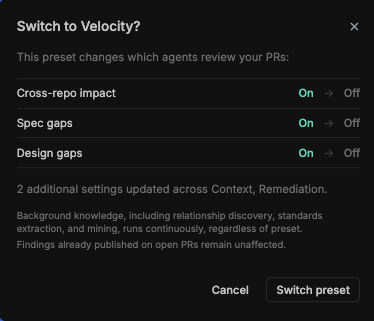
Background knowledge, including relationship discovery, standards extraction, and rule mining, keeps running regardless of which preset is selected. Findings already published on open pull requests are not affected by a preset switch.
Configurations by preset
Selecting a preset applies the values below. Any setting not listed here keeps its current value, unaffected by the preset.Finding types tab
Workflow tab
Context tab
Remediation tab
Display tab
Customization is not in the tables above because it applies no preset. Every setting keeps its existing value, and you configure Finding types, Workflow, Context, Remediation, and Display individually. See Configure Qodo using the portal for the full list of settings on each tab.
Customize settings after applying a preset
Each setting in the Configurations page shows whether its value comes from the selected preset or a manual change. A gray badge with the preset’s name means the setting still matches it. Changing an individual setting after choosing a preset switches that badge to purple Customized, without changing the rest of the preset’s values.
Next steps
- Configure Qodo using the portal: The full tab-by-tab settings reference, including display modes.
- Customize the code review experience: The full configuration hierarchy and all available configuration methods.