

Configuration levels: organization and repository
By default, settings on this page apply to all repositories connected to Qodo. Use the All repositories selector at the top left of the Configurations page to switch between two levels:- Organization level (default): Settings apply to all connected repositories.
- Repository level: Settings apply only to the selected repository and override the organization-level defaults in the portal.
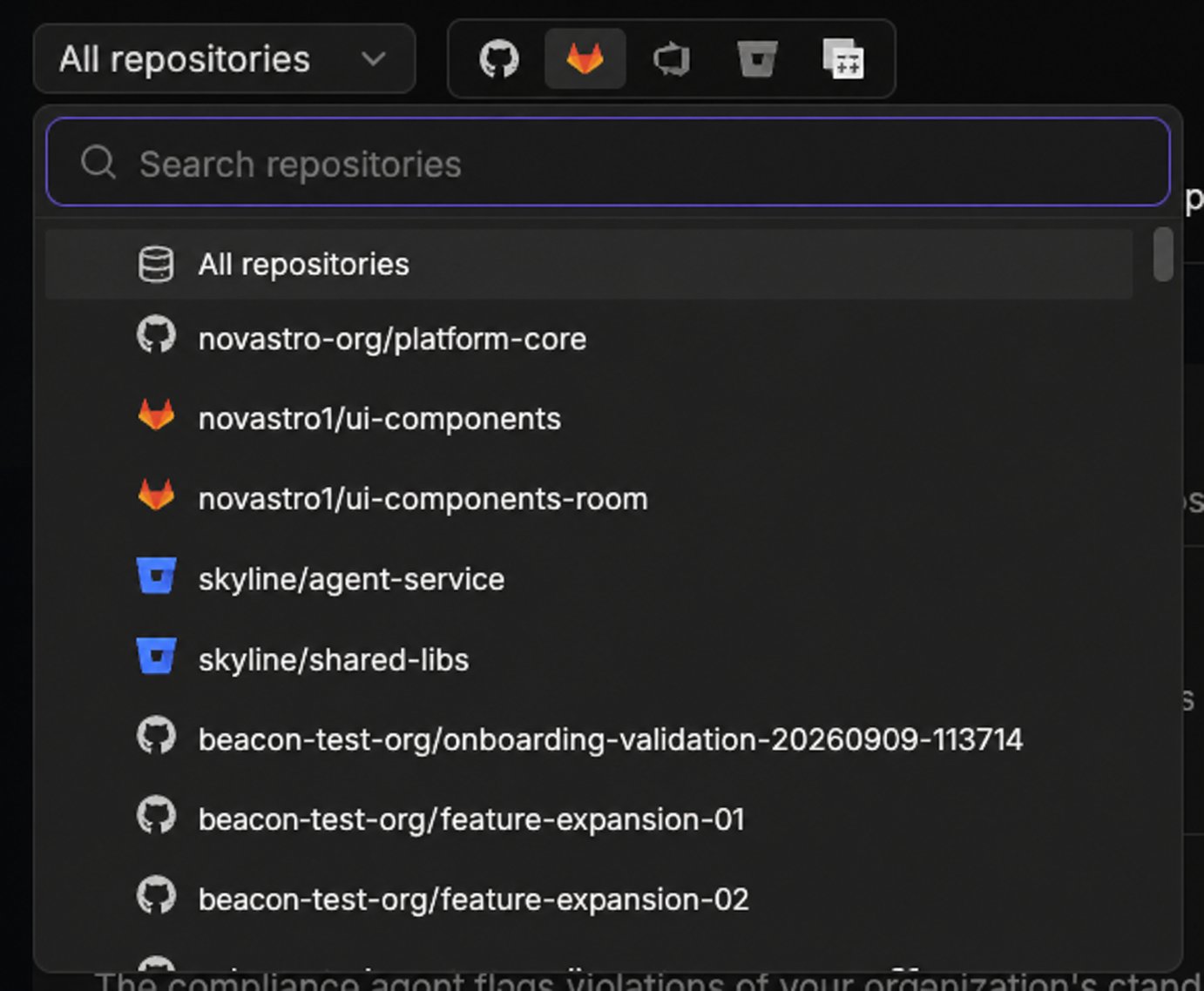
This repository-level override applies only within the portal and does not change where portal settings sit in the overall hierarchy. Portal settings have the lowest precedence overall: configuration defined in the repository wiki, repository root, or organization settings repository (
pr-agent-settings) takes precedence over any portal setting. See Customize the code review experience.Save or reset your changes
The following controls are available at the top right of the Configurations page:- Save: Applies your changes. Shows a confirmation toast once saved.
- Reset: Restores settings. At the repository level, resets to the organization’s settings. At the organization level, resets to Qodo’s defaults.
- Dismiss: Appears next to Reset when you have unsaved changes, labeled with a count, for example Dismiss (1). Discards those changes and reverts to the last saved settings.
Configuration tabs
Display
Controls how findings and review comments are structured and presented in your pull requests.
Workflow
Controls when and how Qodo runs code reviews and generates PR summaries, plus the chat agent.
Context
Controls review standards, spec and design context, cross-repository context, and web search grounding.
Remediation
Lets Qodo resolve review findings for you, either on demand through chat or automatically with the Remediation Agent.
Prompts
Add free-text instructions to guide how Qodo behaves during reviews.
Agentic toolbox
Controls which users in your workspace can access the Qodo Agentic Toolbox.