improve tool scans the PR code changes, and automatically generates meaningful suggestions for improving the PR code.
Example usage
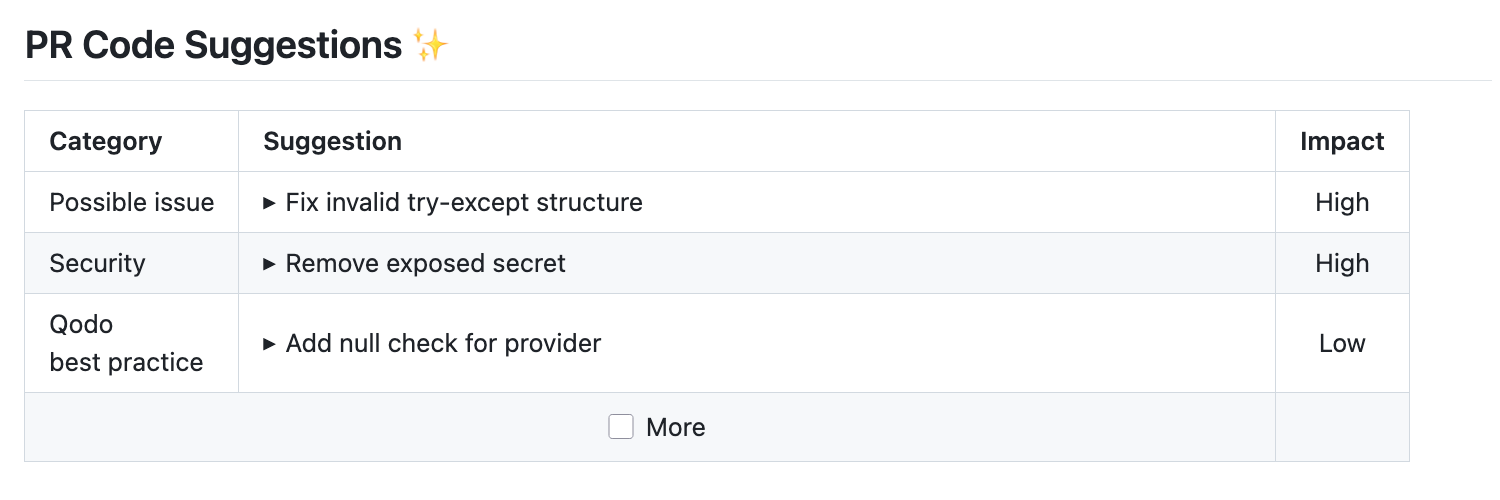
- Suggestions Overview
- Selecting a Specific Suggestion
- Committable Code Comments
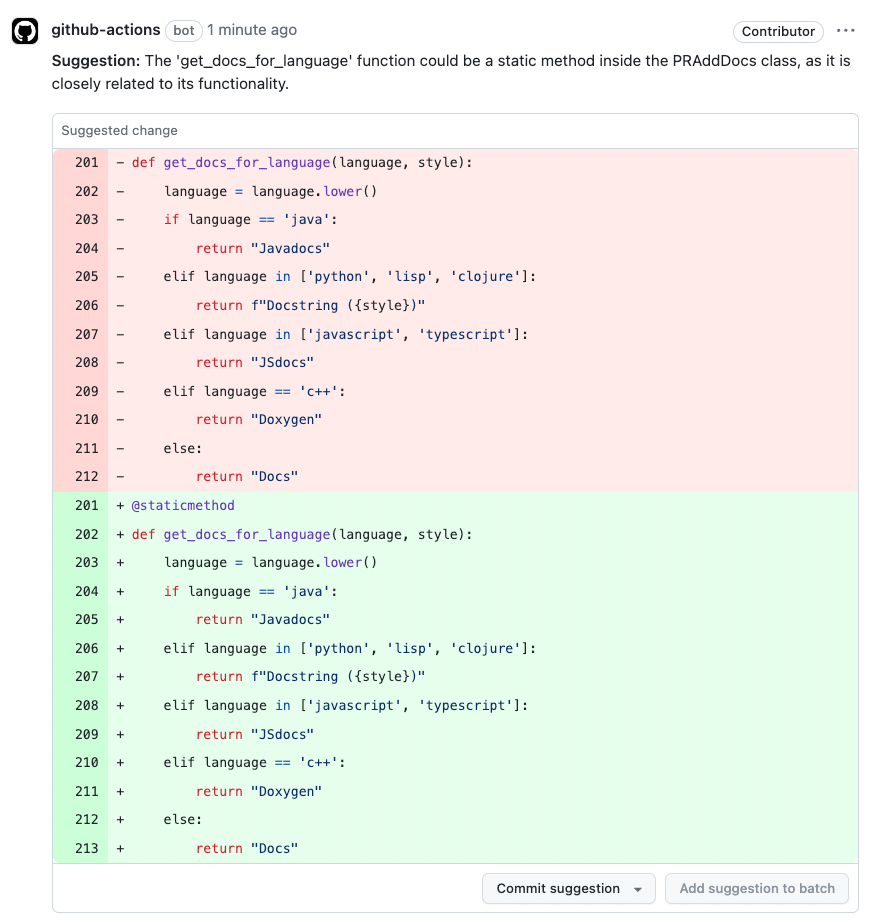
How to use the improve tool
Manual usage
Comment on the PR:
Learn more about automatic usage of tools.
improve tool is:
improve tool will run automatically on every PR, without any additional configurations. Edit this field to enable/disable the tool, or to change the configurations used.
Code suggestions elements
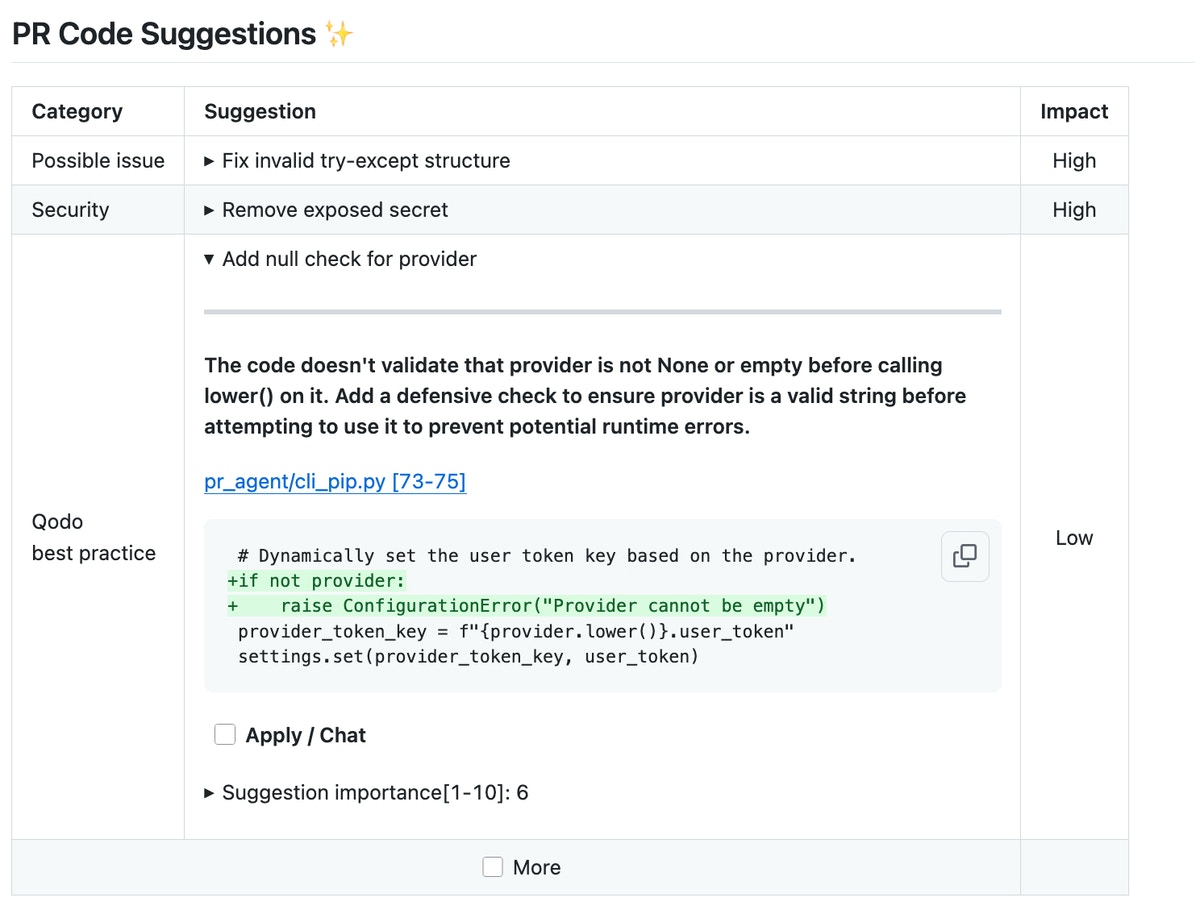
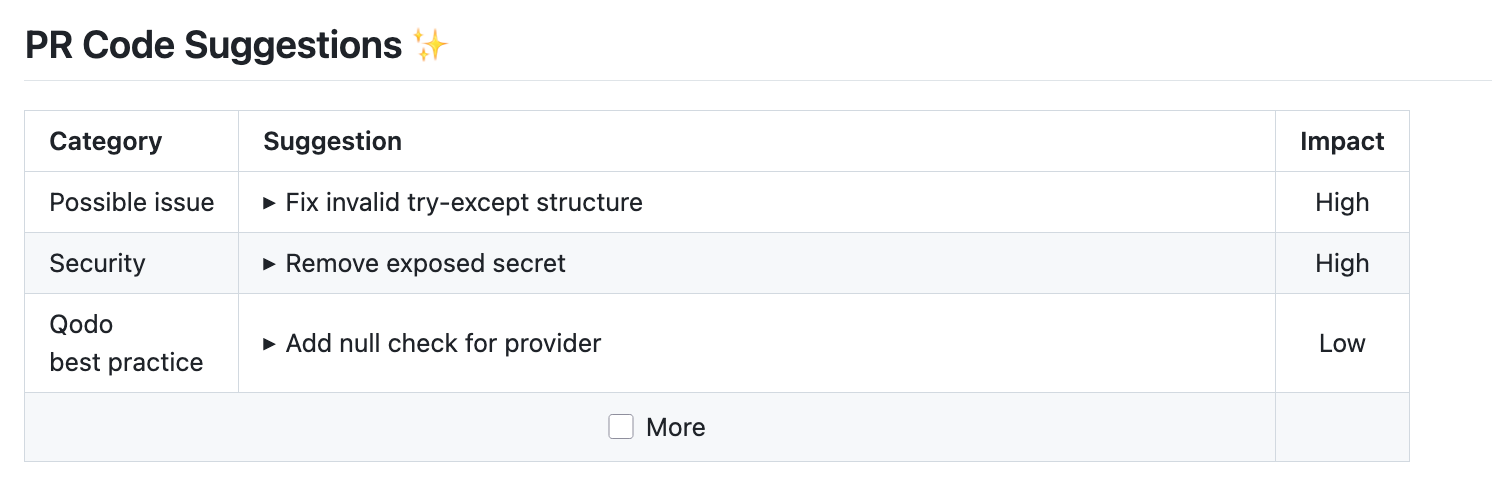
Each generated suggestion consists of three key elements:- A single-line summary of the proposed change.
- An expandable section containing a description of the suggestion.
- A diff snippet showing the recommended code modification (before and after).
Interactive options
After using theimprove tool, you can immediately trigger actions and apply changes with simple checkbox clicks:
- Apply this suggestion** button**: Clicking this checkbox instantly converts a suggestion into a committable code change. When committed to the PR, changes made to code that was flagged for improvement will be marked with a check mark, allowing developers to easily track and review implemented recommendations.
- More button: Triggers additional suggestions generation while keeping each suggestion focused and relevant as the original set
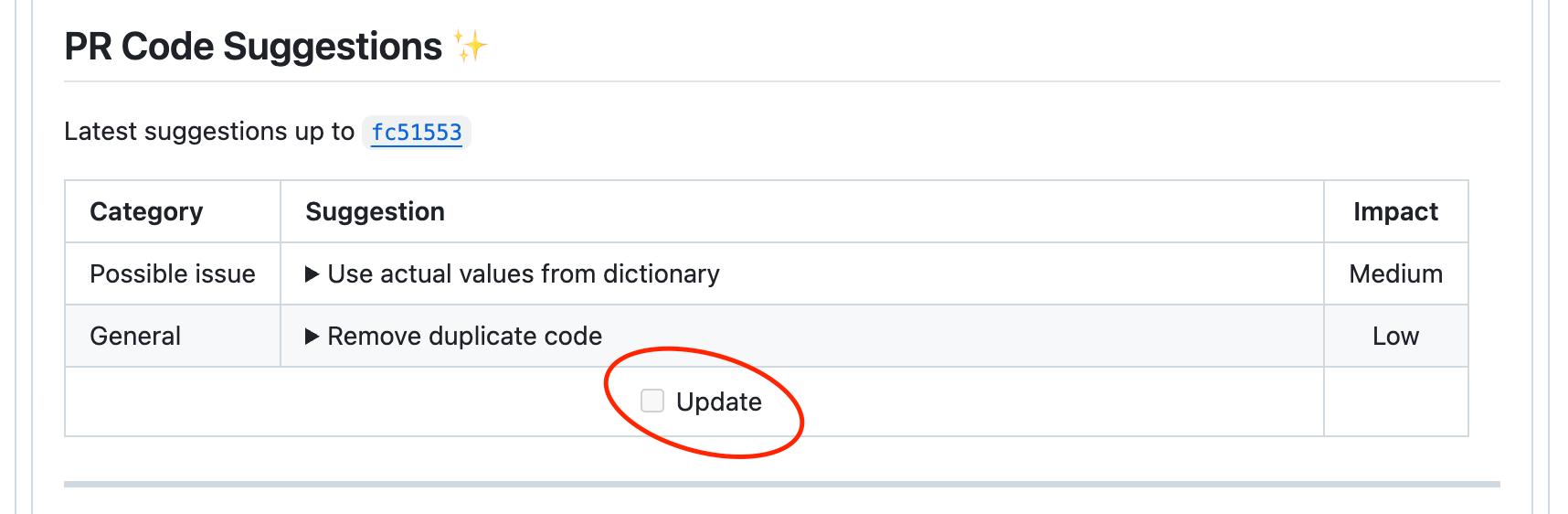
- Update** button**: Triggers a re-analysis of the code, providing updated suggestions based on the latest changes
- Author self-review** button**: Interactive acknowledgment that developers have opened and reviewed collapsed suggestions
Configuration options
Configuration options table
Configure theimprove tool by setting configurations under the pr_code_suggestions part in your configuration file.
General options
Params for number of suggestions and AI calls
Other features of the improve tool
Best practices
Another option to give additional guidance to the AI model is by creating a best_practices.md file in your repository’s root directory. You can also setup a wiki page in GitHub.Extra instructions
Extra instructions are important. Theimprove tool can be configured with extra instructions, which can be used to guide Qodo to a feedback tailored to the needs of your project.
Be specific, clear, and concise in the instructions. With extra instructions, you are the prompter. Specify the relevant sub-tool, and the relevant aspects of the PR that you want to emphasize.
Examples of extra instructions:
Dual publishing mode
Dual publishing mode allows code suggestions to appear as commit-ready comments in the PR. This mode helps highlight suggestions that are more critical. To activate dual publishing mode, use the following setting:Self-review
Platforms supported: GitHub, GitLab
improve tool to add a checkbox below the suggestions, prompting users to acknowledge that they have reviewed them.
In your configuration file, set:
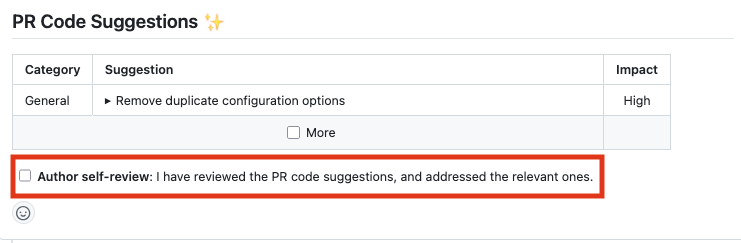
Make self-review mandatory
To enforce self-review before merging, add the following to your configuration file: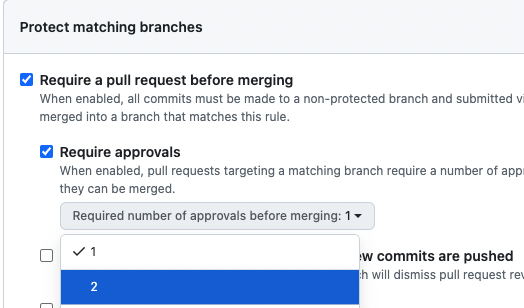
Auto-approval
Platforms supported: GitHub, GitLab, Bitbucket
- Auto-approval by commenting
- Auto-approval when the PR meets a condition
- Review effort score
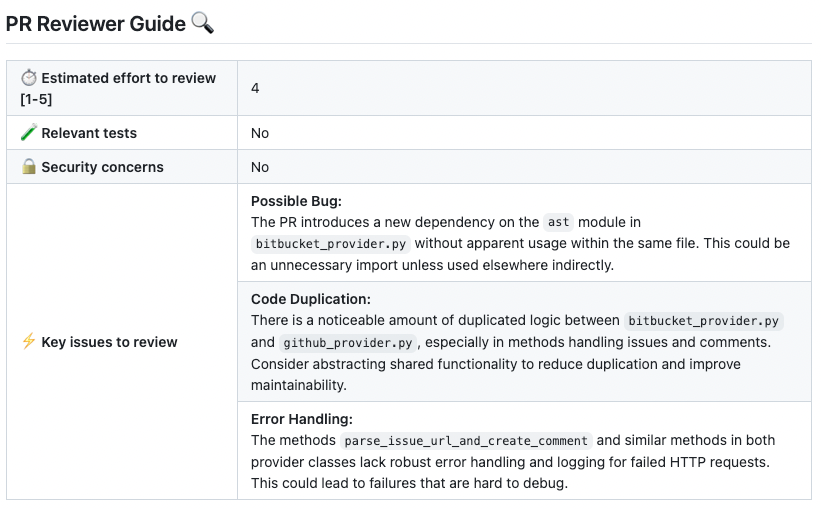
- No code suggestions
Automatic updates on new commits - the Update button
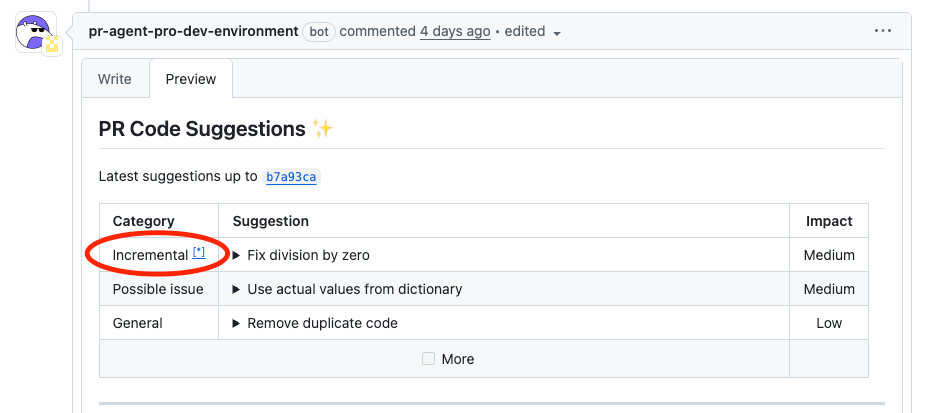
When new commits are pushed after a recent code suggestions report on a pull request, an Update button appears (as shown below). Clicking this button triggers the/improve tool, which:
- Detects what’s changed since the last report
- Generates suggestions based on those new changes
- Merges these suggestions with the overall PR feedback, highlighting recent updates
- Marks change-related comments with a note and an asterisk (*), including a link to this page for easy reference
- Stay focused: Get feedback on the most recent changes first
- Stay organized: Comments related to new commits are clearly marked
- Stay efficient: Tackle feedback in order, starting with what’s new