This feature is available for Enterprise users only.
What is Qodo Context Engine?
Qodo Context Engine is the code intelligence engine behind the Qodo platform. It connects to all your repos, analyzes architecture and patterns, and powers AI agents that help you search, understand, and solve technical problems. Think of it as an AI-powered Principal Engineer, that understands your entire system and helps you move faster with confidence.Why should I use it?
When used with Qodo Git interface, Qodo Context Engine brings deep, architecture-level understanding directly into your review workflow. You ask the questions, and Qodo Context Engine finds the answers from across your entire codebase.How does it work?
Qodo Context Engine uses Retrieval-Augmented Generation (RAG) and agentic reasoning to understand your codebase:- Indexing – Builds a deep internal map of your code
- Retrieval – Pulls relevant code, docs, and patterns
- Reasoning – AI agents analyze dependencies and logic
- Generation – Produces grounded, accurate responses
Using Qodo Context Engine
In order to enable the RAG feature, add the following lines to your configuration file:- /ask
- /compliance
- /implement
- /review
The 
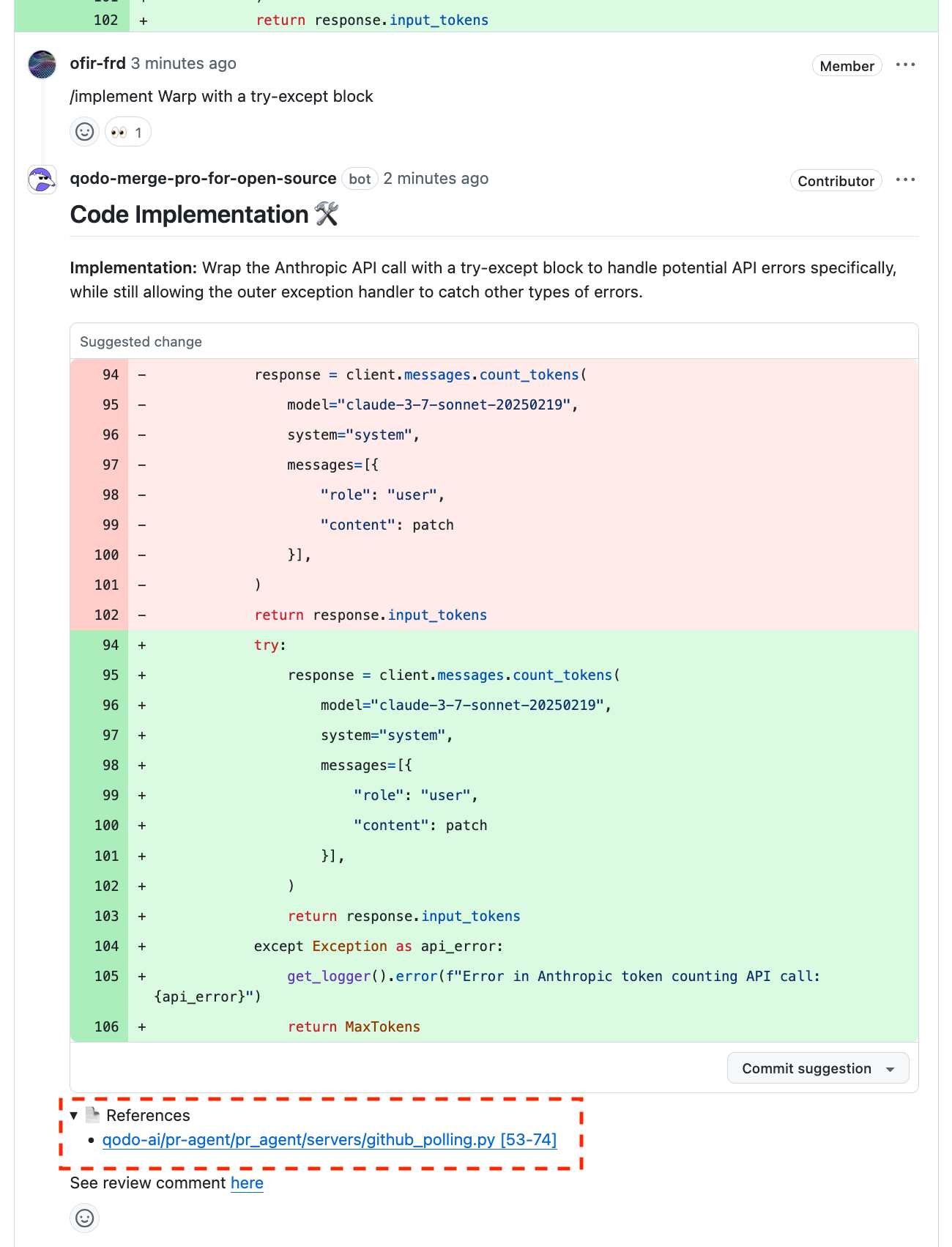
/ask tool can access broader repository context through the RAG feature when answering questions that go beyond the PR scope alone.The References section displays the additional repository content consulted to formulate the answer.