GitHub GitLab Bitbucket
Git Integration (formerly Qodo Merge) – AI code review agents for pull requests. This documentation describes the Qodo v1 experience. For the Qodo v2 documentation, click here.
The help_docs tool can answer a free-text question based on your git documentation folder.

How to use the help_docs tool

Manual usage Comment on the PR:
/help_docs "..."
Automatic usage To run the tool automatically when a new issue is opened, add it to your configuration file:
[github_app]
pr_commands = [
    "/help_docs",
    ...
]

[pr_help_docs]
repo_url = ""
...
The tool assumes by default that the documentation is located in the root of the repository, at the /docs folder. However, this can be customized by setting the docs_path configuration option:
[pr_help_docs]
repo_url = ""                 # The repository to use as context
docs_path = "docs"            # The documentation folder
repo_default_branch = "main"  # The branch to use in case repo_url overwritten

Learn more about automatic usage of tools.

Run automatically when a new issue is opened

You can configure Qodo to run help_docs automatically on any newly created issue. This can be useful for providing immediate feedback to users who open issues with questions on open-source projects with extensive documentation.
1
Create a GitHub action, such as: .github/workflows/help_docs.yml
2
Add to your YAML file:
name: Run Qodo on every opened issue, respond to user comments on an issue

#When the action is triggered
on:
  issues:
    types: [opened] #New issue

# Read env. variables
env:
  GITHUB_TOKEN: ${{ secrets.GITHUB_TOKEN }}
  GITHUB_API_URL: ${{ github.api_url }}
  GIT_REPO_URL: ${{ github.event.repository.clone_url }}
  ISSUE_URL: ${{ github.event.issue.html_url || github.event.comment.html_url }}
  ISSUE_BODY: ${{ github.event.issue.body || github.event.comment.body }}
  OPENAI_KEY: ${{ secrets.OPENAI_KEY }}

# The actual set of actions
jobs:
  issue_agent:
    runs-on: ubuntu-latest
    if: ${{ github.event.sender.type != 'Bot' }} #Do not respond to bots

    # Set required permissions
    permissions:
      contents: read    # For reading repository contents
      issues: write     # For commenting on issues

    steps:
      - name: Run PR Agent on Issues
        if: ${{ env.ISSUE_URL != '' }}
        uses: docker://codiumai/pr-agent:latest
        with:
          entrypoint: /bin/bash #Replace invoking cli.py directly with a shell
          args: |
            -c "cd /app && \
            echo 'Running Issue Agent action step on ISSUE_URL=$ISSUE_URL' && \
            export config__git_provider='github' && \
            export github__user_token=$GITHUB_TOKEN && \            
            export github__base_url=$GITHUB_API_URL && \
            export openai__key=$OPENAI_KEY && \
            python -m pr_agent.cli --issue_url=$ISSUE_URL --pr_help_docs.repo_url="..." --pr_help_docs.docs_path="..." --pr_help_docs.openai_key=$OPENAI_KEY && \help_docs \"$ISSUE_BODY\""
3
Continue adding secrets and relevant configurations, such as repo_url and docs_path.
4
Merge the changes to your main branch.
5
Done! When a new issue related to the repository’s documentation is opened in your repository, you will see a comment from the github-actions bot with an auto response.

Configuration options

Configure the help_docs tool by setting configurations under the pr_help_docs part in your configuration file.
Possible configurationsDefault valueWhat they do
repo_urlThe URL for the repository where the issue or PR resideThe repository’s URL
repo_default_branchnoneThe branch to use in case repo_url overwritten. If repo_url was not overwritten this parameter has no effect.
docs_path./docsRelative path to the docs folder from the root of repository.
exclude_root_readmefalseWhether to exclude the root README file from Qodo’s context.
supported_doc_exts[".md", ".mdx", ".rst"]Which file extensions should be included for help_docs’s action.

Example usage

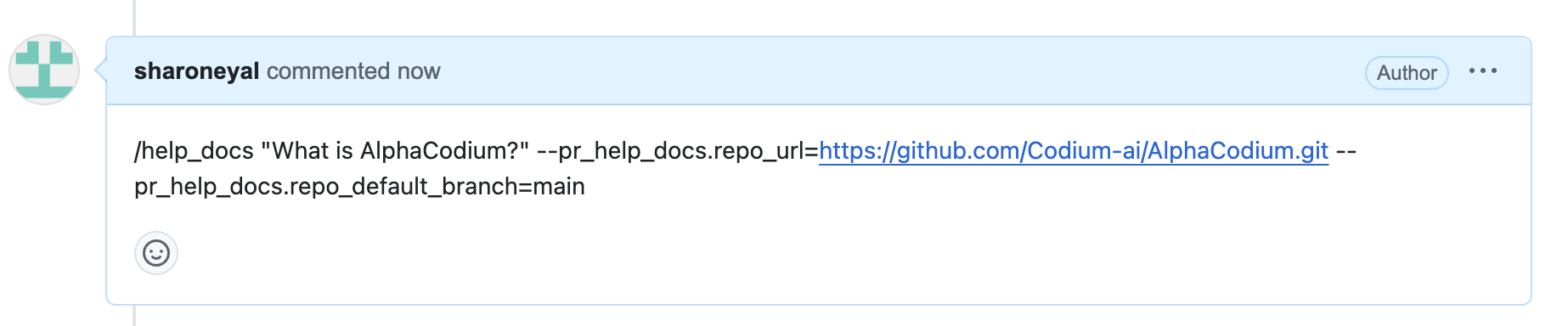
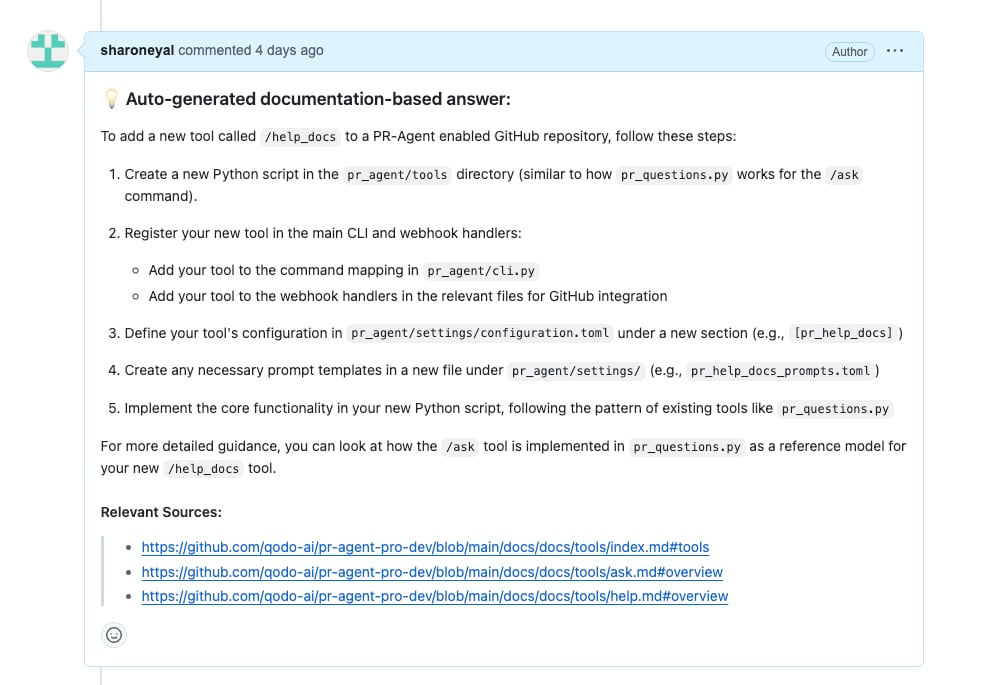
Asking a question about another repository:
Response: