describe tool scans the PR code changes, and generates a full PR description: title, type, summary, a walkthrough of the changes made in the PR, and suggested labels.
Example usage
Manual triggering
Comment/describe on any PR:
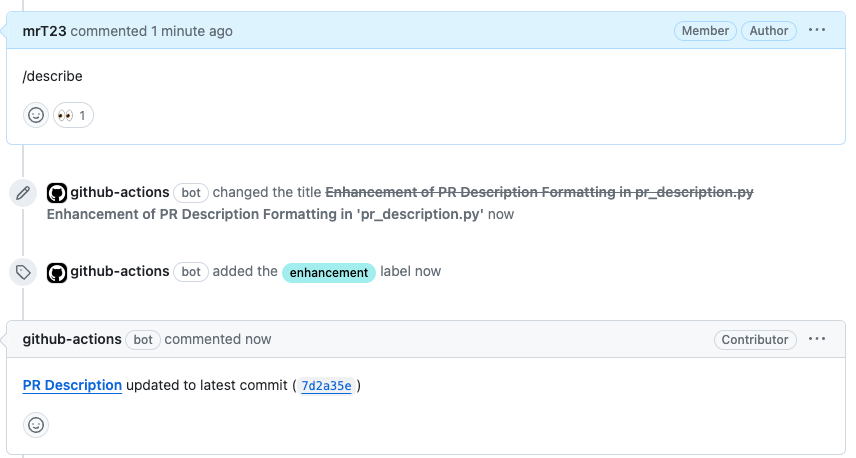
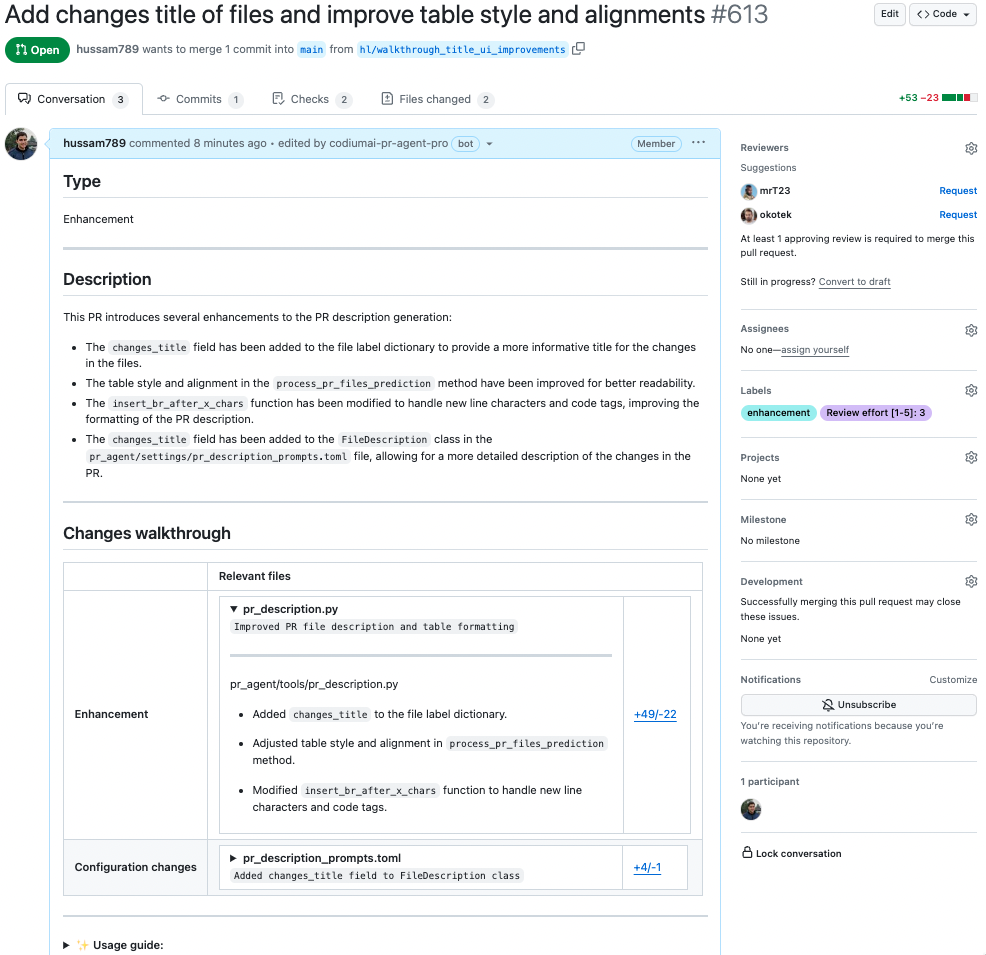
How to use the describe tool
Manual usage
Comment on the PR:
Learn more about automatic usage of tools.
Configuration options
Configuration options table
Configure thedescribe tool by setting configurations under the pr_description part in your configuration file.
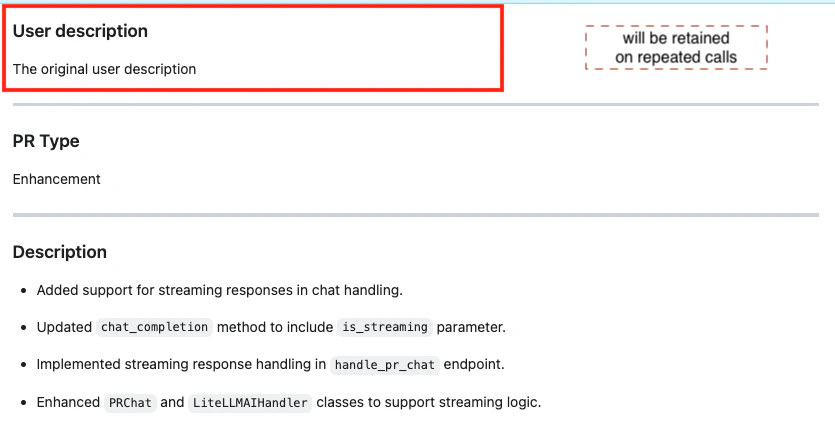
Preserve your own PR description
By default, Qodo keeps your original PR description at the top and adds the generated description below it. Just make sure to add your description during the initial PR creation. Editing the description while Qodo is running might cause issues. Any text above thePR Type header is considered as user-written content and will be preserved. Any text below it is auto-generated and will be replaced.
Show file summaries in “Files changed”
You can select whether to show a summary of code changes for each file inside the “Files changed” tab (GitHub only). Click on the checkbox that appears in the PR Description status message, below the main PR Description.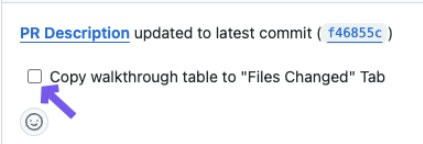
table: A summary table will be displayed at the top of “Files changed” tab.true: Adds a comment to each file with a short summary.false(default): File changes walkthrough will appear only in the main PR description (the “Conversations” tab).
Use markers to control placement of generated content
You can define exactly where each part of the generated description should appear using markers. For example, if the PR’s original description was:pr_agent: placeholders with the relevant content.
To enable this, make the following change in your configuration file:
use_description_markers: if set to true, the tool will use markers template. Default is false.include_generated_by_header: if set to true, the tool will add a dedicated header: Generated by PR Agent at… to any automatic content. Default is true.
Custom labels
The default labels of the describe tool are generic:Bug fix, Tests, Enhancement, Documentation, Other.
You can add your own custom labels that fit your repository better.
There are two ways to define them:
1. From a configuration file
- Use a clear name.
- Add a detailed description for each label so that Qodo knows when to suggest it.
- A good description should be a conditional statement that indicates whether the label should be added to the PR or not, based on the PR’s content. For example:
Use when a PR contains changes to SQL queries.
- A good description should be a conditional statement that indicates whether the label should be added to the PR or not, based on the PR’s content. For example:
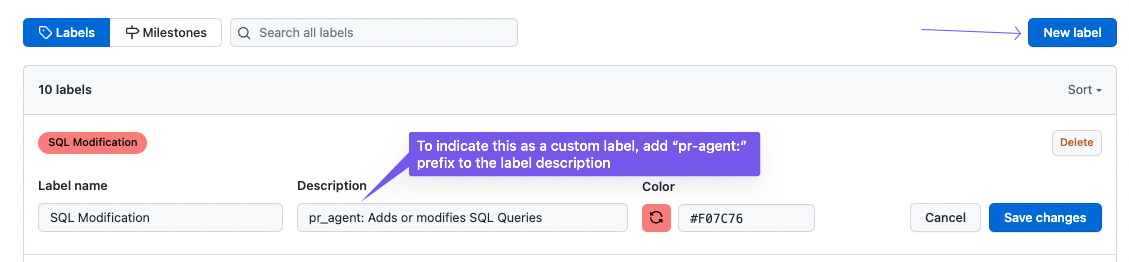
2. From your repository’s labels page
- GitHub: Go to
https://github.com/{owner}/{repo}/labels - GitLab: Go to
https://gitlab.com/{owner}/{repo}/-/labels
- Use a clear name.
- Add a detailed description for each label so that Qodo knows when to suggest it.
- Start the description of with prefix
pr_agent:, for example:pr_agent: Description of when AI should suggest this label.
- Start the description of with prefix