

BetaGitHubBitbucketAzure DevOps
Rule analytics are available at two levels in the Qodo portal. All metrics reflect activity from the last 30 days.
Aggregated rules analytics
Aggregated rules analytics provide a high-level view of how rules are applied across pull requests in the Qodo portal. These analytics reflect rule activity from the last 30 days and are available at the top of the Review Standards page.
Open the Qodo portal.
- Passed (no violations) – The number of evaluations where no rule violations were detected
- Detected violations – The total number of rule violations identified during pull request reviews
- Merged violations – The number of PRs that were merged with one or more unresolved rule violations
Exporting analytics
Merged violations analytics can be exported as a CSV file using the ⬇︎ download icon in the top-right corner of the Review Standards page. The exported file includes merged violations metrics from the last 30 days and can be used to perform offline analysis, share insights with stakeholders, and track trends over time outside the portal.Individual rule analytics
Individual Rule Analytics provide detailed insights into how a specific rule behaves across pull requests.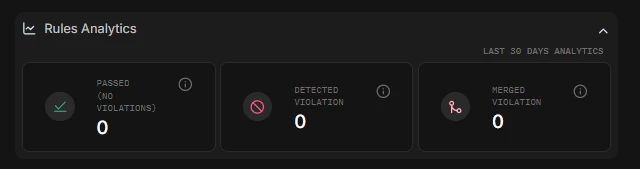
Open the Qodo portal.
- How often the rule was found compliant
- How often the rule is violated
- How frequently violations are merged