

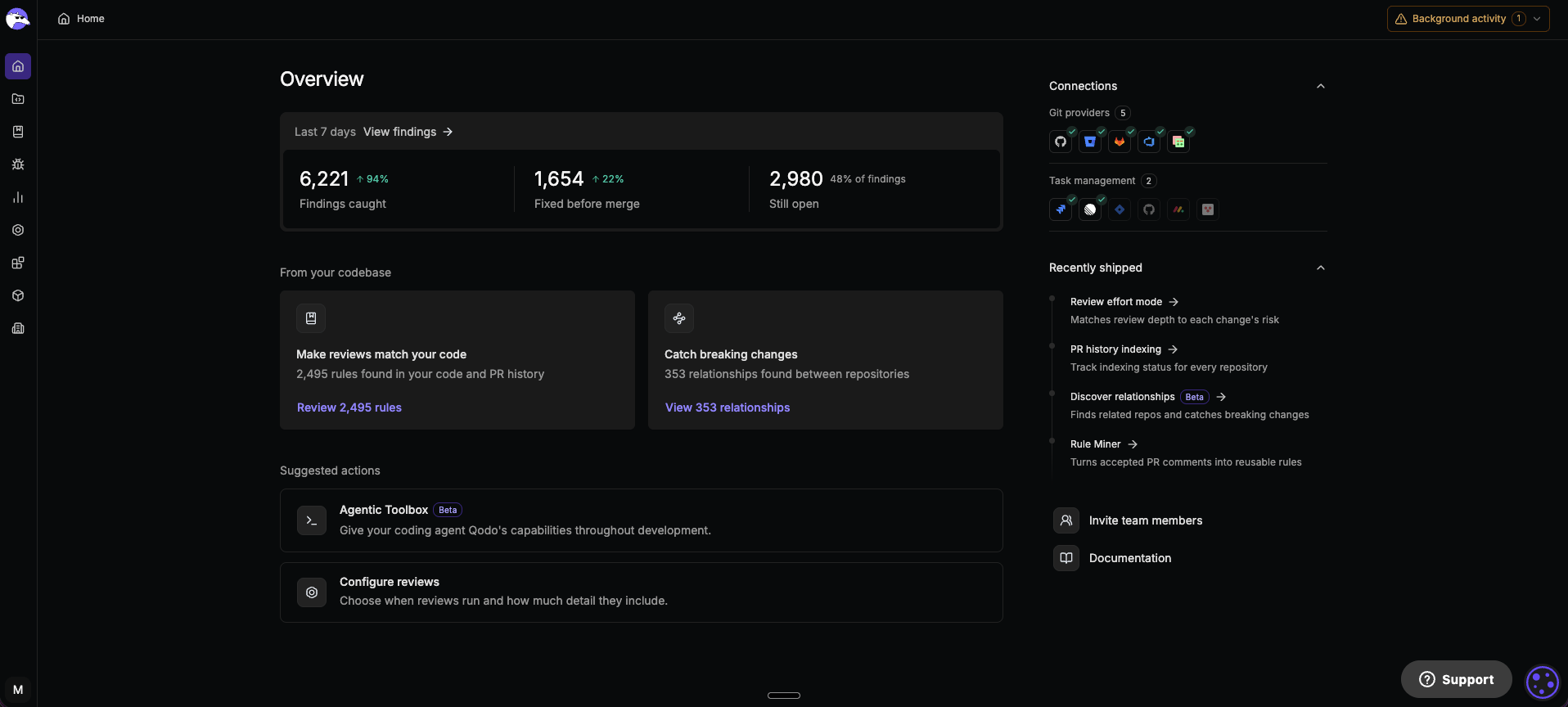
In the top right-hand corner, under Connections > Git providers, the icons show connection status, and the + button opens the selection page for the Git provider installation wizards.
- Organization admin, first sign-in: The onboarding wizard opens automatically. To finish it later, click Complete setup at the bottom of the left sidebar. See Set up Qodo with the onboarding wizard.
- Organization admin, Git provider already connected: Clicking a provider’s icon opens the filtered Installations page. Use the + button to connect another provider.
- Non-admin: The Git provider icons and the + button are disabled, with a tooltip explaining that you need organization admin permissions to connect a Git provider.
How the Qodo portal is organized
The Qodo portal is organized into two primary areas:- Manage your Qodo account: Control users, teams, access, authentication, and organization settings. For more information, see Account management.
- Manage code review governance: Configure how Qodo reviews code, enforce engineering standards, monitor findings, and measure adoption across your organization. For more information, see Customize the code review experience
Manage your Qodo account
Manage the people, access, and settings that enable your organization to use Qodo. This area helps administrators control authentication, user access, team structure, and account-level preferences.Roles and permissions
Control access to Qodo features by assigning roles and permissions across your organization.Users
Add, remove, and manage users who have access to your Qodo organization.Teams
Create and manage teams to organize users and simplify administration.Account settings
Configure organization-level settings and preferences.API key management
Create and manage API keys for integrations and automated workflows.Single sign-on (SSO)
Configure SSO to centralize authentication and simplify user access management.Restrict organization sign-up to invited users
Restrict organization membership so users can join only through administrator invitations.Connect Qodo Git integration
Link your Git account to access repositories and enable code review workflows. See Manage your Qodo account.Manage code review governance
Configure how Qodo reviews code across your organization. This area helps engineering leaders define review standards, manage repositories, monitor findings, measure impact, and integrate Qodo into the development workflow.Repositories
Connect and manage repositories that Qodo analyzes during pull request reviews.Review standards
Define and manage engineering standards that Qodo enforces during code reviews.Skills
Manage review skills that provide specialized analysis across domains such as security, architecture, performance, documentation, and best practices.Findings
View and track findings identified across repositories and pull requests.Analytics
Measure code review activity, adoption, engagement, and impact through organization-wide dashboards and reporting.Configurations
Configure organization-wide review behavior, review settings, and remediation workflows.Integrations
Connect Qodo with Git providers, ticketing systems, IDEs, and other tools used throughout your development workflow.Monitor Qodo’s background activity
Once you connect your Git provider, background work begins automatically. Background activity, in the top navigation on every page, shows this work happening in your repositories, so you always know what’s complete and what Qodo is still processing.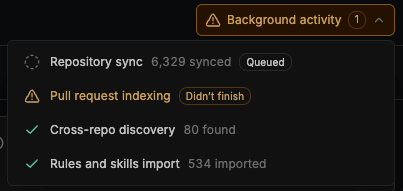
- Repository sync: Syncs each repository with Qodo. See Installations.
- Pull request indexing: Indexes a repository’s pull request history. See Rule Miner.
- Cross-repo discovery: Finds relationships between repositories. See Relationships.
- Rules and skills import: Imports rules and skills you select from repositories. See Generate and manage rules.