

This wizard can be used for Qodo multi-tenant, single-tenant, and on-premises deployments on GitLab Server. For
gitlab.com, see .Prerequisites
Before you begin, ensure you have:- Access to your Qodo portal.
- The GitLab access that matches how the Qodo service account is created:
- Automatic setup: Instance Admin access, needed for Qodo to create its service account and set up webhooks.
- Manual setup: The Owner role on each group you connect, or the Maintainer role on each repository. Your GitLab administrator creates an instance service account for Qodo.
- Network access from Qodo to your GitLab URL.
Access the GitLab integration
1
Log in to your Qodo portal.
2
Start the installation wizard in one of the following ways:
- From the onboarding wizard: If you’re an organization admin signing in for the first time, the onboarding wizard opens automatically. In the Connect Git step, select GitLab. See Set up Qodo with the onboarding wizard.
- From the homepage: On the homepage, in the top right-hand side, click the + button next to Git providers. On the selection page, choose GitLab.
Install Qodo on GitLab Server
1
Connect GitLab
Enter your GitLab URL (for example,
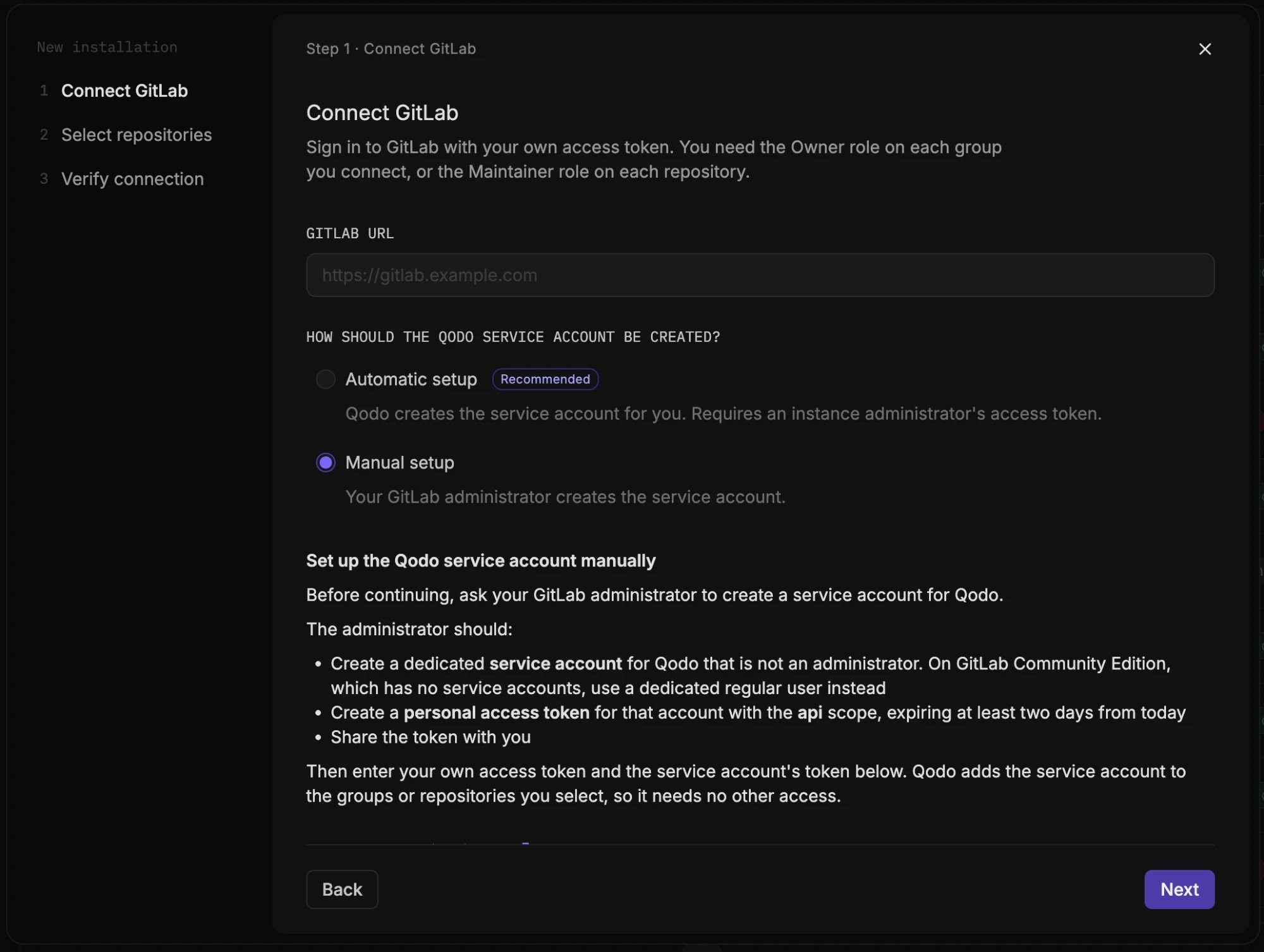
https://gitlab.example.com), then choose how the Qodo service account is created.- Automatic setup (Recommended)
- Manual setup
Qodo creates the service account for you, using an instance Admin’s access token.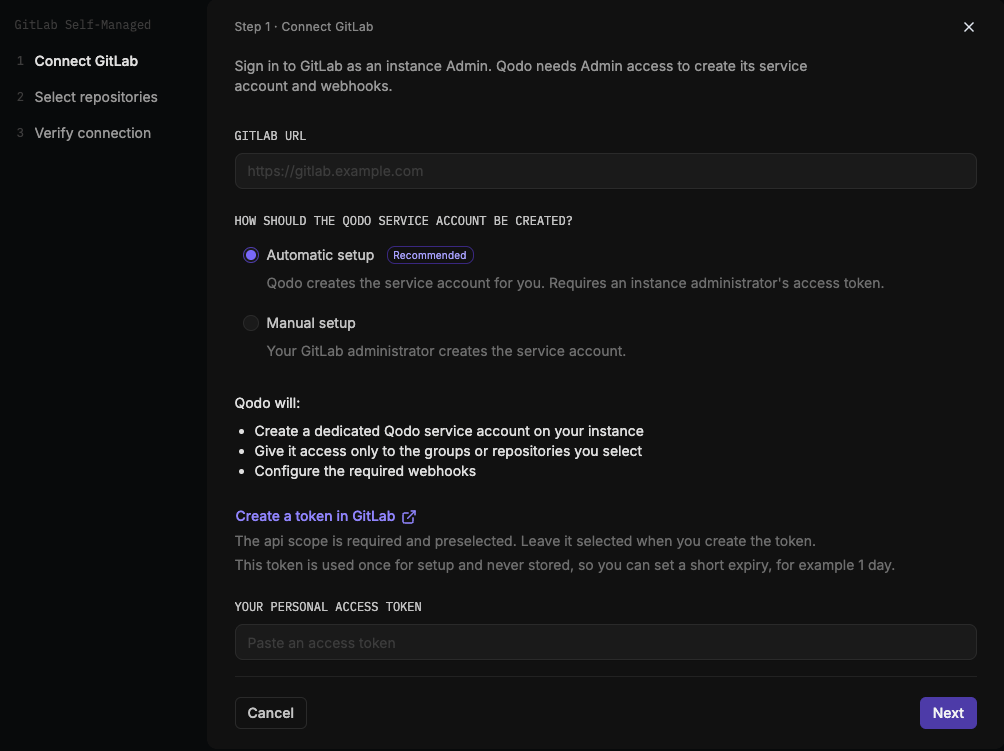
1
Under How should the Qodo service account be created?, select Automatic setup.Qodo uses your token to:
- Create a dedicated Qodo service account on your instance.
- Give it access only to the groups or repositories you select.
- Configure the required webhooks.
2
Sign in as an instance Admin and click Create a token in GitLab to open your GitLab instance’s access token settings directly. If your instance is on GitLab 16.6 or earlier, use Create a token in GitLab 16.6 or earlier instead.The
api scope is required and preselected. Leave it selected when you create the token.This token is used once, to create the Qodo service account, and is never stored. You can set a short expiry, for example 1 day, and revoke it once installation completes.
3
Paste the token under Your personal access token and click Next.
2
Select repositories
1
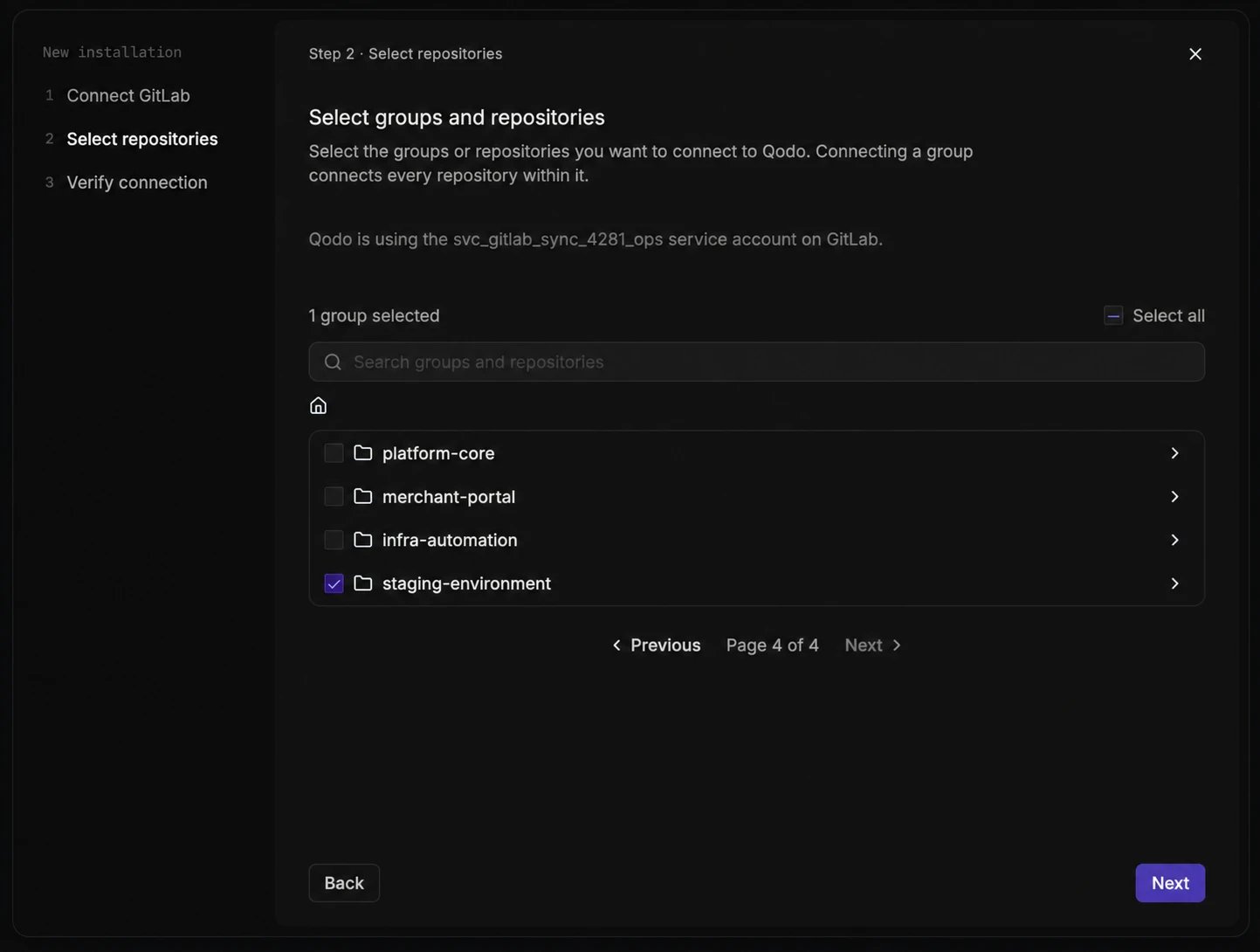
Find and select what to connect:
- Use the search bar to find a specific group or repository, or browse the list of top-level groups you have access to.
- Select a group to connect every repository within it, or drill into a group to select individual repositories.
- Select Select all to connect everything you have access to in one step.
On GitLab Community Edition and free-tier instances, which don’t support group hooks, this step appears as “Select repositories” and Qodo creates a hook for each repository you select. On tiers with group hooks, it appears as “Select groups and repositories”, and selecting a group creates a group hook.
Repositories in personal namespaces aren’t supported.
2
Click Next.
3
Verify connection
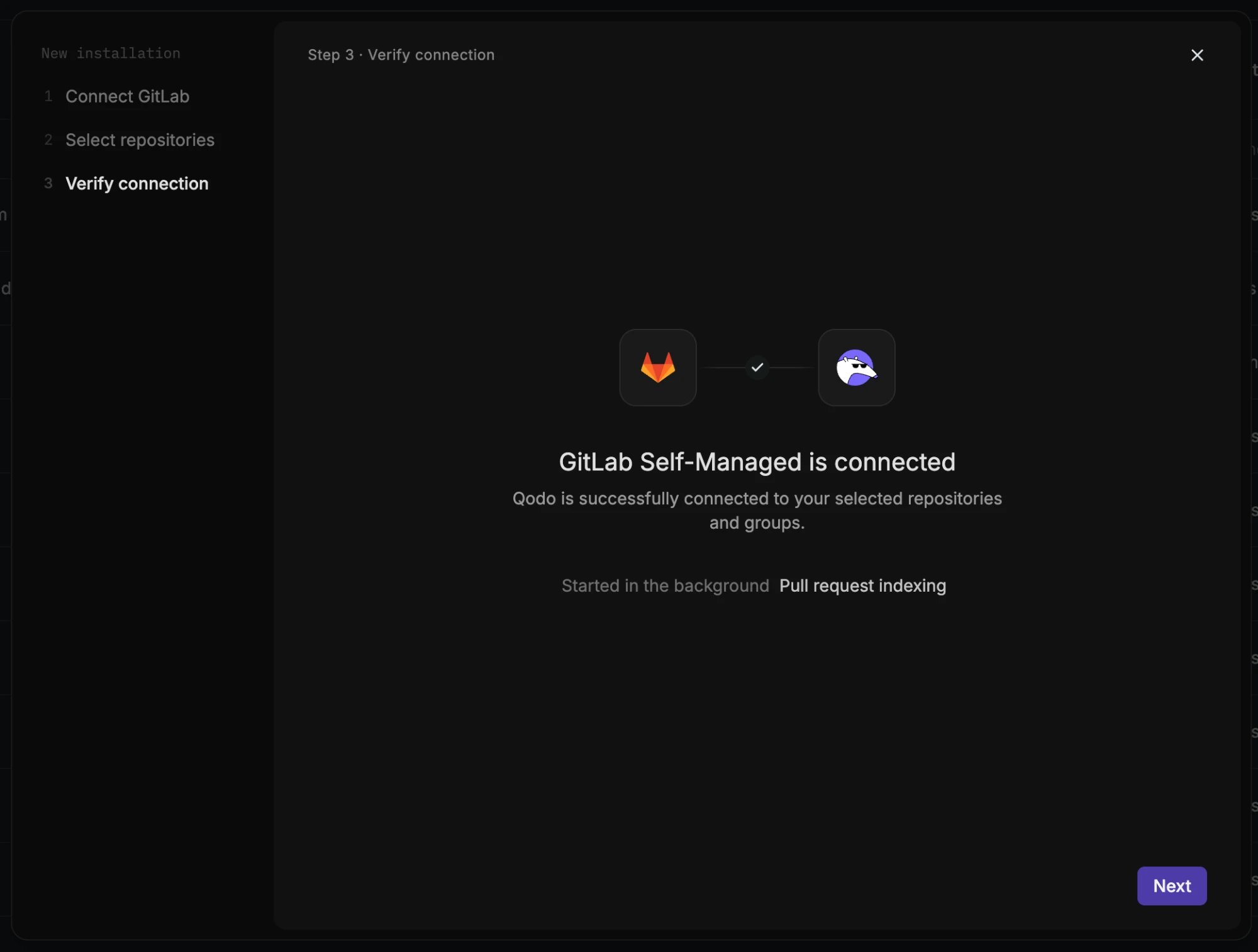
If you’re connecting your Git provider as part of the onboarding wizard, the wizard continues to the next onboarding step once the connection completes. See Set up Qodo with the onboarding wizard.
What happens after you connect
Qodo starts building context for your code reviews, and the following processes run automatically in the background:- Repository sync: Syncs each connected repository with Qodo.
- Pull request indexing: Indexes each repository’s pull request history.
- Cross-repo discovery: Finds relationships between your repositories.
Verify the installation
1
Open a new merge request in one of the connected repositories and confirm Qodo is triggered automatically.
2
Add a comment using one of the supported commands:
/agentic_describe/agentic_review
Troubleshooting
If Qodo doesn’t respond on the merge request, check that GitLab can reach Qodo’s webhook URL:1
In GitLab, navigate to the webhook settings of the connected group or repository.
2
Copy the URL of the webhook Qodo created. The URL is different for each Qodo installation.
3
Confirm that your network allows GitLab to reach that URL.
Next steps
- Repositories page: Manage which repositories Qodo is active on, or remove an installation.
- Trigger a code review: Run a review automatically or on demand.