

Administrator-only configuration
The installation and configuration process in this manual should be performed by system administrators only.Requirements
Before proceeding with the installation, ensure the following prerequisites are met:Database
Postgres v17+ must be deployed. Managed cloud solutions like AWS RDS or GCP CloudSQL are recommended. The database should follow a few minimum specifications:- 2 vCPU
- 16 GB of memory
- 50 GB of disk space
- Accessible from the EC2 instance running the Qodo stack
Qodo stack version
Ensure Qodo Stack version is at least 0.1.300.Helm installation
Ensure Helm is installed for managing Kubernetes deployments. Embedded Cluster (Optional): If Kubernetes is not available, installation can be performed using Replicated (web UI-based deployment).Configuration details for Helm users
Environment variables
-
The primary configuration file is
/copilot_proxy/settings_prod/.secrets.toml. - The file is a Kubernetes secret that must be appended to.
Required installations
- In addition to setting values, you must enable cronjobs and jobs in the Helm chart.
- The following command ensures all necessary jobs are scheduled:
Installation steps for Helm users
1. Database setup
Deploy a Postgres v17+ database and configure it with the required credentials. Example Configuration:- If using a public cloud, managed solutions like AWS RDS, GCP CloudSQL or Azure SQL are recommended.
2. Update Helm values
Modify the Helm values file to include the necessary configurations for Agentic Mode:3. Run Helm upgrade
Apply the updated Helm values by running:4. Update secrets
Modify the Kubernetes secret file/copilot_proxy/settings_prod/.secrets.toml to include:
Configuration sections explained
- [app]: Defines feature flags.
- [agenticdb]: Contains Agentic DB details.
5. Verify agentic mode
Restart your IDE and verify that Agentic Mode is enabled.Installation steps for Embedded Cluster users
For customers without Kubernetes, use Replicated to install Agentic Mode on a virtual machine.Steps
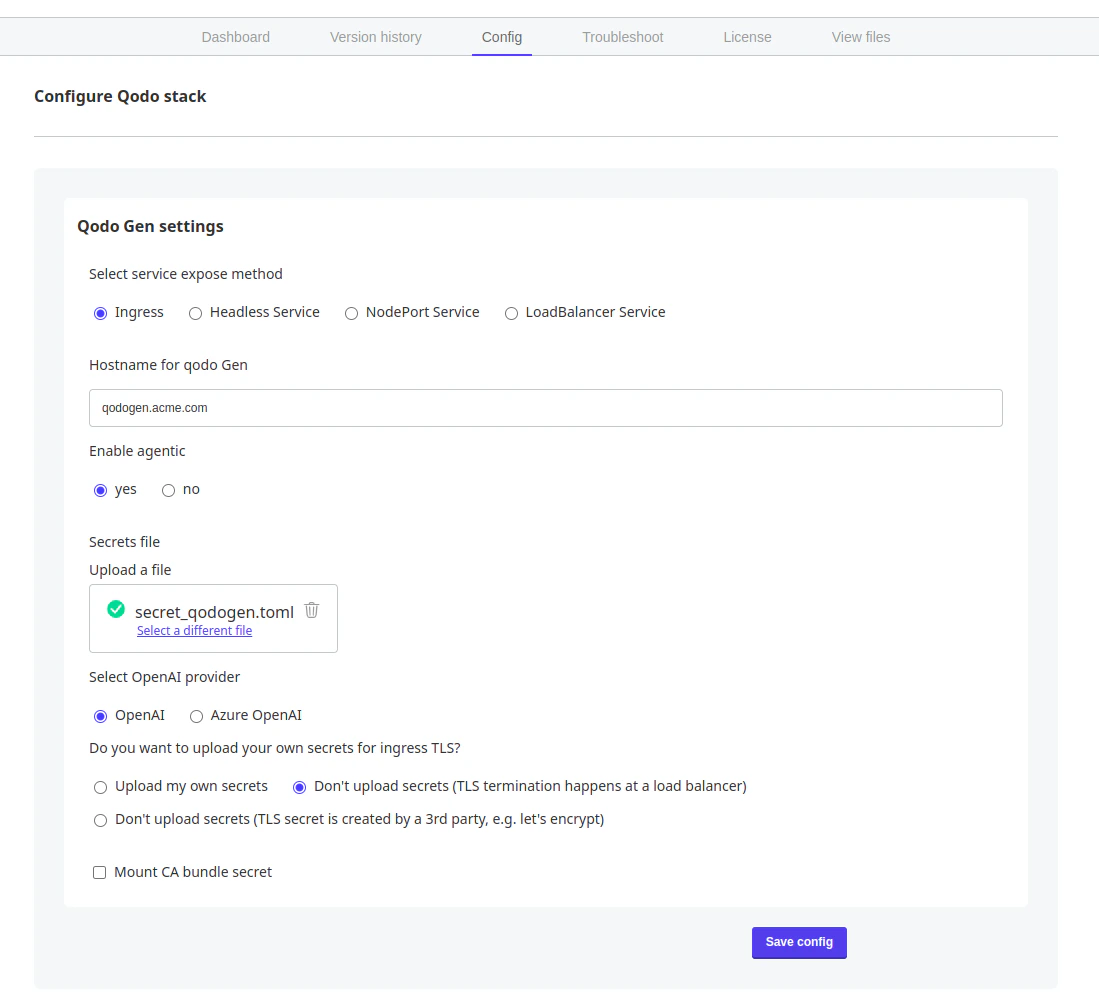
Ensure the configuration was updated: ensure the popup
The config for Qodo stack has been updated. appears, then click Go to updated version.Deploy the updated configuration: in the Version history tab you’ve been forwarded to, find the Config change entry in the top of the versions list. Click Deploy.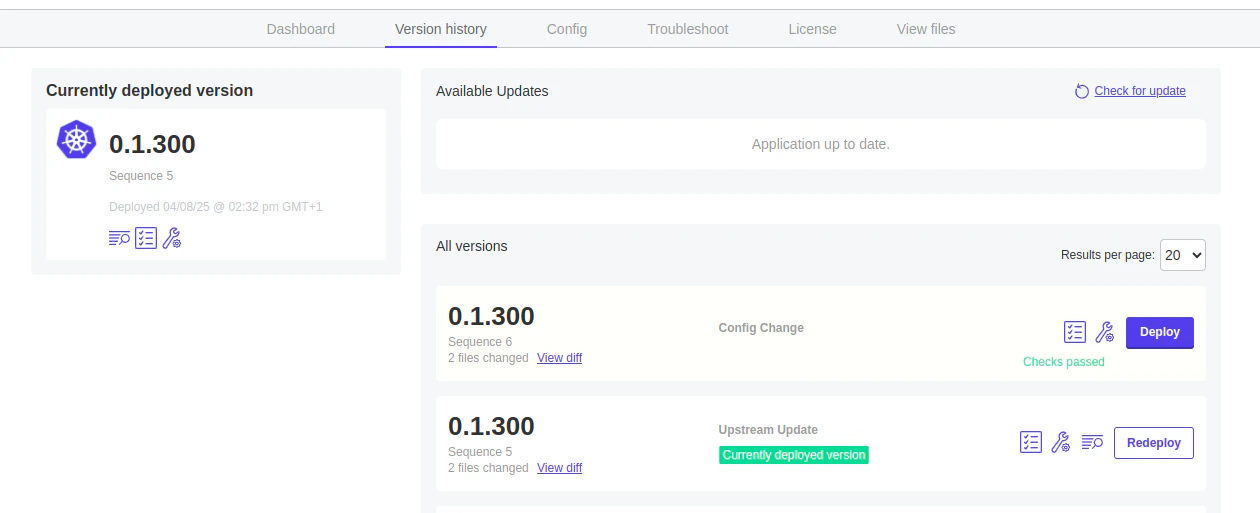
Wait for a pod to start: Changing the secret causes the container restart. Wait until it fully starts up.