

Prerequisites
Before you begin, ensure you have:- A Qodo on-premises deployment. You will receive your Qodo on-premises URL from your Qodo Account Manager. It typically looks like:
qodo-merge.yourcompanyname.qodo.ai - System administrator access to your Bitbucket workspace.
Installation
1
Navigate to Settings (cog wheel) → Workspace settings.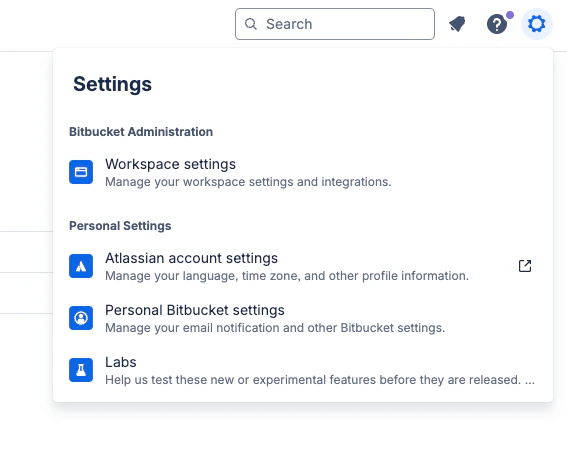
2
On the left-hand side menu, navigate to Installed apps.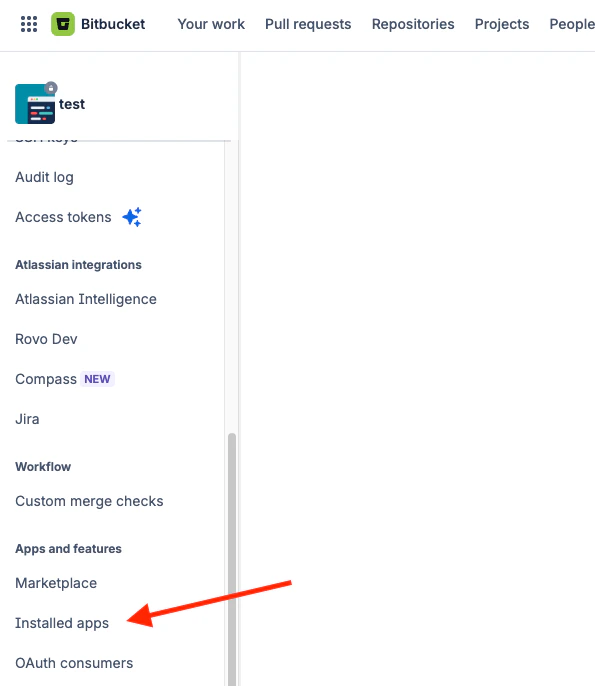
3
Enable Development mode to allow app installation, then click Install app from URL.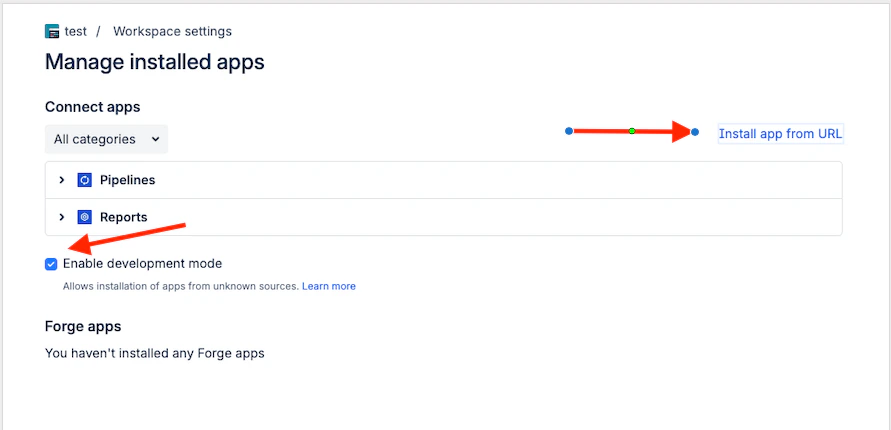
4
Enter your Qodo on-premises URL and click Install.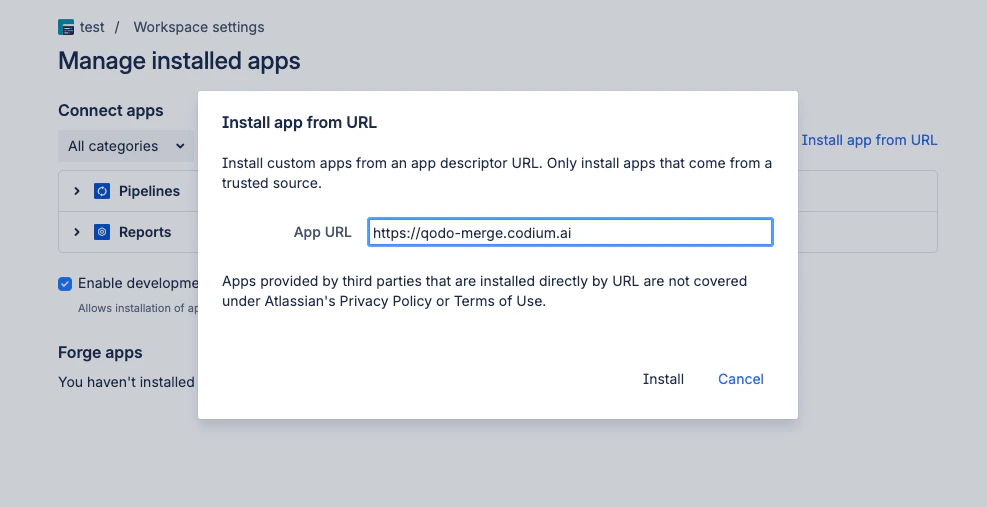
5
In the popup displayed, click Grant access to the app.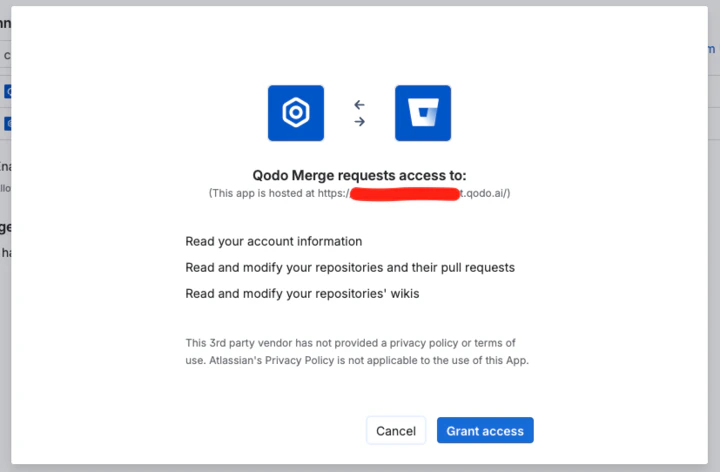
6
Add your Bitbucket workspace ID to your Qodo on-premises configuration to complete the setup.
Verify the installation
Run a test pull request
1
Open a new pull request in one of the integrated repositories and confirm Qodo is triggered automatically.
2
Add a comment using one of the supported commands:
/agentic_describe/agentic_review