

Organization and repository settings
By default, settings on this page apply to all repositories connected to Qodo. Use the All repositories selector at the top of the left navigation menu to switch between two levels:- Organization level: Settings apply to all connected repositories. This is the default.
- Repository level: Settings apply only to the selected repository and override the organization-level defaults in the portal.
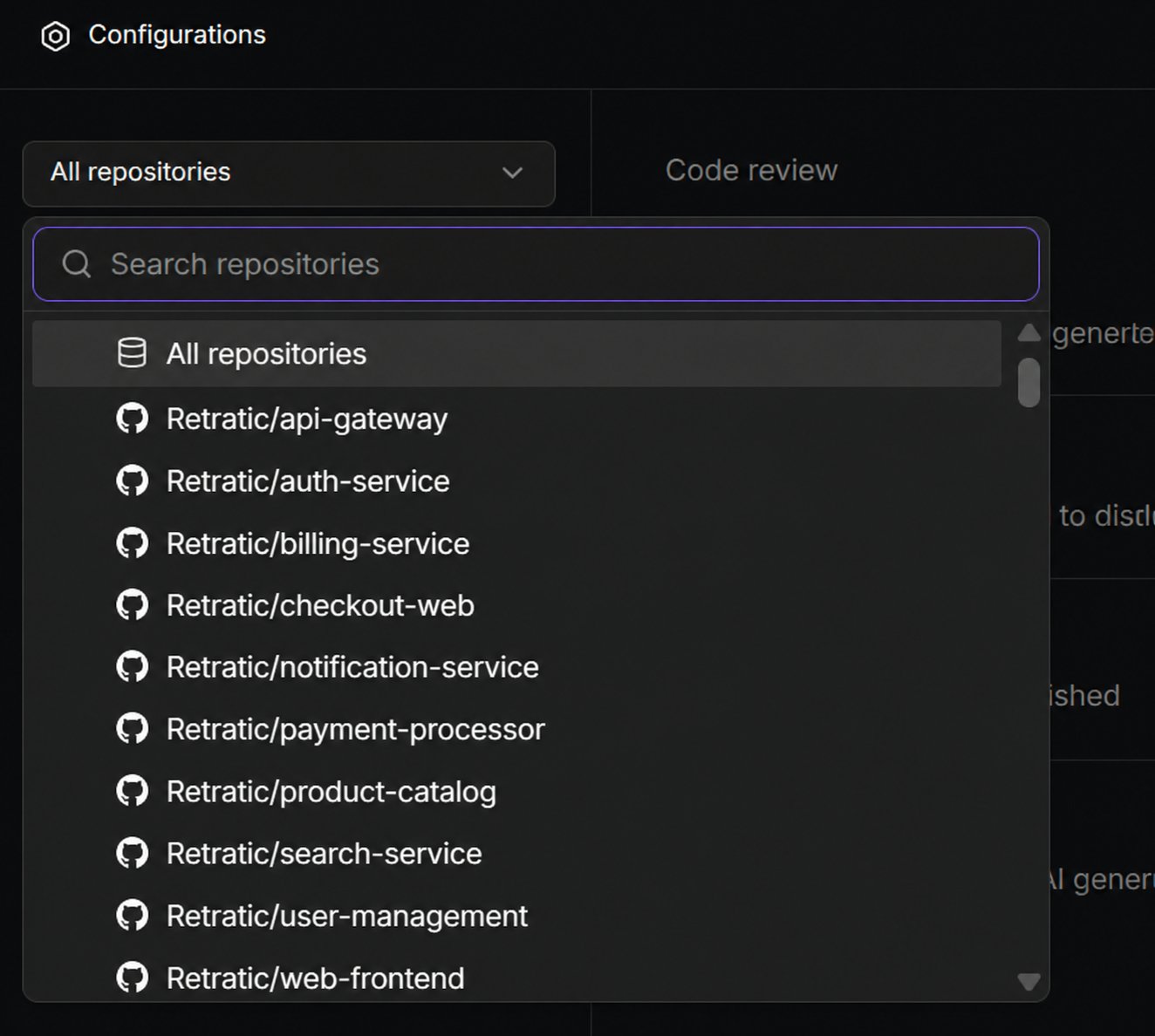
This repository-level override applies only within the portal and does not change where portal settings sit in the overall hierarchy. Portal settings have the lowest precedence overall: configuration defined in the repository wiki, repository root, or organization settings repository (
pr-agent-settings) takes precedence over any portal setting. See Customize the code review experience.General review
The General review section controls how Qodo runs code reviews, generates PR summaries, and manages review standards. It groups four topics: Code review, Chat agent, Remediation, and Review standards.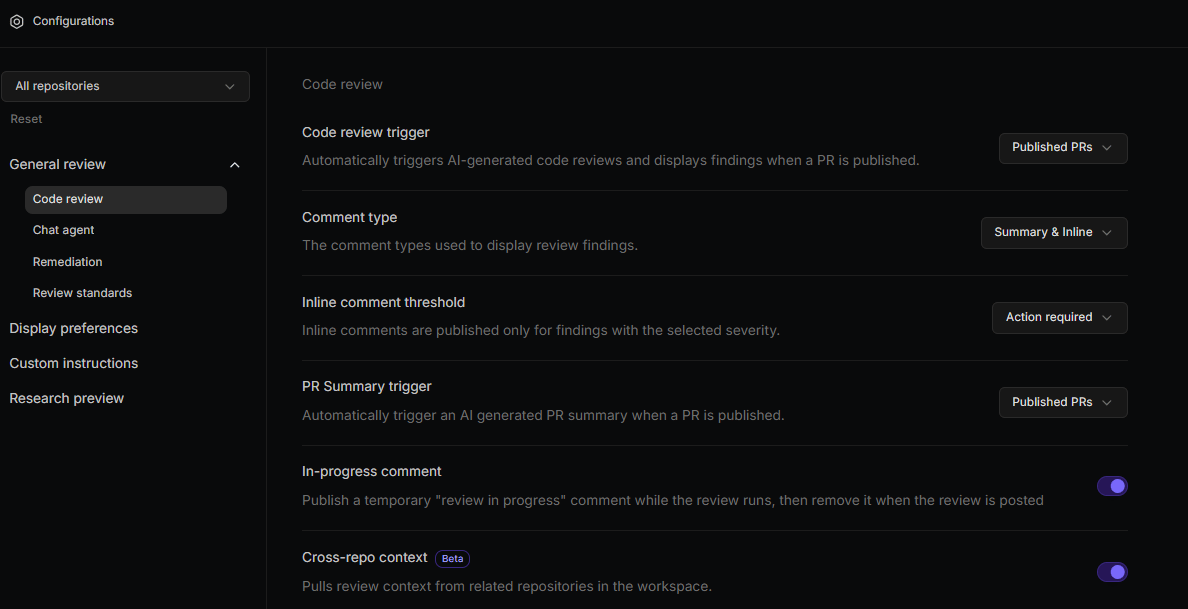
Code review
| Setting | Description | Options |
|---|---|---|
| Code review trigger | Determines when Qodo runs an AI code review. | • Manual only: Reviews run only when triggered manually using /agentic_review • Published PRs: Reviews run automatically when a PR is published (default) |
| Comment type | Controls how findings are posted in the pull request. | • Summary only: All findings appear in a single summary comment • Inline only: Findings are posted directly on relevant lines of code • Summary & Inline: A summary comment is posted and findings are also added inline (default) |
| Inline comment threshold | Determines which severity levels generate inline comments. Findings at or above the selected level appear inline. | • Action required: Only action-required findings appear inline (default) • Remediation recommended: Remediation recommended and action-required findings appear inline • Informational: All findings appear inline |
| PR summary trigger | Determines when Qodo generates a PR summary. | • Manual only: Generated using /agentic_describe • Published PRs: Generated automatically when a PR is published (default) |
| In-progress comment | Publishes a temporary “review in progress” comment while the review runs, then removes it when the review is posted. | Enable (default) / Disable |
| Cross-repo context Beta | Pulls review context from related repositories in the workspace. Must be enabled for Qodo to run cross-repository code review. | Enable (default) / Disable |
Chat agent
| Setting | Description | Options |
|---|---|---|
| Chat agent Beta | Allows the Qodo chat agent to answer questions and run commands on pull requests. | Enable (default) / Disable |
Remediation
| Setting | Description | Options |
|---|---|---|
| Suggest committable fixes | Enables committable code suggestions within inline comments. Supported on GitHub and GitLab only. | Enable (default) / Disable |
Review standards
The Review standards topic controls Rule Miner, which automatically discovers recurring review patterns from pull request history and generates rules from them.| Setting | Description | Options |
|---|---|---|
| Mine rules from code review history | Enables or disables Rule Miner for the organization or a specific repository. | Enable (default) / Disable |
| Auto-approve rule miner suggestions | When enabled, mined rules are activated automatically. When disabled, rules appear in Rules > Suggestions for review before activation. | Enable / Disable (default) |
| Auto-approve user suggestions | When enabled, rules added by non-admins are activated immediately and appear in the Rules tab. When disabled, they appear in Rules > Suggestions for admin approval before activation. This setting applies at the organization level only. | Enable / Disable (default) |
Display preferences
The Display preferences section controls how findings appear in pull requests.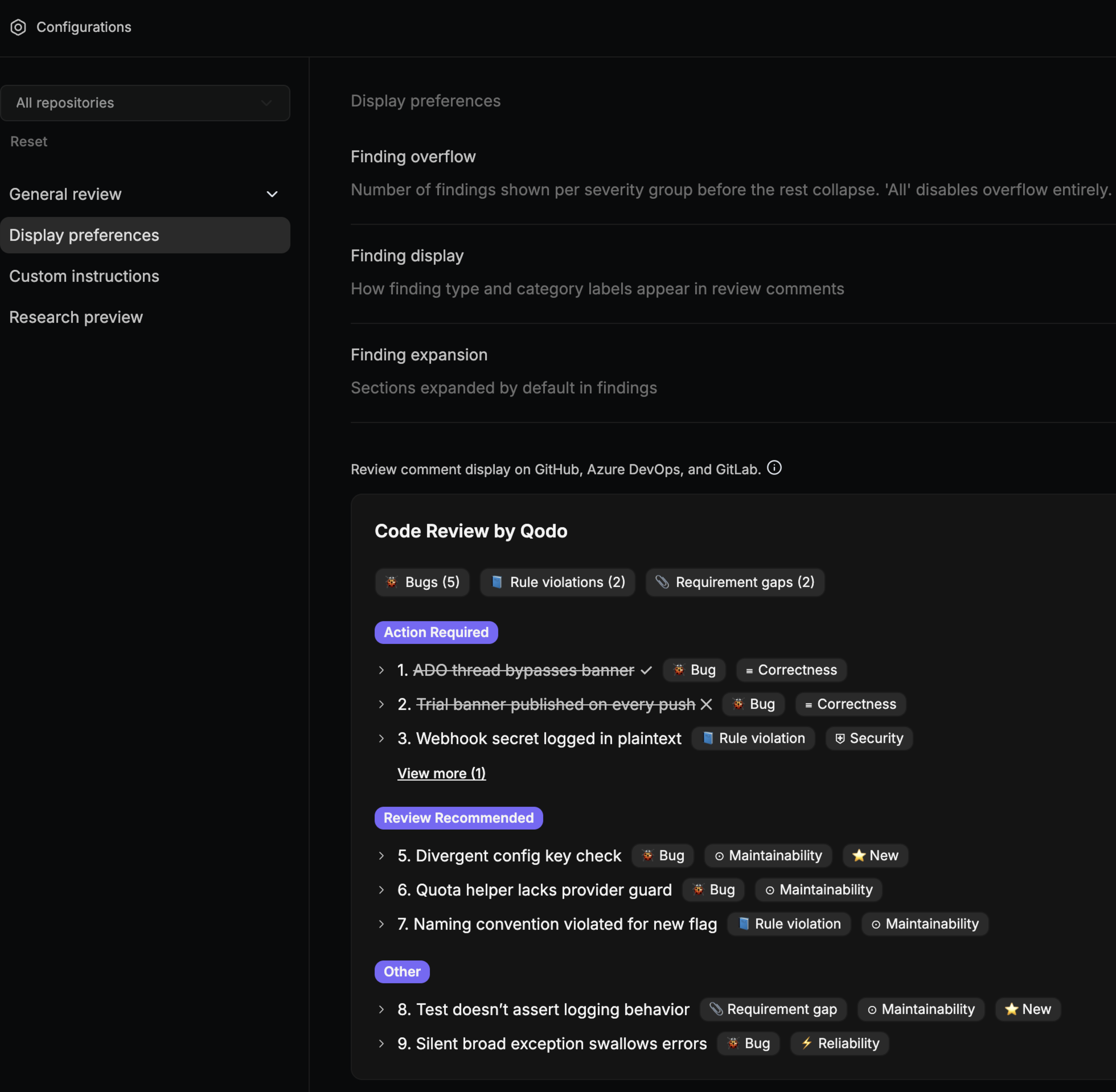
| Setting | Description | Options |
|---|---|---|
| Finding overflow | Number of findings shown per severity group before the rest collapse. | • 0: All collapsed • 1, 3, or 5: Findings shown before collapsing (3 by default) • All: All findings expanded |
| Finding display | Controls how finding type and category labels appear in review comments. | • Minimal: Type icon only • Short: Type and category icon • Detailed: Type icon, category icon, and category name • Full: Type icon, category icon, and full name (default) |
| Finding expansion | Sections expanded by default when opening a finding. Multiple selections allowed. | • Description (default) • Code (default) • Recommendation (default) • Evidence • Prompt |
Display live preview
GitHubGitLabAzure DevOps
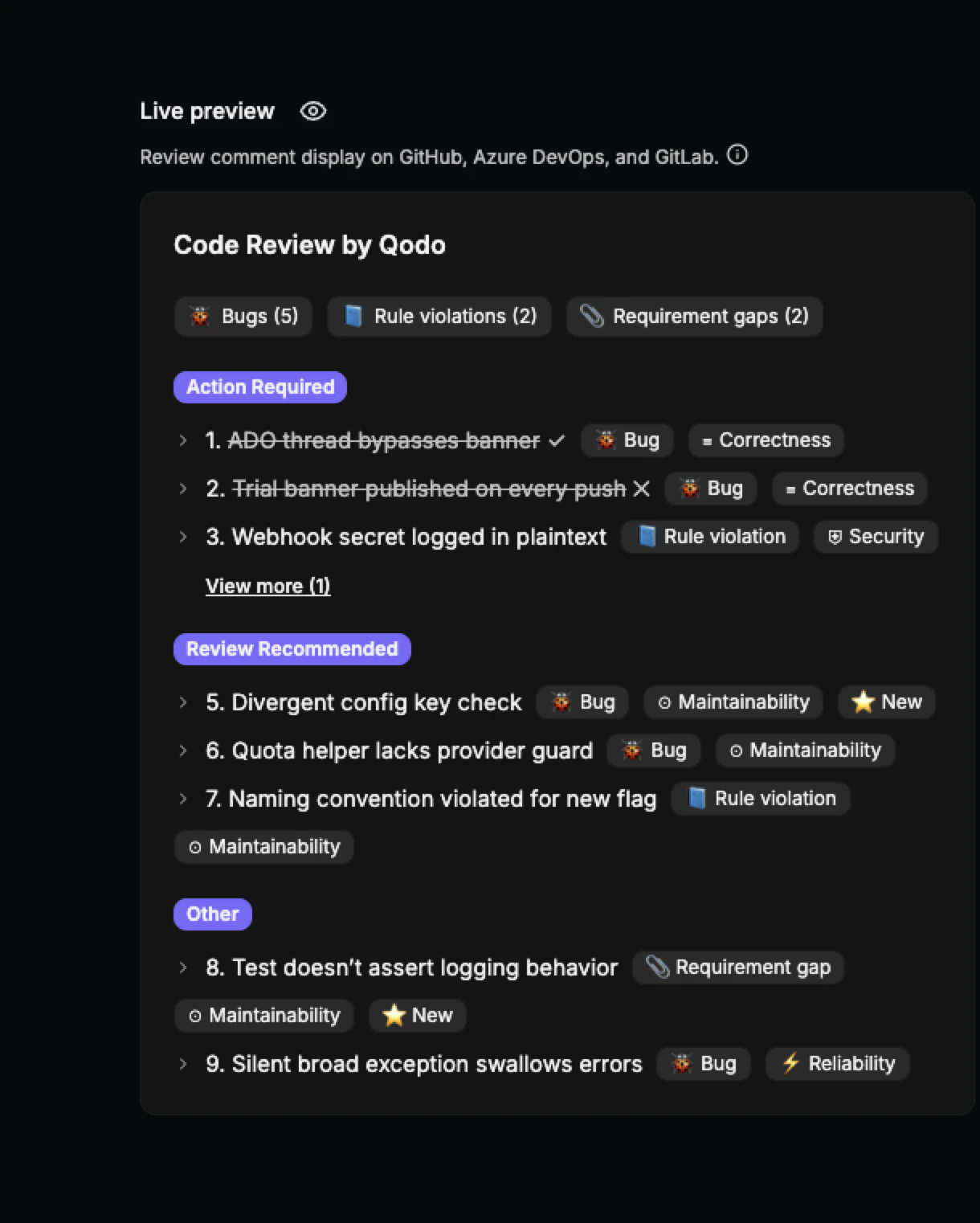
The Live Preview pane shows a real-time visual of how review comments will appear in the target Git provider. Changes to display preference settings update the preview immediately, with no save or refresh required.
Custom instructions
The Custom instructions section lets you add free-text instructions to guide how Qodo behaves during reviews. Click Save after completing your instructions.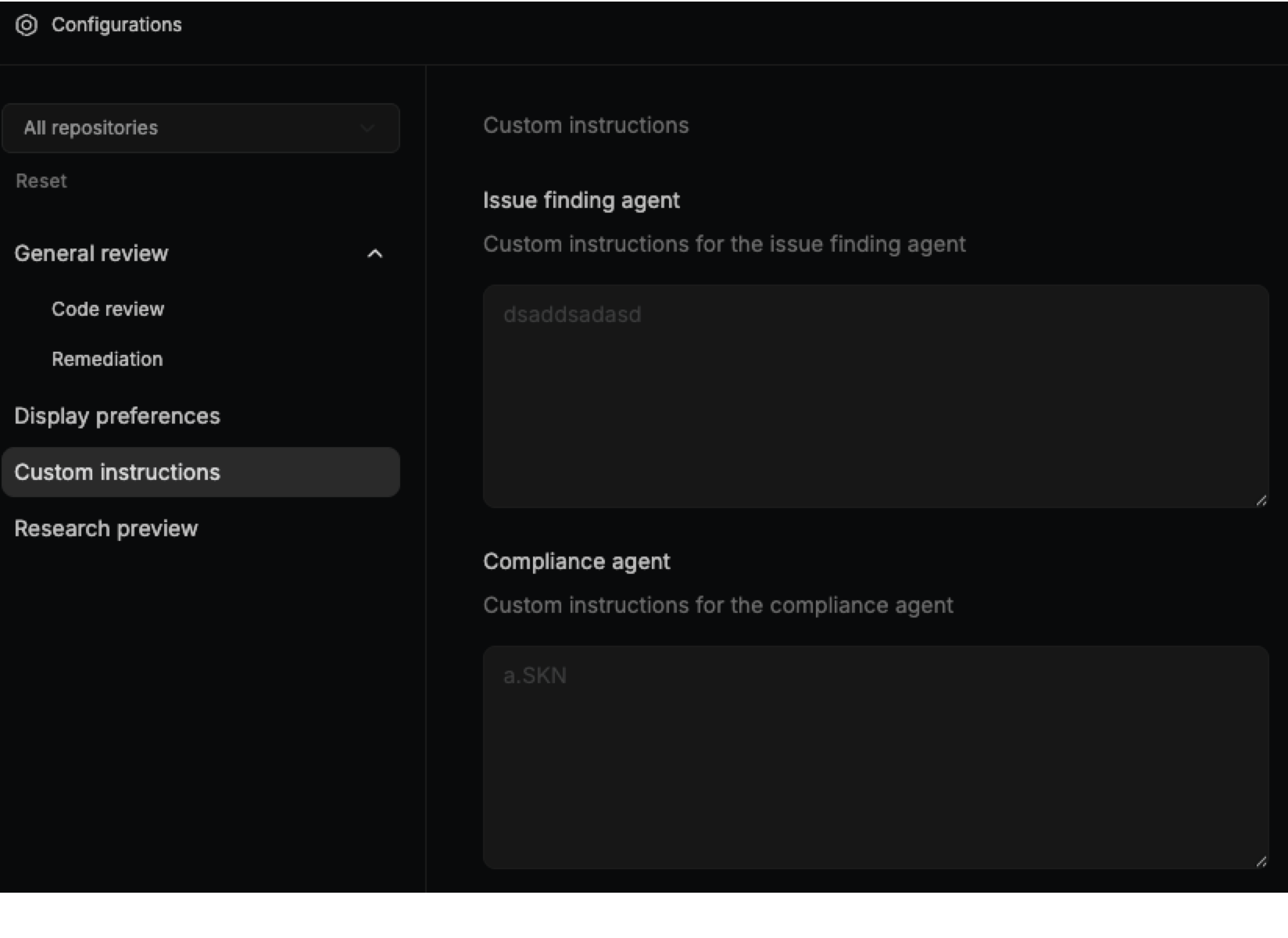
| Setting | Description | Options |
|---|---|---|
| Issue finding agent | Custom instructions to guide issue detection and reporting behavior. | Free text (empty by default) |
| Compliance agent | Custom instructions to guide compliance checks and policy enforcement. | Free text (empty by default) |
Research preview
The Research preview section provides access to features under active development. These features are available for early testing and feedback before broader release.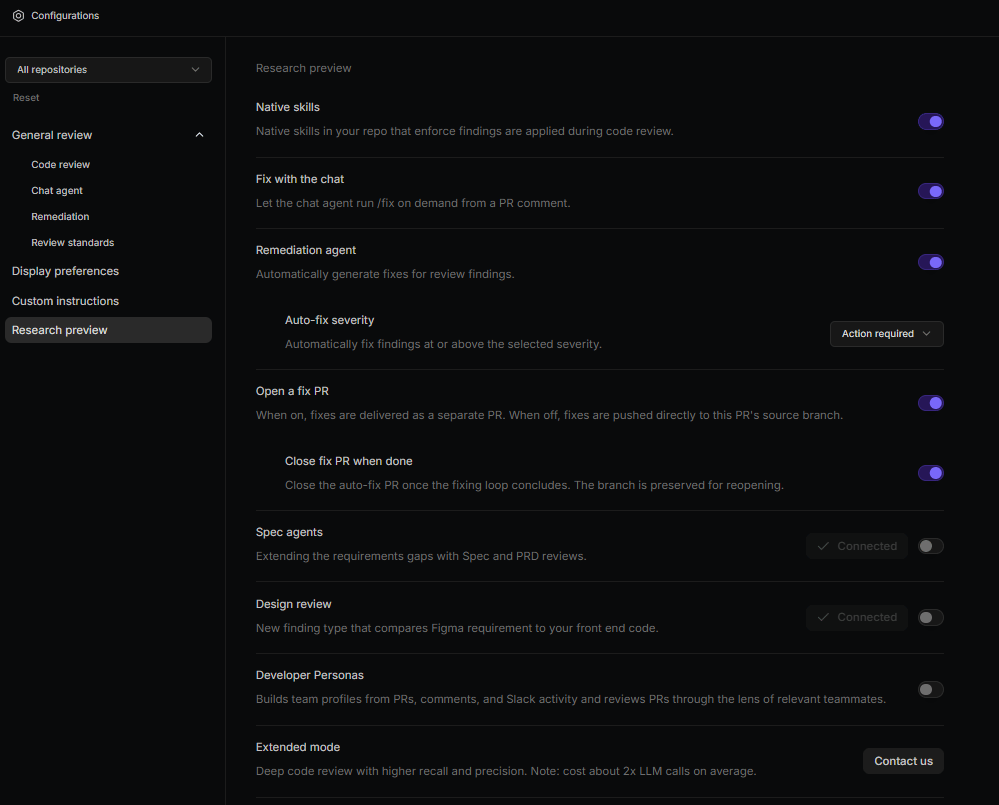
Remediation
Remediation lets Qodo resolve review findings for you, either on demand through chat or automatically with the Remediation Agent.| Setting | Description | Options |
|---|---|---|
| Fix with the chat | Lets the chat agent run /fix on demand from a PR comment. | Enable / Disable (default) |
| Remediation agent | Automatically generates fixes for review findings. | Enable / Disable (default) |
| Auto-fix severity | Automatically fixes findings at or above the selected severity. | • Action required (default) • Remediation recommended • Informational |
| Open a fix PR | When on, fixes are delivered as a separate PR. When off, fixes are pushed directly to the source branch. | Enable (default) / Disable |
| Close fix PR when done | Closes the auto-fix PR once the fixing loop concludes. The branch is preserved for reopening. | Enable (default) / Disable |
Spec and design
These agents extend reviews by checking pull requests against your linked specification documents and Figma designs.| Setting | Description | Options |
|---|---|---|
| Spec agents | Extends reviews with Spec and PRD gap analysis. Click Connect specs to set up. | Enable / Disable (default) |
| Design review | Compares Figma requirements against your front-end code. Click Connect Figma to set up. | Enable / Disable (default) |
Next steps
- See Customize the code review experience for the full configuration hierarchy and all available configuration methods.
- See Configuration and command reference for a complete list of configuration options and PR commands.
- See Cross-repository code review to set up cross-repo context.