

Supported platforms: GitHub, GitLab, Bitbucket (Not supported on Bitbucket Data Center), Azure DevOps.
What is a wiki?
Set configurations by creating a page named.pr_agent.toml in the repository wiki. This approach allows configuration changes without committing new content to the repository, simply edit the wiki page and save.
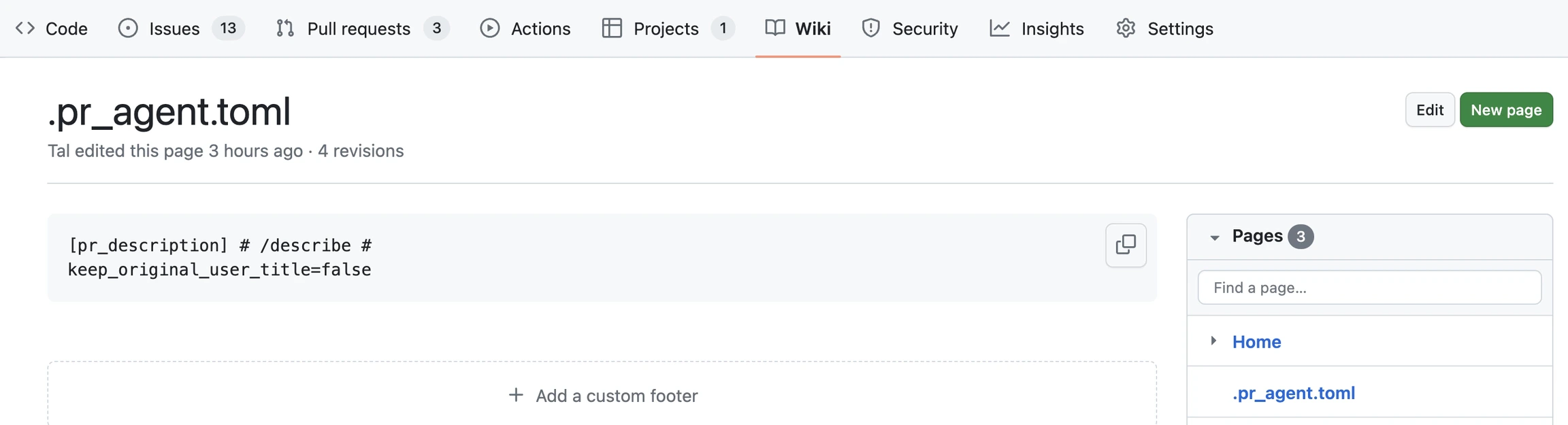
Benefits of creating a wiki
- Storing your Qodo Git interface configuration file.
- Tracking accepted code suggestions over time.
- Improve your Qodo experience over time by creating a
auto_best_practices.mdfile to capture learning and best practices automatically.
Enable a wiki
GitHub
1
Go to your repository’s main page on GitHub.
2
Click Settings in the top navigation bar.
3
Scroll to the Features section.
4
Check the box to Enable Wikis.
5
Return to the repository’s main page and click the new Wiki tab.
6
Click Create the first page and save it.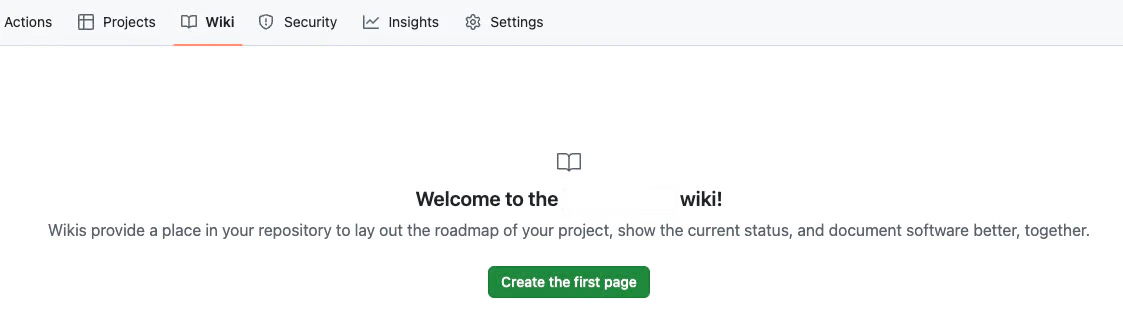
The wiki must have at least one page to be fully active.
Azure DevOps
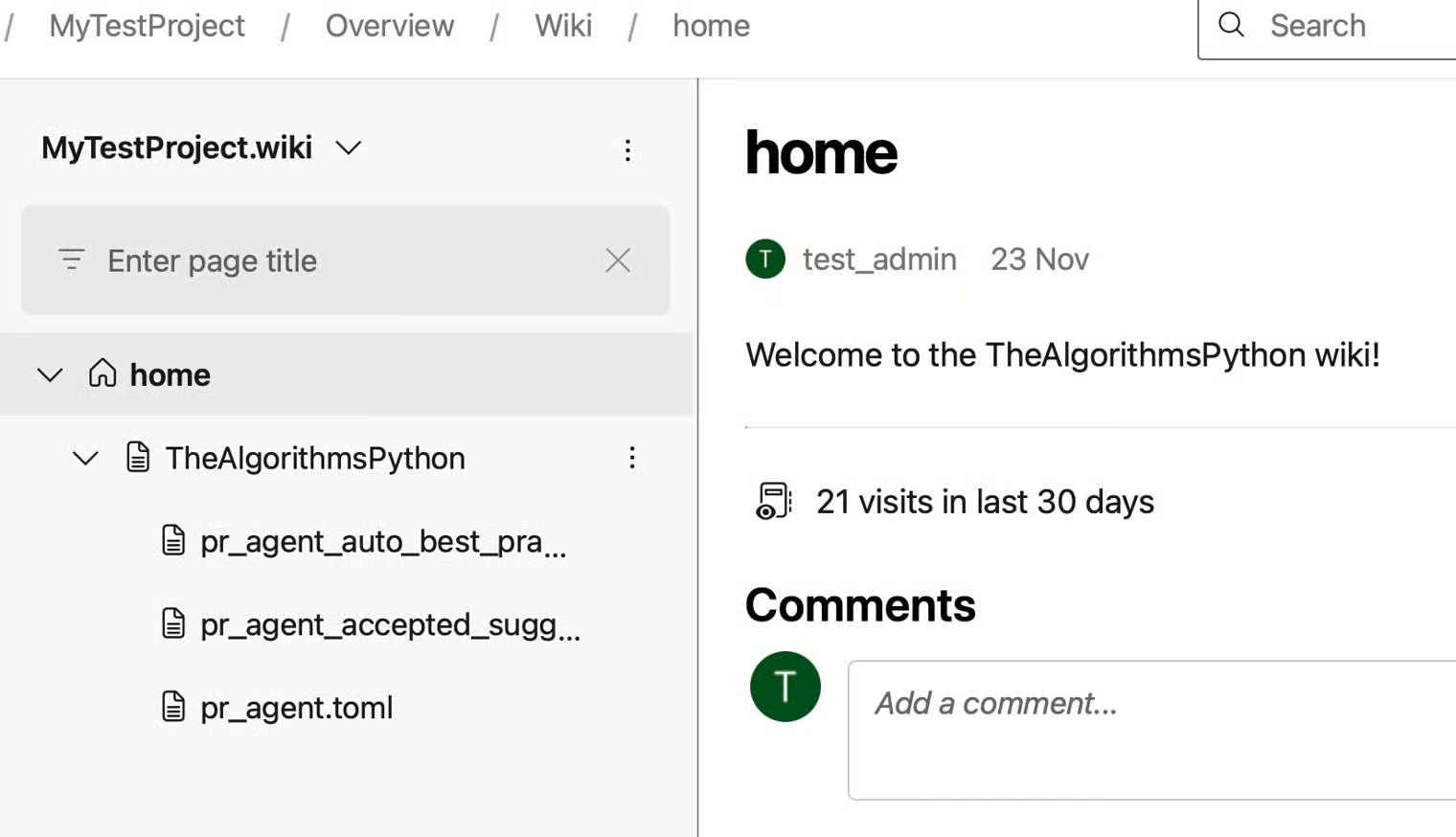
Azure DevOps Wikis are created at the project level, not per repository. Each repository is represented by a wiki sub-page.Step 1: Create a project wiki
1
Sign in to the Azure DevOps portal (for example:
https://dev.azure.com/<YOUR_ORGANIZATION>).2
Open your project and go to Overview → Wiki.
3
Click Create Project Wiki.
4
Set the page title to
**home**, then Save and Close.5
Refresh the page.
home page.
Step 2: Create repository sub-pages
Create a sub-page for each repository where Qodo is installed.1
Hover over the three dots (⋮) next to
home and select Add sub-page.2
Name the page exactly as the repository name, then Save and Close.
Step 3: Add Qodo configuration and data files
Under the repository sub-page, create wiki pages for Qodo configuration and related data files. To add files:1
Hover over the repository sub-page.
2
Click the three dots (⋮).
3
Select Add sub-page.
4
Add the required files as wiki pages.
.). Remove the leading dot when creating files (for example, .pr_agent.toml → pr_agent.toml).
Writing wiki content
Surround the configuration content with triple-quotes``` to allow better presentation when displayed as markdown. Qodo will remove the surrounding quotes when reading the configuration content.