

Documentation Index
Fetch the complete documentation index at: https://docs.qodo.ai/llms.txt
Use this file to discover all available pages before exploring further.
AlphaGitHubGitLabAzure DevOps
Qodo Conversational Chat makes PR reviews interactive. Mention @qodo, qodo, or /qodo anywhere in a PR to start a conversation in a PR comment, review comment, or inline on a line of code.
With Conversational Chat, you can:
-
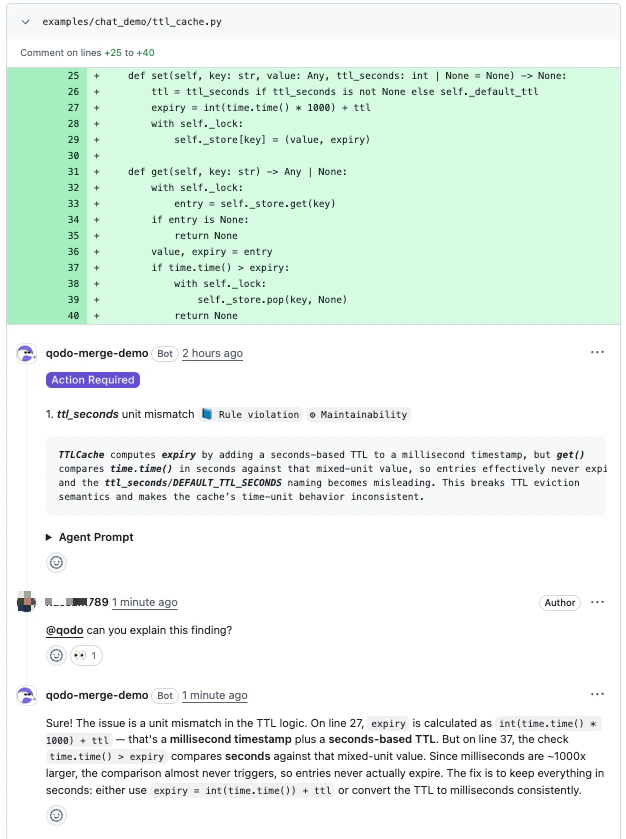
Ask Qodo to explain a finding.
-
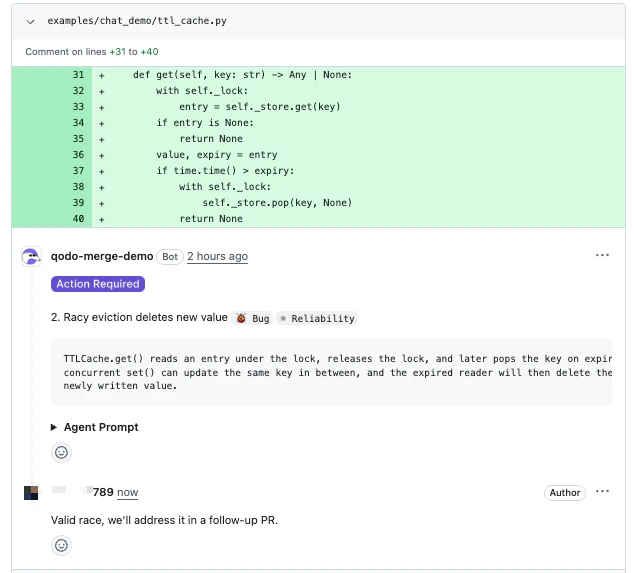
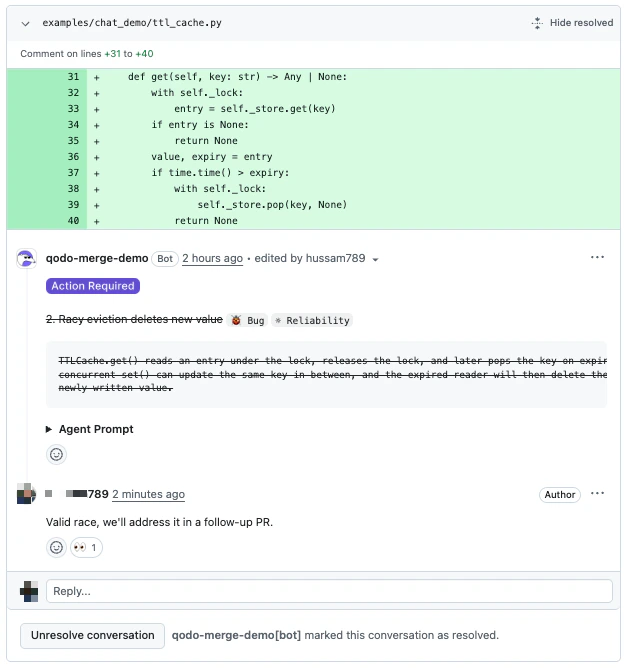
Dismiss a finding with a reason.
-
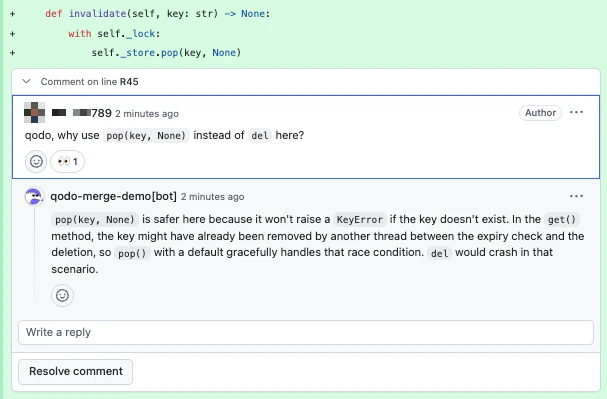
Discuss a suggestion or ask follow-up questions in natural language.
Start a conversation
Mention@qodo in any PR comment, review comment, or inline code comment.
You only need to mention @qodo in the first message. Replies in the same thread are automatically routed to Qodo. Once Qodo has replied in a thread, subsequent replies don’t need the mention.
Conversation context
Qodo uses the conversation location to understand context for:- Inline code finding: Scoped to the specific finding.
- Inline code comment: Scoped to the specific line.
- PR comment: Scoped to the entire PR and all findings.
What you can ask Qodo to do
-
Explain a finding
Ask why a finding was raised or how the suggested fix works. Qodo replies in natural language. -
Dismiss a finding
Tell Qodo a finding does not apply. Qodo marks it as dismissed with one of three reasons:- Rejected: The finding is incorrect or invalid.
- Deferred: The finding is acknowledged, but will be handled outside this PR.
- Intentional: The flagged behavior is intended (e.g., kept for backwards compatibility).
- The PR summary comment strikes the finding through and tags it
✗ Dismissed, so the open-vs-closed split is visible without scrolling through every thread. - The inline review thread is marked resolved and collapsed. It can be reopened at any time via Unresolve conversation.
- The inline finding comment itself is rendered with strikethrough, signalling that the suggestion was acknowledged and closed without requiring a code change.
-
Discuss in natural language
Ask follow-up questions, request more detail, or push back on a suggestion. Qodo responds conversationally with the PR diff and thread as context.
Triggering Qodo
There are no fixed sub-commands inside Conversational Chat. Qodo interprets your message in natural language. To address Qodo, start a message with any of:| Trigger | Description |
|---|---|
@qodo … | Standard mention. |
/qodo … | Slash-style mention. |
qodo … | Bare mention at the start of a comment. |
Example conversations
Asking for clarification
Asking for clarification
DeveloperQodo
Dismissing a finding (intentional)
Dismissing a finding (intentional)
DeveloperQodo
Dismissing a finding (deferred)
Dismissing a finding (deferred)
DeveloperQodo
Dismissing a finding (rejected)
Dismissing a finding (rejected)
DeveloperQodo
Guidelines for GitHub users
GitHub does not always update bot responses in real time. After posting a message:- Refresh the page if you do not see the Qodo response indicator.
- Refresh again after a few seconds if the full response does not appear.