

GitHub GitLab The Generate Labels feature analyzes the code changes in a pull request and automatically suggests relevant labels. Suggestions are based on a predefined set of labels and their descriptions, helping teams keep PRs consistently categorized with minimal manual effort. Generated labels can reflect aspects such as the type of change, impacted areas, or the nature of the update, making it easier to triage, review, and track pull requests at scale.Documentation Index
Fetch the complete documentation index at: https://docs.qodo.ai/llms.txt
Use this file to discover all available pages before exploring further.
How to use Generate Labels
Manual usage
You can trigger label generation directly from the pull request using a comment command:Enabling custom labels
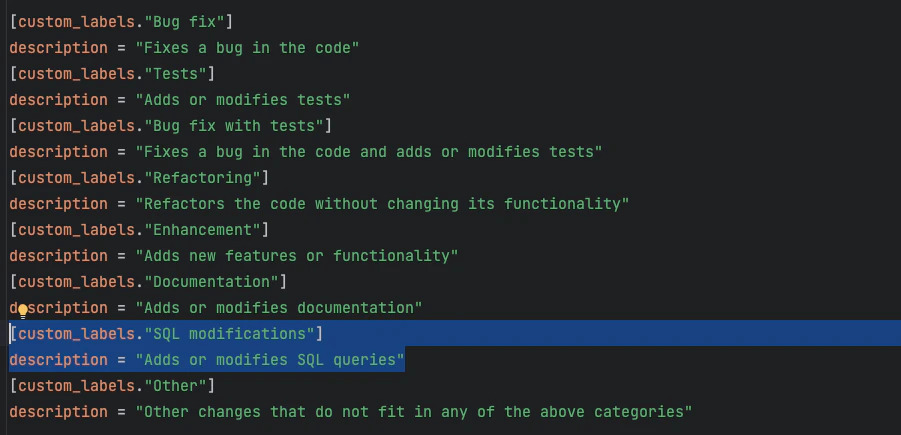
Qodo supports custom labels in three different ways, depending on how you manage configuration in your environment. CLI (local configuration file) When working from the CLI, custom labels are configured in the custom_labels file. Update this file with your desired label definitions and descriptions so Qodo can use them when generating label suggestions. Repository configuration file You can enable and configure custom labels directly at the repository level. To do this, apply the relevant configuration changes in the local.pr_agent.toml file in your repository.
Repository labels page
Platforms supported: GitHub, GitLab
- GitHub:
https://github.com/{owner}/{repo}/labels, or click the Labels tab in the issues or PR’s page. - GitLab:
https://gitlab.com/{owner}/{repo}/-/labels, or click Manage and then Labels from the left menu.
Custom label format
When defining custom labels, use the following format:- Label name: The name of the custom label.
- Description: Start the description with the prefix
pr_agent:.
- Label name:
security - Description:
pr_agent: Suggest this label when the PR introduces authentication/authorization logic, handles secrets, touches crypto, or modifies security-sensitive endpoints.
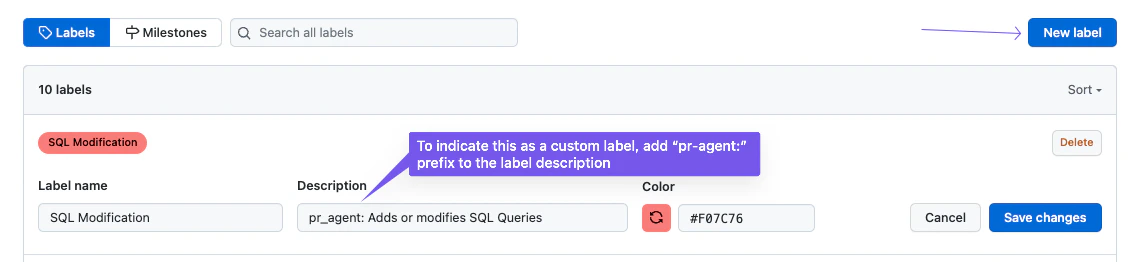
Using label generation
After adding custom labels, they become available for use by Qodo’s label generation feature.- Set
enable_custom_labelstoTrue: This will turn off the default labels and enable the custom labels provided in thecustom_labels.tomlfile. - Add the custom labels. It should be formatted as follows:
generate_labels feature runs on a pull request that includes SQL-related changes, Qodo will automatically suggest this custom label:
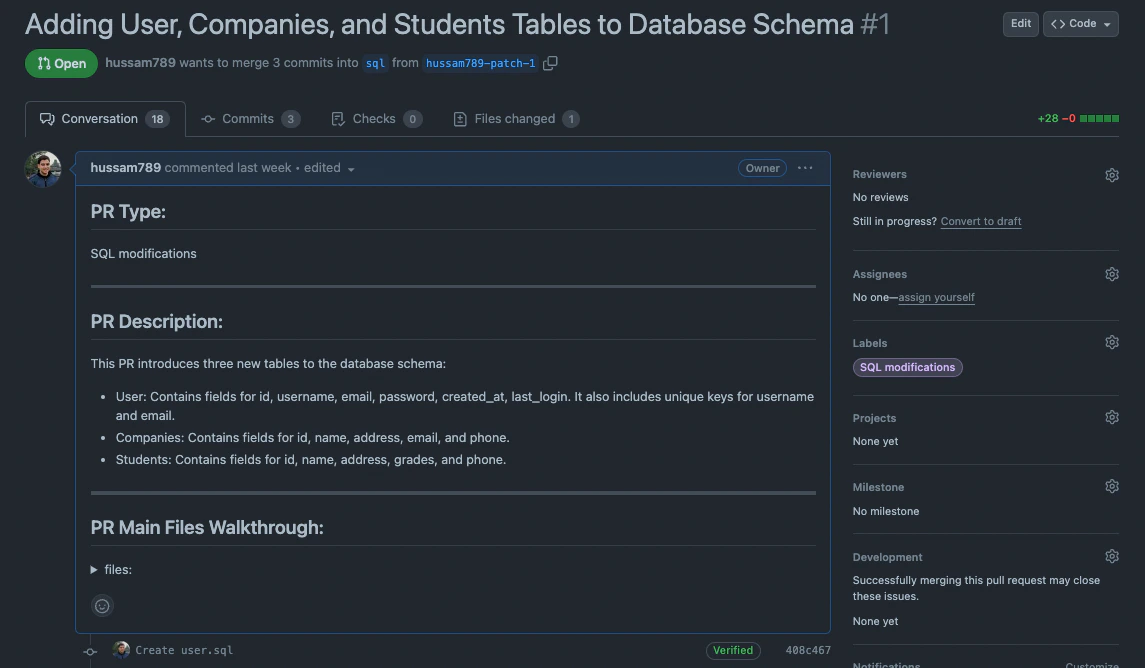
Note that custom labels are not only used by
generate_labels—they are also taken into account by the PR description feature, helping enrich summaries and classifications.