Why should I use agents?
Using agents has several benefits:- Customization: Define detailed instructions, tool access, and behavior tailored to your workflow.
- Repeatability: Agents behave consistently across runs, environments, and users.
- Automation: Agents can replace repetitive manual work: code reviews, testing, deployments, and more.
- Collaboration: Teams can share, version, and build on each other’s agents for unified engineering workflows.
Agent types
Agents and Task Agents share the same creation flow (name, instructions, tool access, rules), but they differ significantly in usage:- Modes are conversational and persistent.
- Workflows are command-style and stateless.
Modes
Modes are persona-driven agents and assistants designed for ongoing, multi-turn conversations. You can interact with them in a way that aligns with a specific role or mindset. Examples:- Architect Mode: Helps with system design and deep architectural questions.
- Lite Mode: Provides fast, lightweight responses using minimal tools.
Workflows
Workflows are single-task executors. They are not meant for back-and-forth interaction but are triggered to perform a specific job, similar to Qodo’s slash commands. Examples:- Test Agent: Automatically writes tests based on predefined logic.
- Review Agent: Runs a static code review with structured output.
Agent tool usage
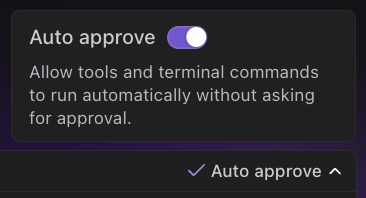
Agents can use tools (MCPs) behind the scenes to store information, manage context, or behave in specific ways. You can configure which tools an agent has access to within the mode or workflow’s configuration panel. Additionally, you can enable automatic approval for all tool and terminal command usage by toggling the switch above the chatbox.