
Help Docs
The help_docs tool can answer a free-text question based on your git documentation folder.
How to use the help_docs tool
help_docs toolManual usage
Comment on the PR:
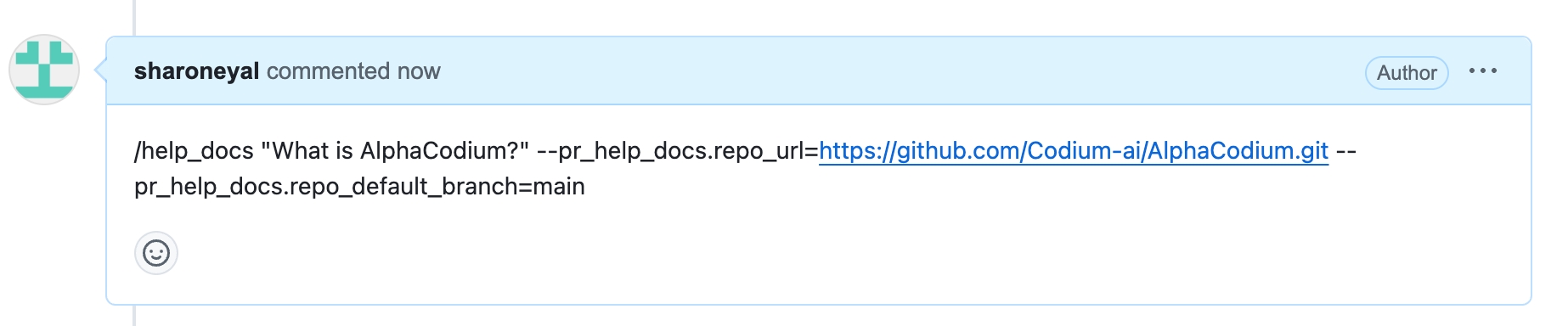
/help_docs "..."Automatic usage
To run the tool automatically when a new issue is opened, add it to your configuration file:
[github_app]
pr_commands = [
    "/help_docs",
    ...
]

[pr_help_docs]
repo_url = ""
...
The tool assumes by default that the documentation is located in the root of the repository, at the /docs folder.
However, this can be customized by setting the docs_path configuration option:
Learn more about automatic usage of tools.
Run automatically when a new issue is opened
You can configure Qodo to run help_docs automatically on any newly created issue. This can be useful for providing immediate feedback to users who open issues with questions on open-source projects with extensive documentation.
Create a GitHub action, such as:
.github/workflows/help_docs.yml:Add to your
YAMLfile:
Continue adding secrets and relevant configurations, such as
repo_urlanddocs_path.Merge the changes to your main branch.
Done! When a new issue related to the repository's documentation is opened in your repository, you will see a comment from the
github-actionsbot with an auto response.
Configuration options
Configure the help_docs tool by setting configurations under the pr_help_docs part in your configuration file.
repo_url
The URL for the repository where the issue or PR reside
The repository's URL
repo_default_branch
none
The branch to use in case repo_url overwritten.
If repo_url was not overwritten this parameter has no effect.
docs_path
./docs
Relative path to the docs folder from the root of repository.
exclude_root_readme
false
Whether to exclude the root README file from Qodo's context.
supported_doc_exts
[".md", ".mdx", ".rst"]
Which file extensions should be included for help_docs's action.
Example usage
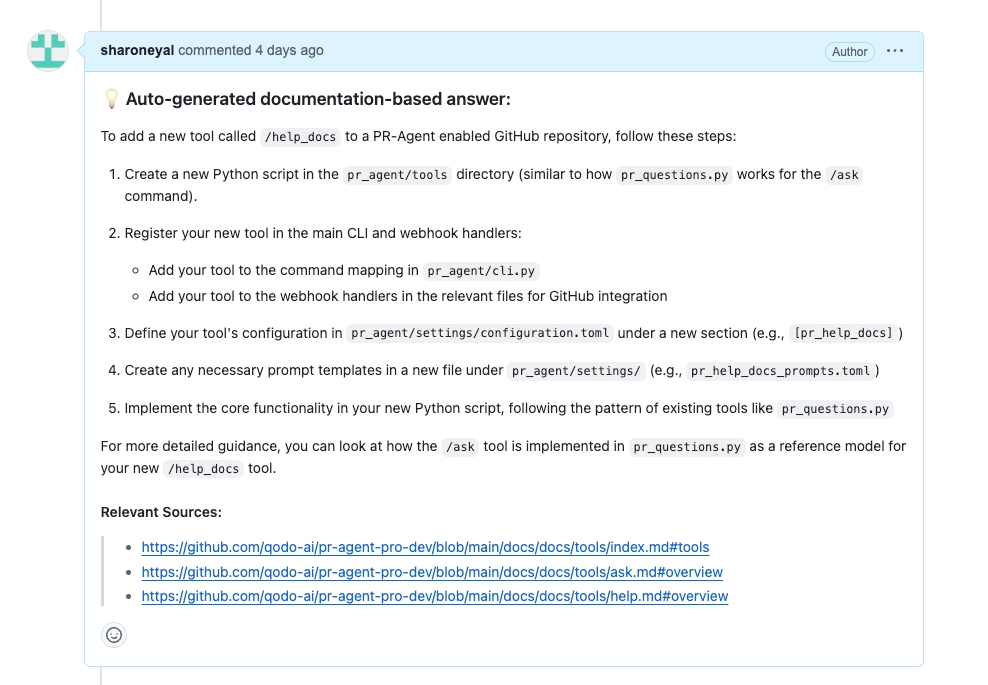
Asking a question about another repository:
Response:
Last updated