

Prerequisites
Before you begin, ensure you have:- A Qodo single-tenant deployment (for Code Review)
- Receive your Qodo single-tenant URL from your Qodo Account Manager. It will look like qodo-merge.yourcompanyname.st.qodo.ai
- System administrator access to your BB workspace
Installation steps
Step 1: Navigate to Workspace settings
- Go to “Settings cog wheel” > “Workspace settings”
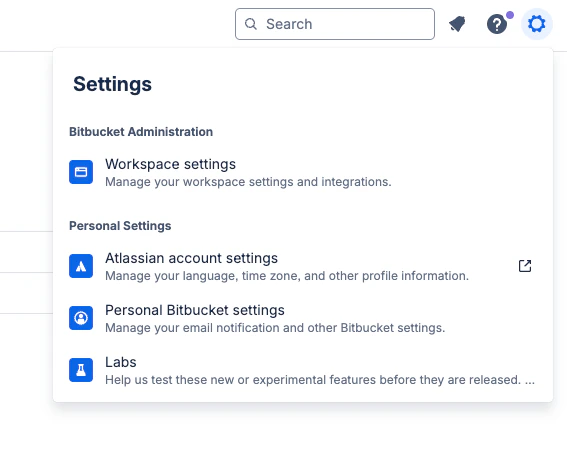
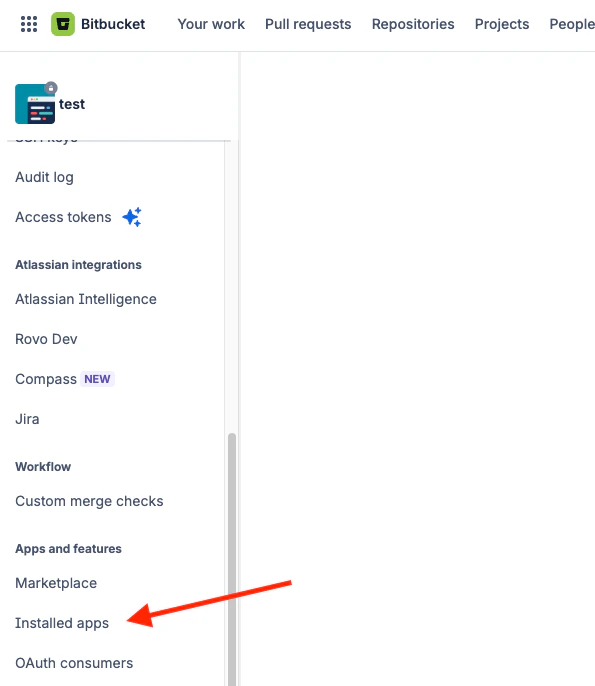
Step 2: Navigate to Installed apps
- On left side menu
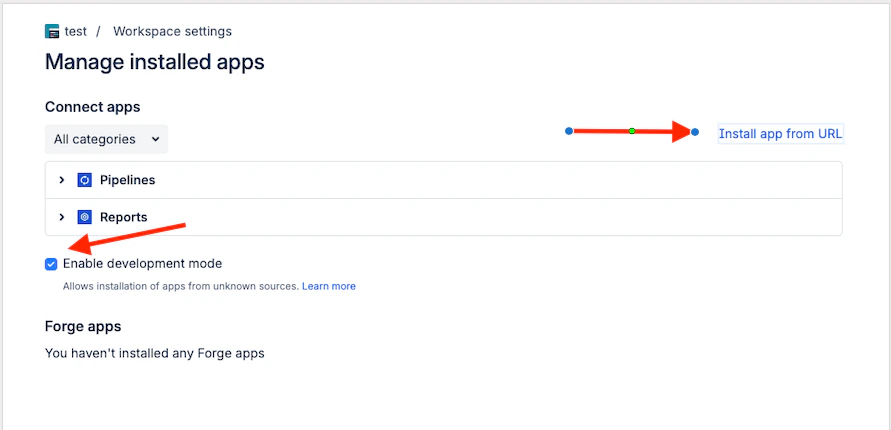
Step 3: Install app
- First “Enable development mode” (to be able install app)
- Install app from URL (Url that was provided by Qodo)
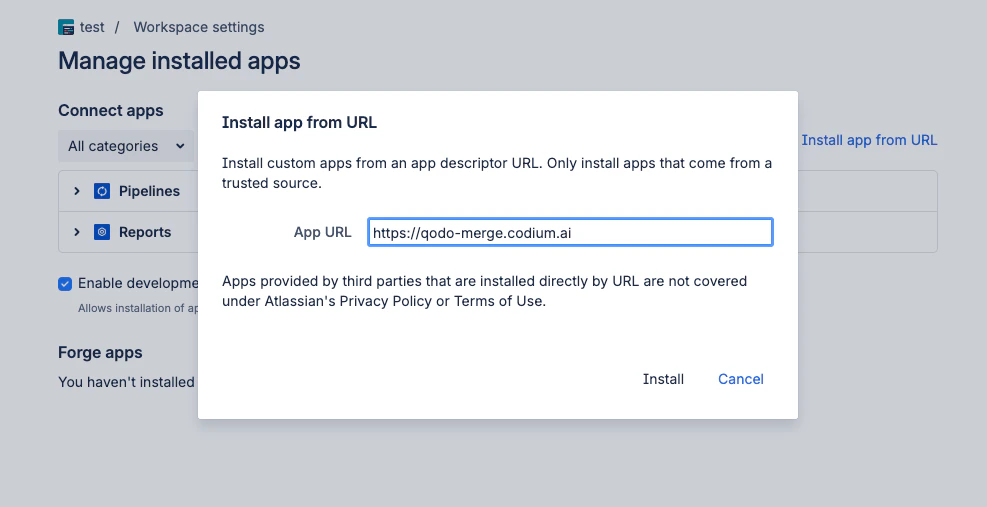
- Enter the URL (provided to you by Qodo team) and click Install.
The URL should look like this: qodo-merge.yourcompanyname.st.qodo.ai
- Grant access to App
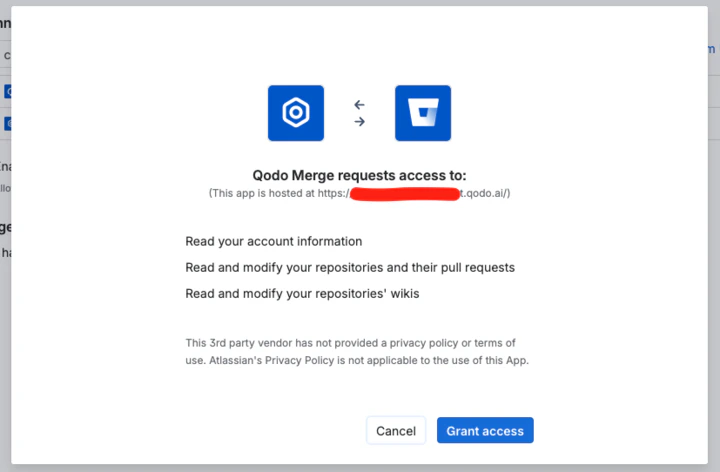
Step 4: Send Bitbucket workspace ID to Qodo
- Send the Workspace ID.
- Qodo Team will confirm that this was added to the single-tenant configuration
Qodo Merge is now enabled for all the repos within your BB workspace
Verification
After confirmation, you can test the installation.Run a test PR
In case you fail any of the above tests please contact Qodo team