

BetaGitHubGitLabBitbucket CloudAzure DevOps
Enabled by default for new customers. Existing customers may need to upgrade to the new installation wizard to enable it. See Enable Review Standards for existing customers.
How Qodo builds your Review Standards
Qodo performs the following steps to build the Review Standards.Importing rules and skills
From the Rules, Pending rules, or Skills tab, click Import rules and skills at the top of the page to discover and activate rules and skills from your organization’s repositories.
1
Select repositories
In the dialog, select one or more Git organizations or individual repositories to scan, or use the search box to find one. Selecting an organization selects all of its repositories.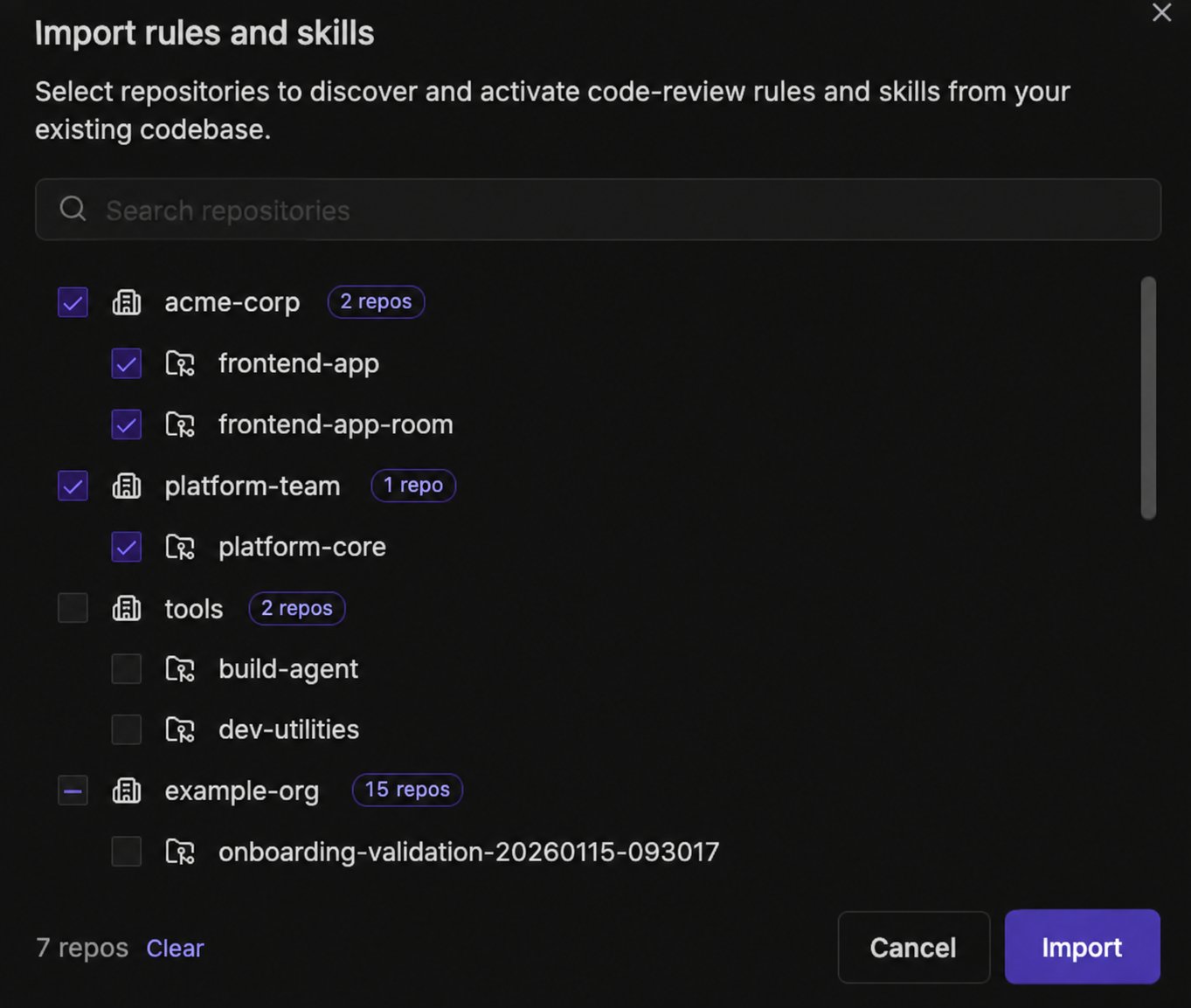
2
Import
Click Import to scan the selected repositories. The button is disabled and shows a loading icon while the import runs. If a repository was already imported, it appears pre-selected in the dialog, and importing it again picks up any changes since the last run.
- Rules are extracted from full or partial documents, normalized, and enriched with category, severity, scope, and examples, so they behave the same as rules created directly in the portal.
- Imported skills are active immediately in the Skills tab. For organizations that started using Qodo since September 30, 2026, imported rules are also active immediately, in the Rules tab. Organizations onboarded before that date see imported rules in the Pending rules tab for review before activation.
- Qodo continues to monitor imported files for changes. See Automatic rule updates from files.
Track import progress from the Background activity panel. If an import needs attention, see Troubleshoot background processes.
Supported file names and types
AGENTS.mdCLAUDE.mdGEMINI.mdcopilot-instructions.mdbest_practices.mdRULE.md- All files in the Skills directories (e.g.
skills/<skill-name>/SKILL.md) - All files in the
.cursor/rules/directory (including.cursorrulesand.mdcfiles) pr_compliance_checklist.yaml
Folder-level scoping in monorepos
Rules are automatically scoped to the folder containing the source file, at any depth. For example, rules extracted fromsrc/payments/AGENTS.md are only applied to changes made to files under src/payments/ and any nested subfolders.
A file placed at the root of a repository scopes its rules to that repository only, not across the entire organization.
You can place supported files at different levels of your repository to control where rules apply, without any additional configuration in the portal. Different folders can have different rules, making it especially useful in monorepos where different services or packages follow their own conventions.
The inferred scope is visible on the Rules page, where each rule displays the path it was scoped to.
Rule discovery
As part of building your Review Standards, Rule Miner analyzes your organization’s pull request history to generate an initial set of rules.- Based on retroactive analysis of recent PRs.
- Identifies repeated review patterns and behaviors.
- Rules activate automatically by default for organizations that started using Qodo since September 1, 2026. Organizations onboarded before September 1, 2026 see these rules in the Pending rules tab by default for review before activation. See How rules are activated after generation to change this.
What to expect once your Review Standards are built
Once you import rules and skills from a repository, you’ll start to see the following:- Imported rules and skills appear in the Rules, Skills, or Pending rules tab. See Importing rules and skills for when each applies.
- Active rules are enforced on future pull request reviews.
Next steps
- Generate and manage rules: Review what Qodo generated, create rules manually, and manage existing ones.
- Rule Miner: Understand how Qodo continues to generate rules from your pull request history going forward.