

Accessing the options page
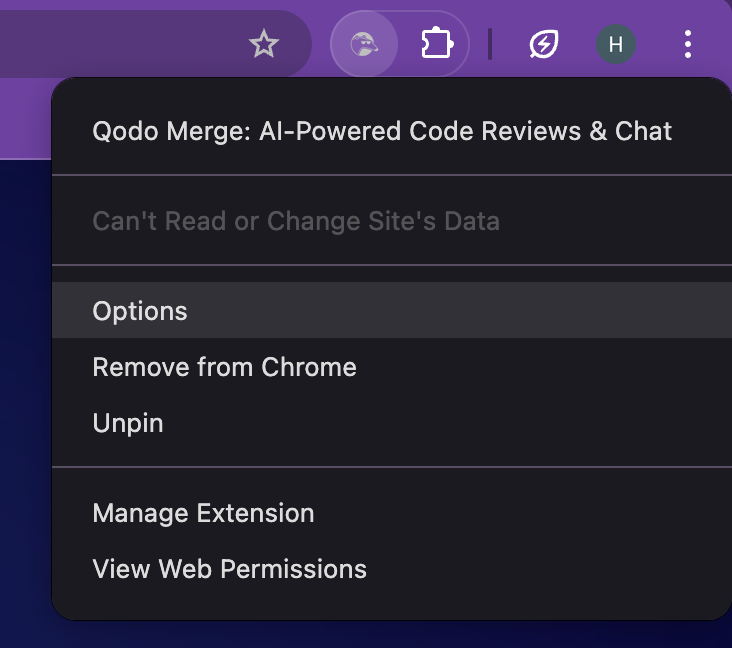
To open the Qodo Chrome extension settings:1
Locate the Qodo icon in your Chrome toolbar (top-right corner).
2
Right-click the icon and select Options.
chrome-extension://ephlnjeghhogofkifjloamocljapahnl/options.html
Configuration options
API Base Host For single-tenant installations, you can direct the extension to your organization’s Qodo server.1
Enter your Qodo API endpoint in the API Base Host field.
2
This value should be provided by your Qodo DevOps team.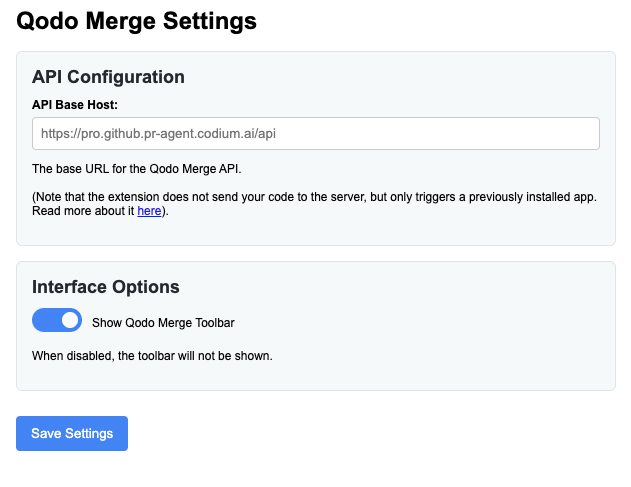
Interface settings
You can adjust how the extension appears in the GitHub UI:1
Show Qodo Toolbar: toggles the toolbar inside GitHub comment boxes.
2
After making changes, click Save Settings.