

Platforms supported: GitHub, Jira, Linear, Azure DevOps
Ticket data fetched
The table below shows which ticket fields are fetched and used by Qodo for ticket context and compliance, per provider.
* Acceptance criteria in Jira is supported only when stored in a custom field.
Ticket recognition criteria
A ticket is linked to a PR if:- The PR description contains a direct link to the ticket, or
- The branch name matches an accepted ticket reference pattern (see accepted syntax for details)
Accepted syntax
Notes:
- Branch-based detection is always enabled
- Supported patterns are fixed in production and cannot be configured
- Matching is case-insensitive
- The ticket ID must appear at the start of the branch name or immediately after a
/
Tool behavior
Describe tool
When a ticket is recognized, the describe tool includes ticket content (title, description, labels) in its analysis. This provides the model with additional context for understanding the purpose behind the code changes.Review tool
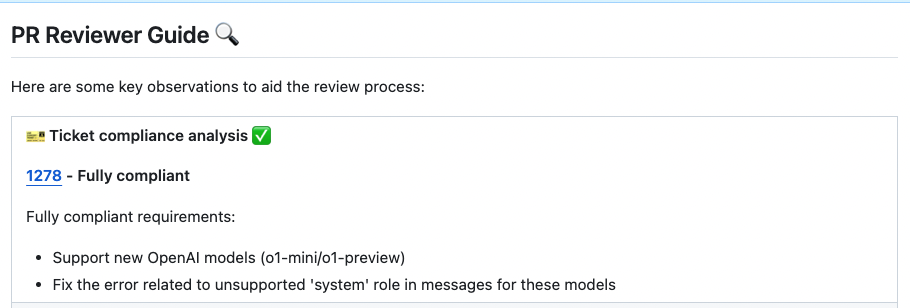
The review tool also incorporates ticket context into its analysis. Additionally, it evaluates whether the PR aligns with the ticket’s intent, assigning one of the following labels:- Fully Compliant: PR directly addresses the ticket requirements
- Partially Compliant: PR covers some but not all of the requirements
- Not Compliant: PR does not align with the ticket’s intent
- PR Code Verified: Code appears valid for the ticket, but additional manual testing (e.g., UI checks across devices) is required
Configuration options
By default, the tool will automatically validate if the PR complies with the referenced ticket. If you want to disable this feedback, add the following line to your configuration file:false.