

Add payment method
To manage your payment method:1
Click Manage Team.
2
From the dropdown menu, select Manage Plan.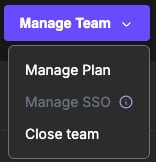
3
Qodo’s payment page will open, where you can add a payment method and update your billing information.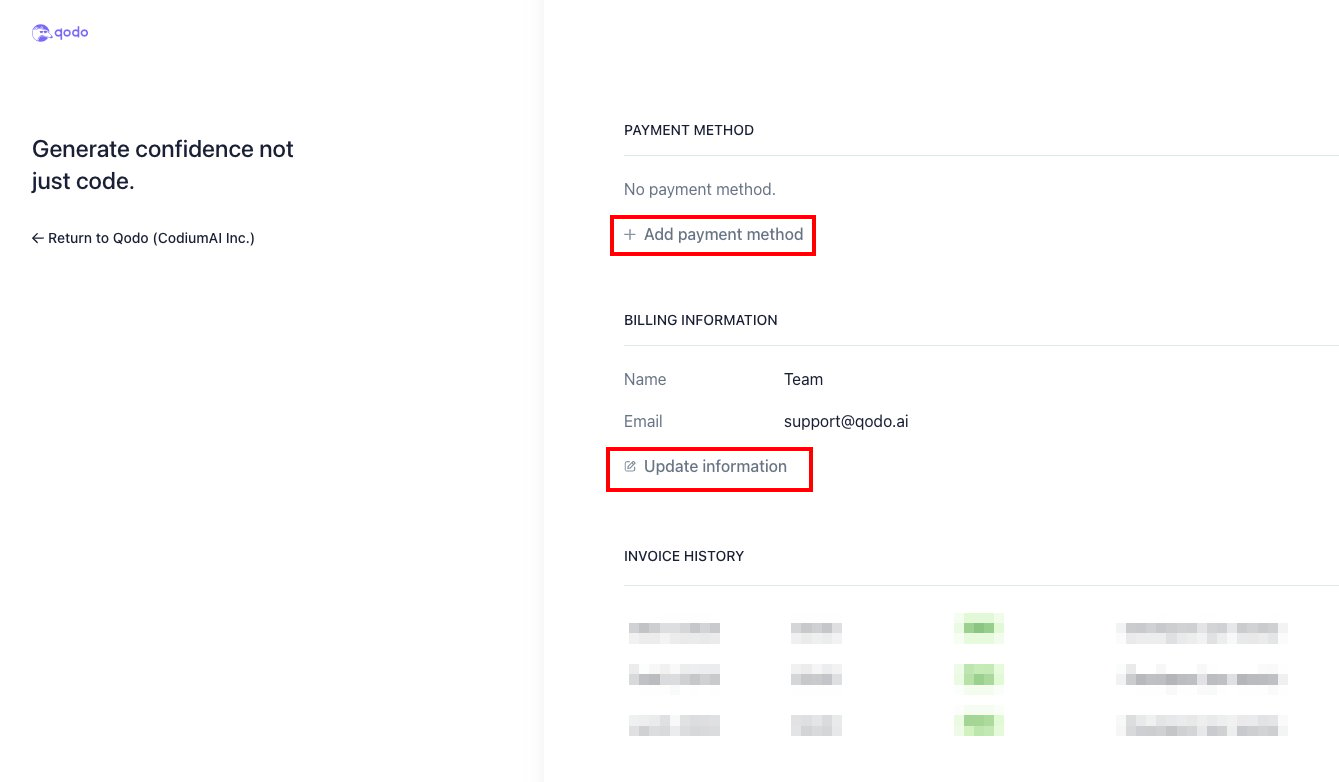
Invoice history
You can access and manage your invoices on the portal.1
Click the Manage Team button in the upper right corner of each team.
2
Select Manage Plan to view your team’s subscription details.
3
Scroll to the INVOICE HISTORY section at the bottom of the plan details to see the status of your invoices (paid or unpaid).
4
Locate the invoice you wish to view.
5
Click Download Invoice or Download Receipt next to the invoice to download it as a PDF file.
Cancel subscription
1
From the dropdown menu under Manage Team, select Manage Subscription.
2
Click the Cancel Plan button.
3
Review the information displayed, including any details about the remaining subscription. Confirm by clicking Cancel Plan.
4
You will be asked to provide feedback on why you are cancelling. This step is optional.
5
Ensure that your subscription status in the Billing section reflects the cancellation.