

Set access in the Qodo portal
- Log in to the Qodo portal.
-
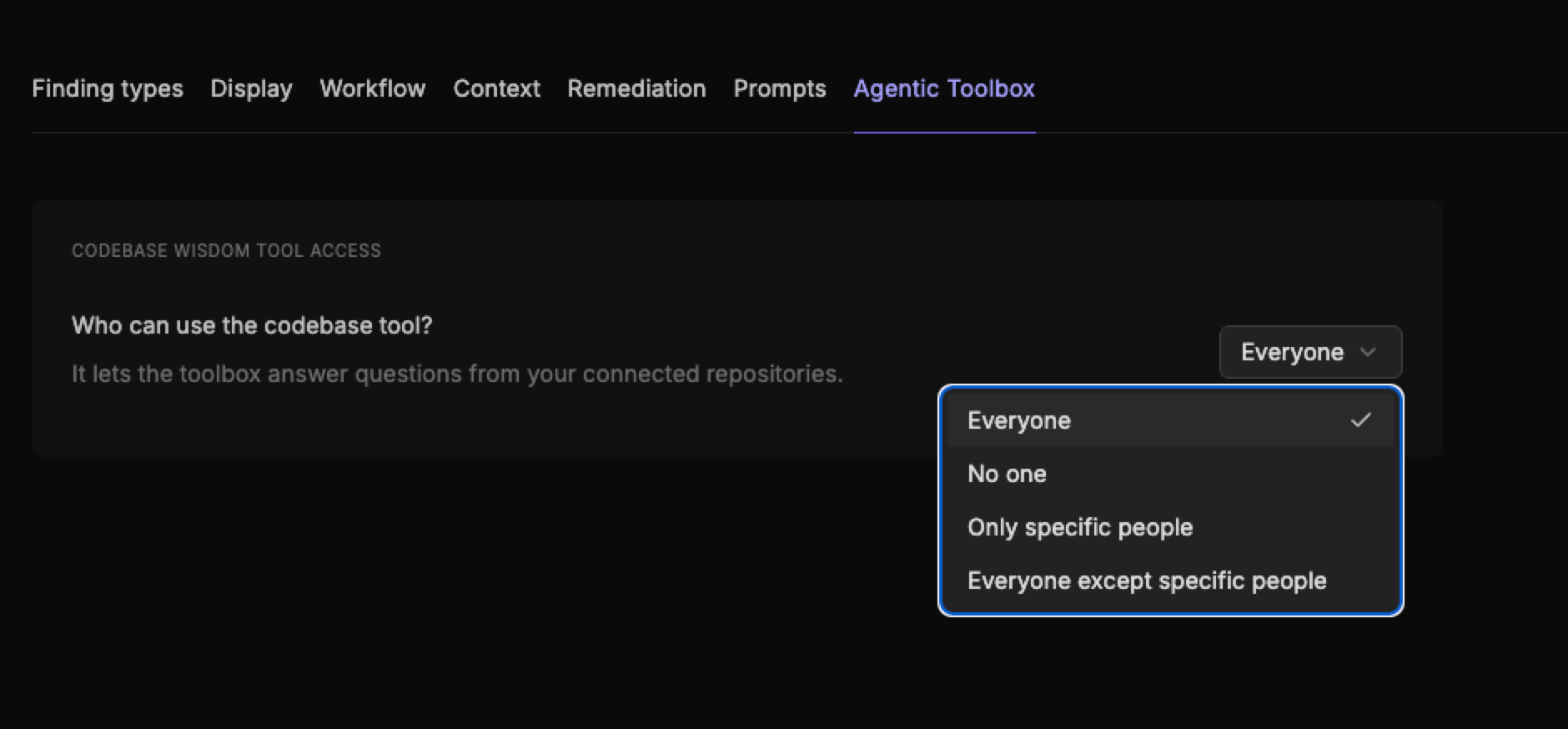
Navigate to Configurations > Agentic Toolbox.
-
Select an access option:
- Everyone: All users in the workspace can access the Agentic Toolbox.
- No one: No users in the workspace can access the Agentic Toolbox.
- Only specific people: Only the users you select can access the Agentic Toolbox. Select Add users to choose which users have access.
- Everyone except specific people: All users in the workspace can access the Agentic Toolbox except the users you select.
- Click Save changes.