
Enabling a Wiki
Git Integration (formerly Qodo Merge) – AI code review agents for pull requests. This documentation describes the Qodo v1 experience. For the Qodo v2 documentation, click here.
Supported platforms: GitHub, GitLab, Bitbucket (Not supported on Bitbucket Data Center), Azure DevOps.
For the best experience with Qodo Git interface, we recommend enabling a wiki for each repository where it is installed.
What is a wiki?
Set configurations by creating a page called .pr_agent.toml in the wiki of the repo.
The advantage of this method is that it allows to set configurations without needing to commit new content to the repository: just edit the wiki page and save.

Benefits of creating a Wiki
Storing your Qodo Git interface configuration file.
Tracking accepted code suggestions over time.
Improve your Qodo experience over time by creating a
auto_best_practices.mdfile to capture learning and best practices automatically.
How to enable a wiki
GitHub
Go to your repository’s main page on GitHub.
Click Settings in the top navigation bar.
Scroll to the Features section.
Check the box to Enable Wikis.
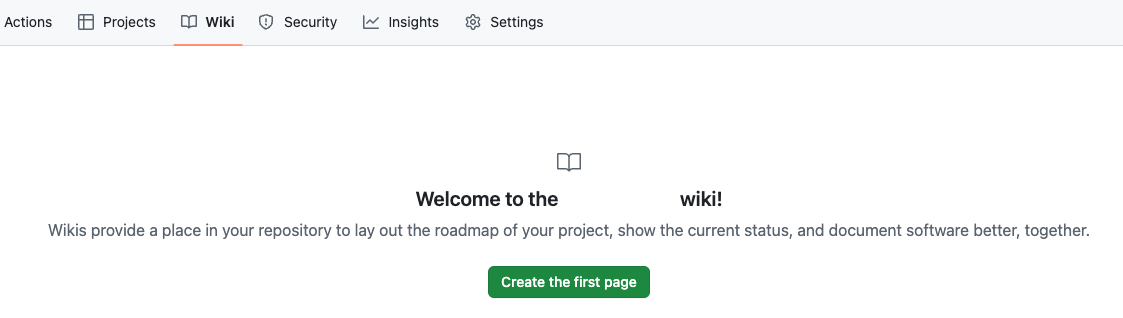
Return to the repository’s main page and click the new Wiki tab.
Click Create the first page and save it.
Important: The wiki must have at least one page to be fully active.
To initialize the wiki: navigate to Wiki, select Create the first page, then click Save page.
Azure DevOps
Azure DevOps Wikis are created at the project level, not per repository. Each repository is represented by a wiki sub-page.
Step 1: Create a Project Wiki
Sign in to the Azure DevOps portal (for example:
https://dev.azure.com/<YOUR_ORGANIZATION>).Open your project and go to Overview → Wiki.
Click Create Project Wiki.
Set the page title to
home, then Save and Close.Refresh the page.
You should now see a house icon next to the home page.
Step 2: Create repository sub-pages
Create a sub-page for each repository where Qodo is installed.
Hover over the three dots (⋮) next to
homeand select Add sub-page.Name the page exactly as the repository name, then Save and Close.
You can repeat this step to create additional sub-pages for other repositories in the project.
Step 3: Add Qodo configuration and data files
Under the repository sub-page, create wiki pages for Qodo configuration and related data files.
To add files:
Hover over the repository sub-page.
Click the three dots (⋮).
Select Add sub-page.
Add the required files as wiki pages.
Wiki page names cannot start with a dot (.).
Remove the leading dot when creating files (for example, .pr_agent.toml → pr_agent.toml).

Writing wiki content
We recommend surrounding the configuration content with triple-quotes ``` to allow better presentation when displayed as markdown.
Qodo will remove the surrounding quotes when reading the configuration content.
Last updated