> ## Documentation Index
> Fetch the complete documentation index at: https://docs.qodo.ai/llms.txt
> Use this file to discover all available pages before exploring further.
# Implement
GitHub
GitLab
Bitbucket
**Git Integration (formerly Qodo Merge)** – AI code review agents for pull requests. This documentation describes the Qodo v1 experience. For the Qodo v2 documentation, click [here.](/code-review)
The `implement` tool converts human code review discussions and feedback into ready-to-commit code changes.
It uses large language model (LLM) technology to transform PR comments and review suggestions into concrete implementation code, helping developers quickly turn feedback into working solutions.
Note that the implementation will occur within the review discussion thread.
## How to use the `/implement` tool
Reviewers can request code changes by:
Selecting the code block to be modified.
Adding a comment:
```bash theme={null}
/implement
```
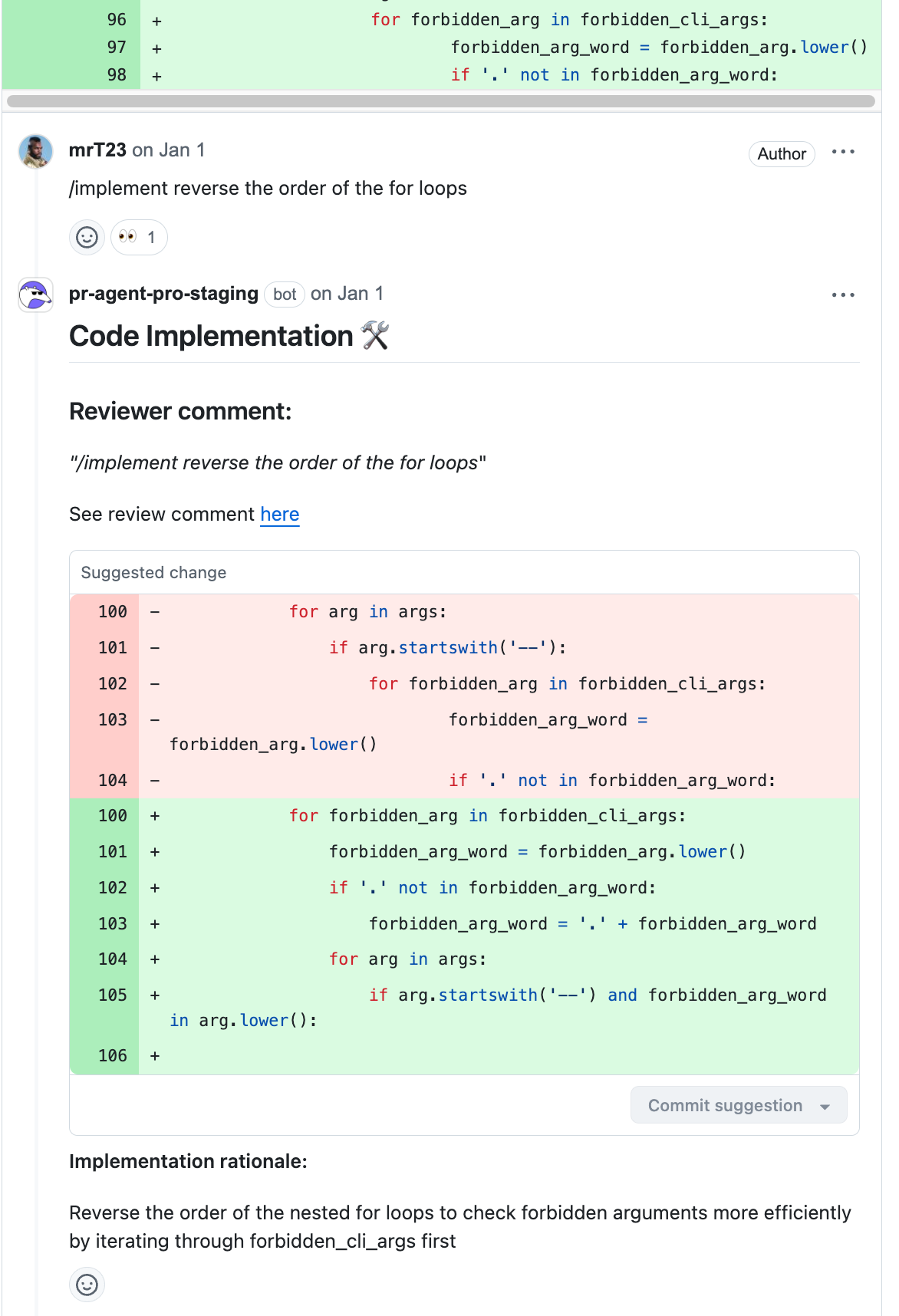 PR authors can implement suggested changes by replying to a review comment.
You can do this by either:
* Adding specific implementation details by commenting:
```bash theme={null}
/implement
```
* Using the original review comment as instructions:
```bash theme={null}
/implement
```
PR authors can implement suggested changes by replying to a review comment.
You can do this by either:
* Adding specific implementation details by commenting:
```bash theme={null}
/implement
```
* Using the original review comment as instructions:
```bash theme={null}
/implement
```
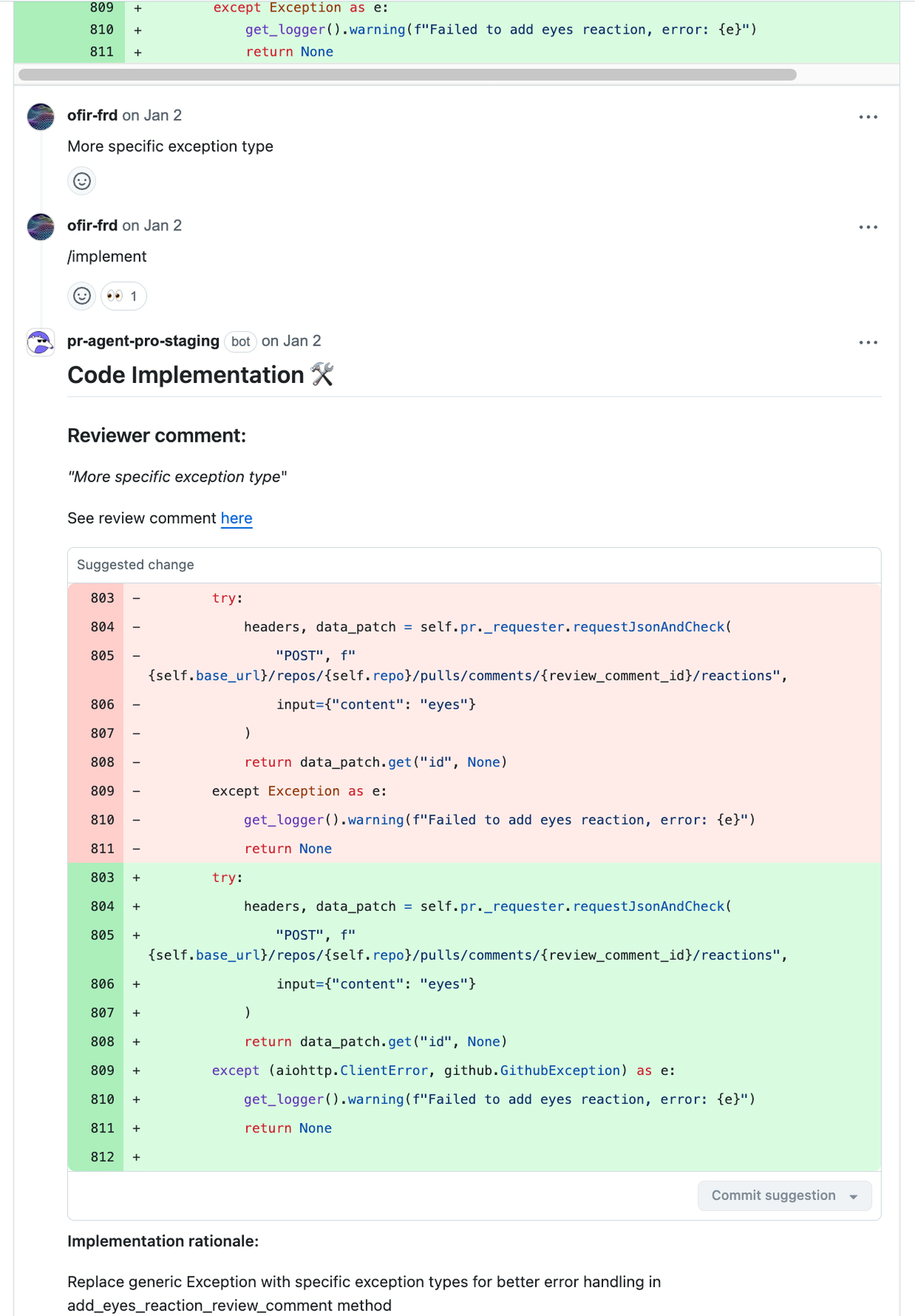 You can respond to an inline comment by triggering the tool from anywhere in the thread:
```bash theme={null}
/implement
```
You can respond to an inline comment by triggering the tool from anywhere in the thread:
```bash theme={null}
/implement
```
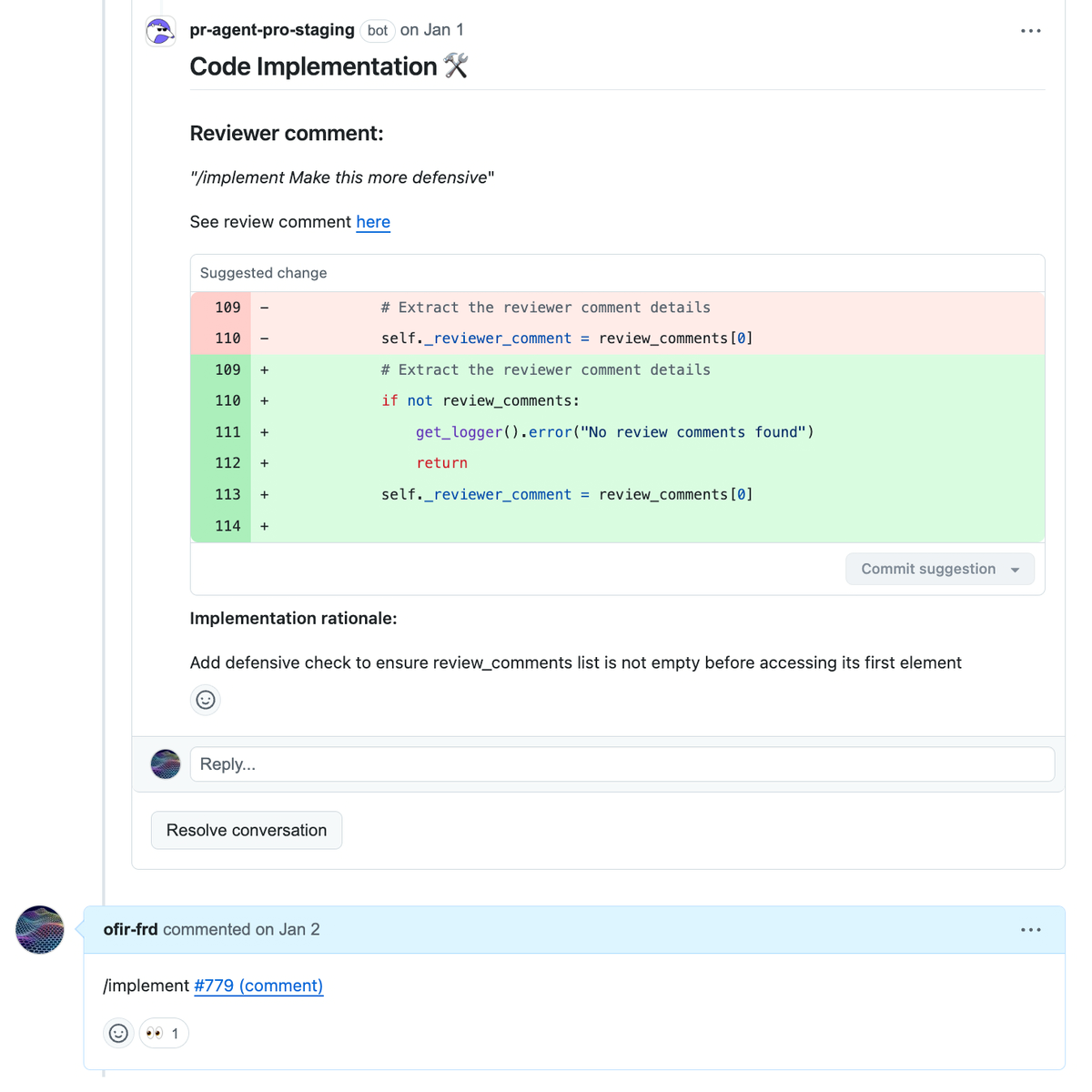 ## Configuration options
To implement based on the review discussion:
```bash theme={null}
/implement
```
To implement specific instructions, inside a review discussion use:
```bash theme={null}
/implement
```
To indirectly call the tool from any comment, use:
```bash theme={null}
/implement
```
## Configuration options
To implement based on the review discussion:
```bash theme={null}
/implement
```
To implement specific instructions, inside a review discussion use:
```bash theme={null}
/implement
```
To indirectly call the tool from any comment, use:
```bash theme={null}
/implement
```