> ## Documentation Index
> Fetch the complete documentation index at: https://docs.qodo.ai/llms.txt
> Use this file to discover all available pages before exploring further.
# Help docs
GitHub
GitLab
Bitbucket
**Git Integration (formerly Qodo Merge)** – AI code review agents for pull requests. This documentation describes the Qodo v1 experience. For the Qodo v2 documentation, click [here.](/code-review)
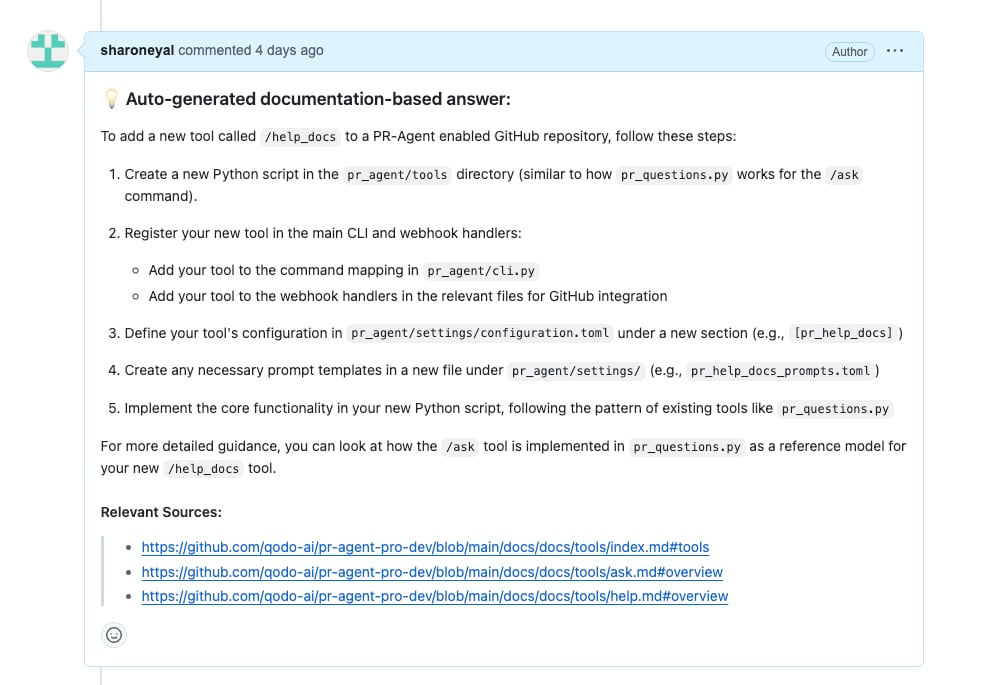
The `help_docs` tool can answer a free-text question based on your git documentation folder.
## How to use the `help_docs` tool
**Manual usage**
Comment on the PR:
```bash theme={null}
/help_docs "..."
```
**Automatic usage**
To run the tool automatically when a new issue is opened, add it to your [configuration file](/v1/configuration/configuration-file/):
```bash theme={null}
[github_app]
pr_commands = [
"/help_docs",
...
]
[pr_help_docs]
repo_url = ""
...
```
The tool assumes by default that the documentation is located in the root of the repository, at the `/docs` folder.
However, this can be customized by setting the `docs_path` configuration option:
```bash theme={null}
[pr_help_docs]
repo_url = "" # The repository to use as context
docs_path = "docs" # The documentation folder
repo_default_branch = "main" # The branch to use in case repo_url overwritten
```
### Run automatically when a new issue is opened
You can configure Qodo to run `help_docs` automatically on any newly created issue. This can be useful for providing immediate feedback to users who open issues with questions on open-source projects with extensive documentation.
[Create a GitHub action](/v1/getting-started/setup-and-installation/github), such as: `.github/workflows/help_docs.yml`
Add to your `YAML` file:
```yaml expandable theme={null}
name: Run Qodo on every opened issue, respond to user comments on an issue
#When the action is triggered
on:
issues:
types: [opened] #New issue
# Read env. variables
env:
GITHUB_TOKEN: ${{ secrets.GITHUB_TOKEN }}
GITHUB_API_URL: ${{ github.api_url }}
GIT_REPO_URL: ${{ github.event.repository.clone_url }}
ISSUE_URL: ${{ github.event.issue.html_url || github.event.comment.html_url }}
ISSUE_BODY: ${{ github.event.issue.body || github.event.comment.body }}
OPENAI_KEY: ${{ secrets.OPENAI_KEY }}
# The actual set of actions
jobs:
issue_agent:
runs-on: ubuntu-latest
if: ${{ github.event.sender.type != 'Bot' }} #Do not respond to bots
# Set required permissions
permissions:
contents: read # For reading repository contents
issues: write # For commenting on issues
steps:
- name: Run PR Agent on Issues
if: ${{ env.ISSUE_URL != '' }}
uses: docker://codiumai/pr-agent:latest
with:
entrypoint: /bin/bash #Replace invoking cli.py directly with a shell
args: |
-c "cd /app && \
echo 'Running Issue Agent action step on ISSUE_URL=$ISSUE_URL' && \
export config__git_provider='github' && \
export github__user_token=$GITHUB_TOKEN && \
export github__base_url=$GITHUB_API_URL && \
export openai__key=$OPENAI_KEY && \
python -m pr_agent.cli --issue_url=$ISSUE_URL --pr_help_docs.repo_url="..." --pr_help_docs.docs_path="..." --pr_help_docs.openai_key=$OPENAI_KEY && \help_docs \"$ISSUE_BODY\""
```
Continue adding secrets and relevant configurations, such as `repo_url` and `docs_path`.
Merge the changes to your main branch.
Done! When a new issue related to the repository's documentation is opened in your repository, you will see a comment from the `github-actions` bot with an auto response.
## Configuration options
Configure the `help_docs` tool by setting configurations under the `pr_help_docs` part in your [configuration file](/v1/configuration/configuration-file/).
| Possible configurations | Default value | What they do |
| :---------------------- | :------------------------------------------------------ | :--------------------------------------------------------------------------------------------------------------- |
| `repo_url` | The URL for the repository where the issue or PR reside | The repository's URL |
| `repo_default_branch` | none | The branch to use in case `repo_url` overwritten. If repo\_url was not overwritten this parameter has no effect. |
| `docs_path` | `./docs` | Relative path to the docs folder from the root of repository. |
| `exclude_root_readme` | `false` | Whether to exclude the root `README` file from Qodo's context. |
| `supported_doc_exts` | `[".md", ".mdx", ".rst"]` | Which file extensions should be included for `help_docs`'s action. |
## Example usage
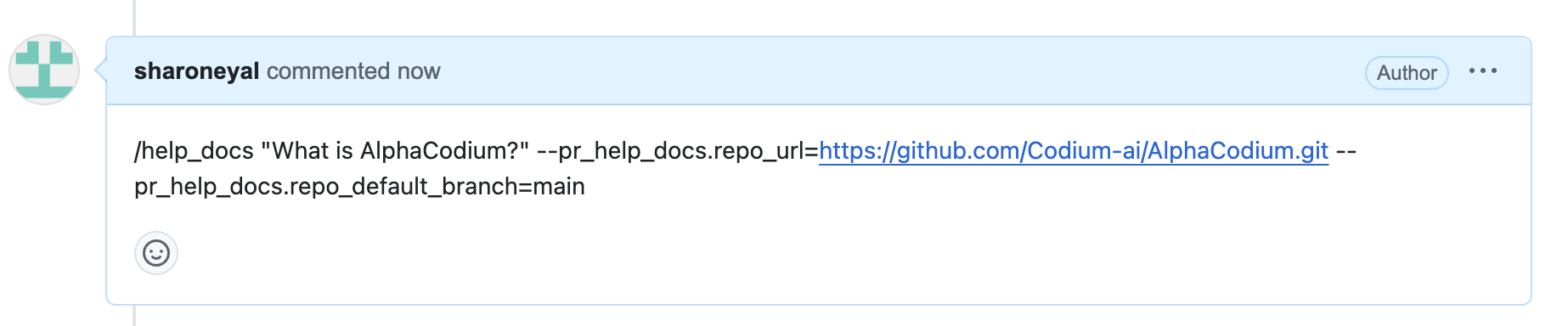
Asking a question about another repository:
 Response: