> ## Documentation Index
> Fetch the complete documentation index at: https://docs.qodo.ai/llms.txt
> Use this file to discover all available pages before exploring further.
# Built-in tools (MCPs)
Enterprise
Qodo IDE plugin, formerly Qodo Gen, brings local code review workflows to JetBrains and VS Code as part of the Qodo Platform.
To understand your code better and help you perform various actions, Qodo uses multiple services and [Agentic Tools ](/qodo-ide/tools-mcps/agentic-tools-mcps)behind the scenes.
When using these tools, Qodo will let you know which tools are being used, and ask whether you **approve or deny** their usage.
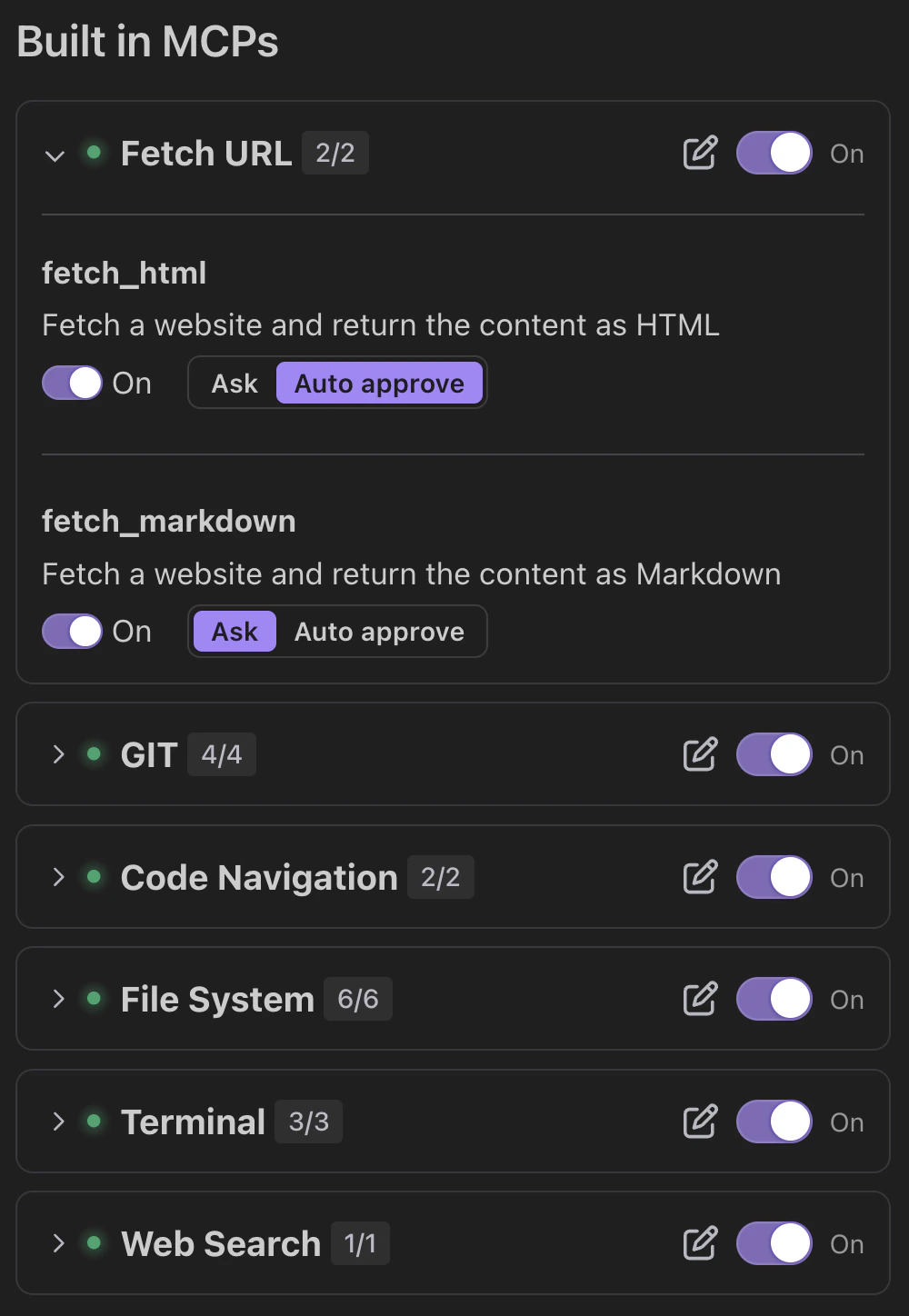 The current internal tools Qodo uses are:
## Git service
Provides Git repository insights.
**Sub-tools:**
* `git_remote_url`: Gets the remote repository URL.
* `git_branches`: Lists all branches.
* `git_changes`: Shows uncommitted changes.
* `git_file_history`: Displays commit history for a file.
## Code navigation service
Analyzes and tracks code structure.
**Sub-tools:**
* `get_code_dependencies`: Finds dependencies for a function or class.
* `find_code_usages`: Identifies where a function, class, or variable is used.
## File system service
Manages files and directories.
**Sub-tools:**
* `read_files`: Read and return the full contents of a text file.
* `write_to_file`: Write content to a file. Creates the file if it doesn’t exist and ensures parent directories are also created. Switching this sub-tool off allows you to approve file changes one by one, or deny them.
* `replace_in_file`: Modify a file using a structured multi-block diff string.
* `directory_traversal`: Generate a recursive tree view of a directory.
* `search_files`: Search for a regex or string pattern across file contents within a directory.
* `get_file_info`: Retrieve metadata about a file or directory, including type, size, timestamps, and permissions.
## Terminal
Use terminal command line tools.
**Sub-tools:**
* `terminal_execute_command`: Runs a shell command, and returns its output.
* `terminal_get_latest_output`: Gets the latest output from a terminal. Response includes content with terminal output text.
* `terminal_terminate_command`: Terminates a running command. Response includes content with result message and isError flag indicating success or failure.
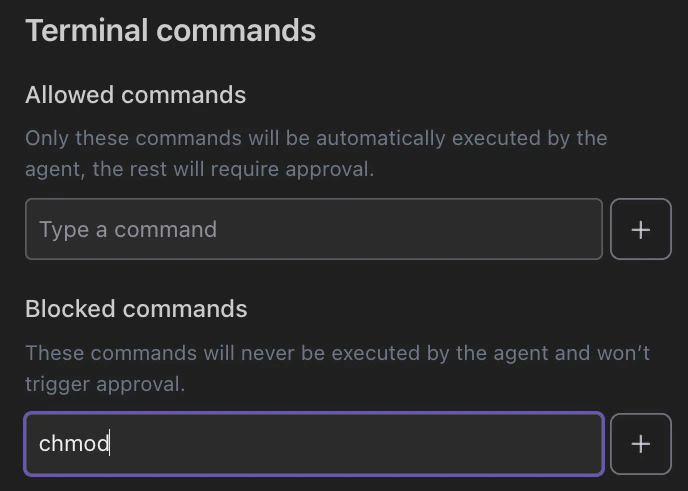
Due to a new Beta terminal introduced to JetBrains IDEs, some JetBrains IDE users might not be able to use the terminal tool initially.
To enable the terminal tool, click the **...** icon above the in-IDE terminal. Select **Terminal Engine** from the dropdown, then select **Classic Terminal**.
The current internal tools Qodo uses are:
## Git service
Provides Git repository insights.
**Sub-tools:**
* `git_remote_url`: Gets the remote repository URL.
* `git_branches`: Lists all branches.
* `git_changes`: Shows uncommitted changes.
* `git_file_history`: Displays commit history for a file.
## Code navigation service
Analyzes and tracks code structure.
**Sub-tools:**
* `get_code_dependencies`: Finds dependencies for a function or class.
* `find_code_usages`: Identifies where a function, class, or variable is used.
## File system service
Manages files and directories.
**Sub-tools:**
* `read_files`: Read and return the full contents of a text file.
* `write_to_file`: Write content to a file. Creates the file if it doesn’t exist and ensures parent directories are also created. Switching this sub-tool off allows you to approve file changes one by one, or deny them.
* `replace_in_file`: Modify a file using a structured multi-block diff string.
* `directory_traversal`: Generate a recursive tree view of a directory.
* `search_files`: Search for a regex or string pattern across file contents within a directory.
* `get_file_info`: Retrieve metadata about a file or directory, including type, size, timestamps, and permissions.
## Terminal
Use terminal command line tools.
**Sub-tools:**
* `terminal_execute_command`: Runs a shell command, and returns its output.
* `terminal_get_latest_output`: Gets the latest output from a terminal. Response includes content with terminal output text.
* `terminal_terminate_command`: Terminates a running command. Response includes content with result message and isError flag indicating success or failure.
Due to a new Beta terminal introduced to JetBrains IDEs, some JetBrains IDE users might not be able to use the terminal tool initially.
To enable the terminal tool, click the **...** icon above the in-IDE terminal. Select **Terminal Engine** from the dropdown, then select **Classic Terminal**.
 ### Terminal commands allow list
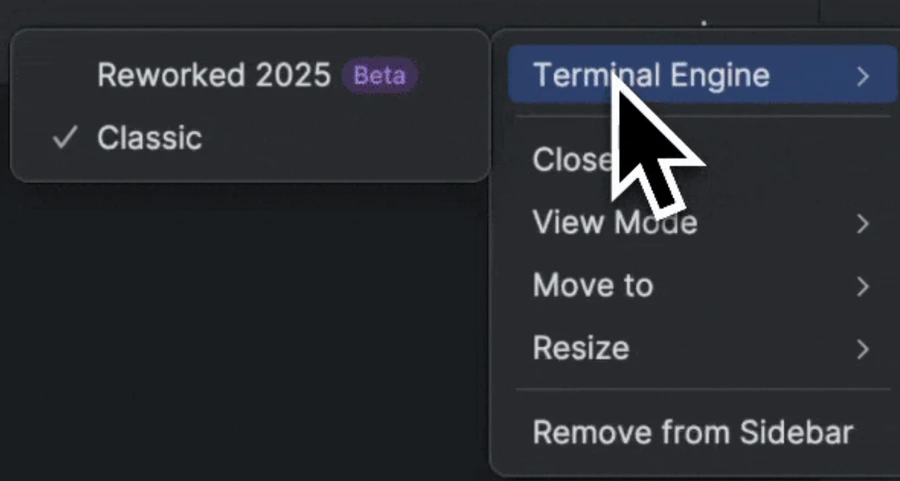
In Qodo's [Chat Preferences](/qodo-ide/chat/chat-preferences), you can set a terminal commands allow list:
1. **Allowed commands**: Set terminal commands that the agent runs automatically without approval. All other terminal commands require approval.
2. **Blocked commands:** Set terminal commands that the agent automatically blocks.
### Terminal commands allow list
In Qodo's [Chat Preferences](/qodo-ide/chat/chat-preferences), you can set a terminal commands allow list:
1. **Allowed commands**: Set terminal commands that the agent runs automatically without approval. All other terminal commands require approval.
2. **Blocked commands:** Set terminal commands that the agent automatically blocks.
 ## Web search
Performs web search.
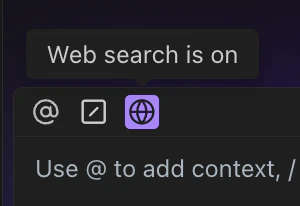
Toggle by clicking the web search button.
## Web search
Performs web search.
Toggle by clicking the web search button.