> ## Documentation Index
> Fetch the complete documentation index at: https://docs.qodo.ai/llms.txt
> Use this file to discover all available pages before exploring further.
# Audit cross-repository relationships
> Audit cross-repository relationships across your organization from the Relationships tab.
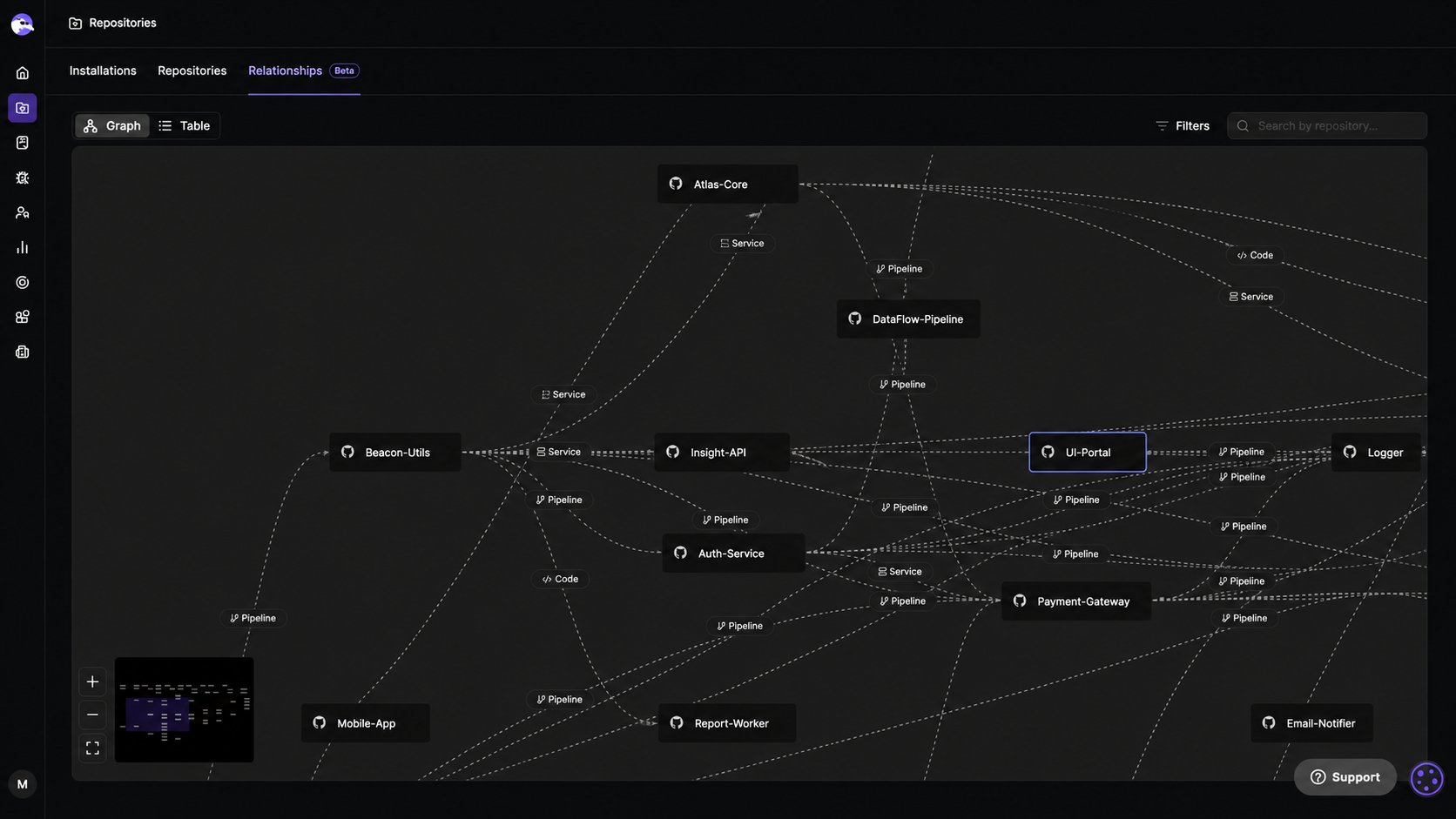
The **Relationships** tab shows all cross-repo relationships defined across your organization. Use it to audit coverage, check relationship status, and manage connections between repositories.
Toggle between **List** and **Graph** view using the controls at the top left of the tab. In Graph view, click any repository to open the repository sidebar, where you can view its relationships and add new ones.
 To add or remove relationships, see [Manage cross-repository relationships](/governance/cross-repo-code-review/repository-relationships).
## Next steps
* [Manage Git installations](/governance/repositories/installations): Add installations and resolve connection errors.
* [Manage repositories](/governance/repositories/manage-repositories): View and manage individual repositories, connection health, and PR history indexing.
* [Cross-repository code review](/governance/cross-repo-code-review): Understand how Qodo uses relationships to detect breaking changes across repositories.
To add or remove relationships, see [Manage cross-repository relationships](/governance/cross-repo-code-review/repository-relationships).
## Next steps
* [Manage Git installations](/governance/repositories/installations): Add installations and resolve connection errors.
* [Manage repositories](/governance/repositories/manage-repositories): View and manage individual repositories, connection health, and PR history indexing.
* [Cross-repository code review](/governance/cross-repo-code-review): Understand how Qodo uses relationships to detect breaking changes across repositories.