> ## Documentation Index
> Fetch the complete documentation index at: https://docs.qodo.ai/llms.txt
> Use this file to discover all available pages before exploring further.
# Commit code fixes directly in the pull request
> Qodo can generate code suggestions that you can apply directly to your pull request with a single click.
GitHub
GitLab
The **Committable code suggestions** feature provides commit-ready fixes directly in code review comments. For small, isolated findings like a redundant check, an off-by-one, or a missing guard clause, there's no need to switch to your local environment. Qodo analyzes the finding, generates a precise fix, and lets you apply it with a single click. Committable suggestions are scoped to changes that are self-contained and easy to verify, so you can apply them with confidence knowing the fix won't introduce new issues.
This feature uses GitHub's native suggestion workflow, allowing you to incorporate feedback directly into your pull request from review comments. For more information, see [Incorporating feedback in pull requests](https://docs.github.com/en/pull-requests/collaborating-with-pull-requests/reviewing-changes-in-pull-requests/incorporating-feedback-in-your-pull-request). As with any AI-generated code change, review the proposed diff before applying it to confirm it is appropriate for your codebase.
You'll find **Committable code suggestions** listed under the Committable code suggestion section in the Qodo feedback panel.
## Rules and guidelines
Not every finding qualifies for a committable suggestion, and that's intentional. A suggestion is only committable when it meets all of the following criteria:
* The finding is inline (line-level, not a general comment)
* It touches a single file
* The fix is five lines or fewer
Fixes that span multiple files, involve complex logic, or could introduce unintended side effects are deliberately excluded. The goal is confidence: if Qodo offers a committable suggestion, it's because the fix is contained, verifiable, and safe to apply directly.
## Review and commit the suggestions
1. In your PR, expand the **Committable code suggestion** comment. A diff is displayed showing the suggested fix.
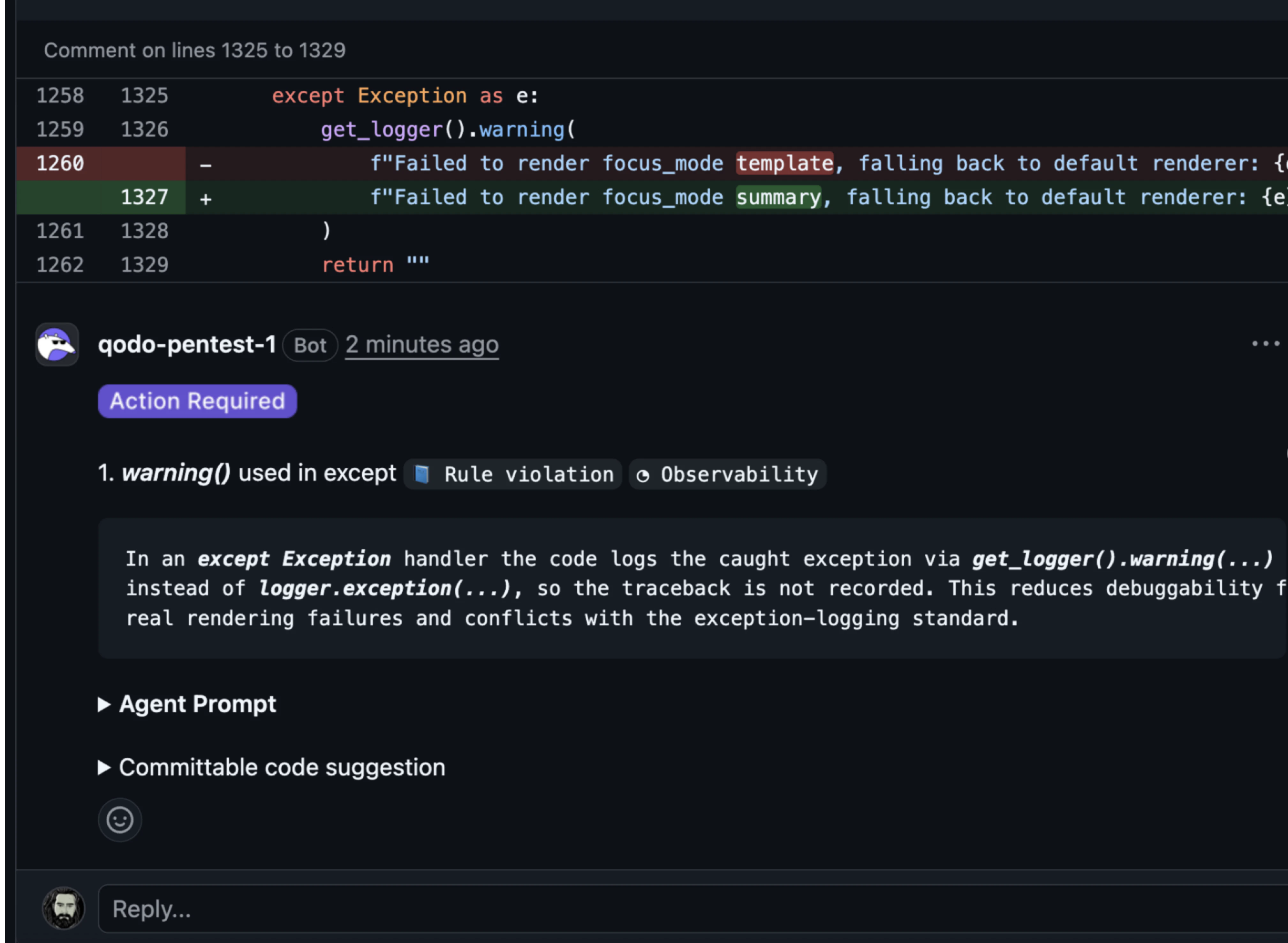 A diff is displayed providing the options to apply the changes.
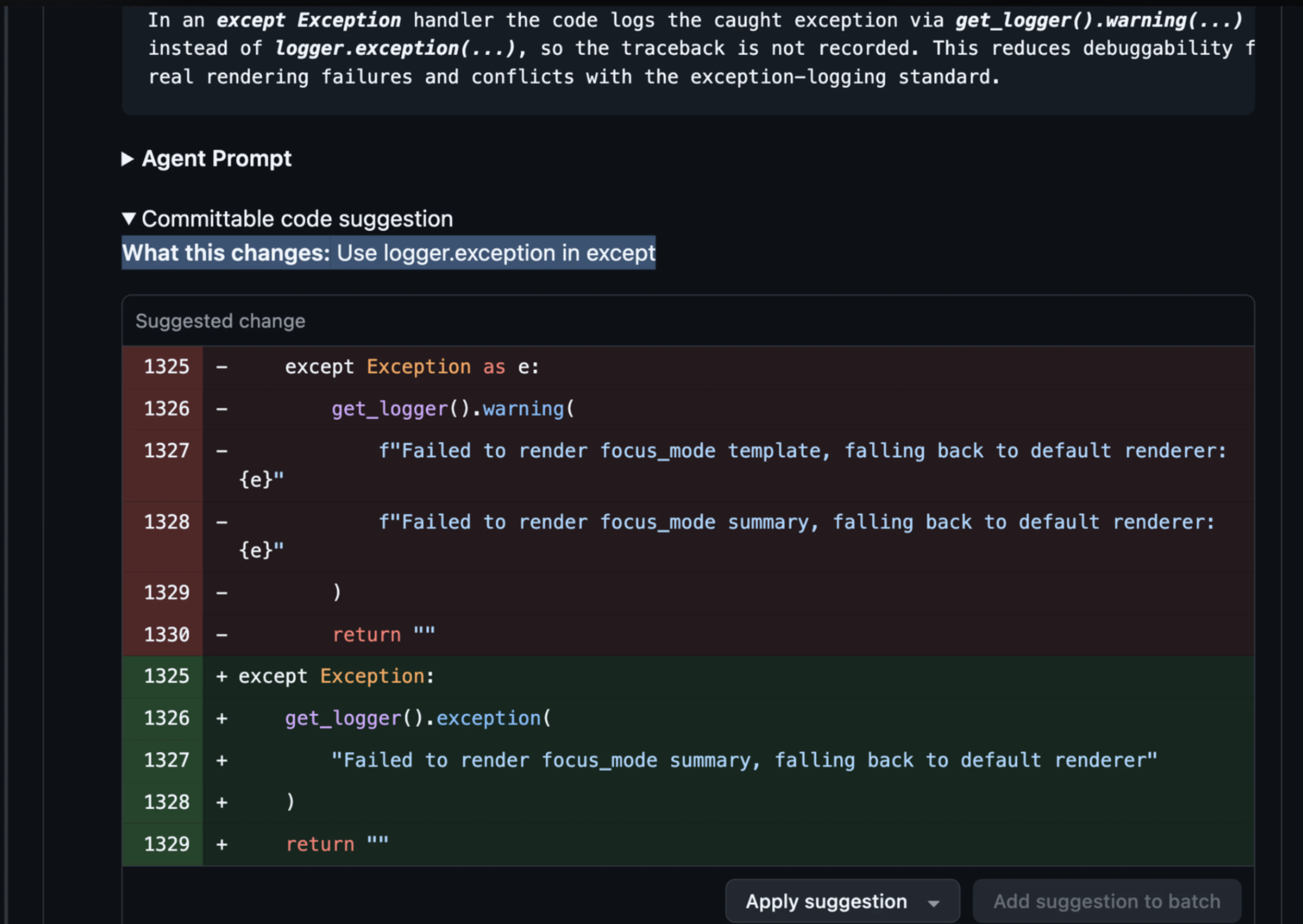 2. Click one of the following options:
* Click **Apply Suggestion** to commit the fix immediately.
* Click **Add suggestion to batch** to accumulate multiple changes and commit them together.
2. Click one of the following options:
* Click **Apply Suggestion** to commit the fix immediately.
* Click **Add suggestion to batch** to accumulate multiple changes and commit them together.