> ## Documentation Index
> Fetch the complete documentation index at: https://docs.qodo.ai/llms.txt
> Use this file to discover all available pages before exploring further.
# Assess code change risk using blast radius
> Qodo automatically classifies the risk of a code change and can publish it as a native label in the pull request, helping teams triage which pull requests need the closest review.
export const AzureIcon = () => ;
Research PreviewGitHubGitLabAzure DevOps
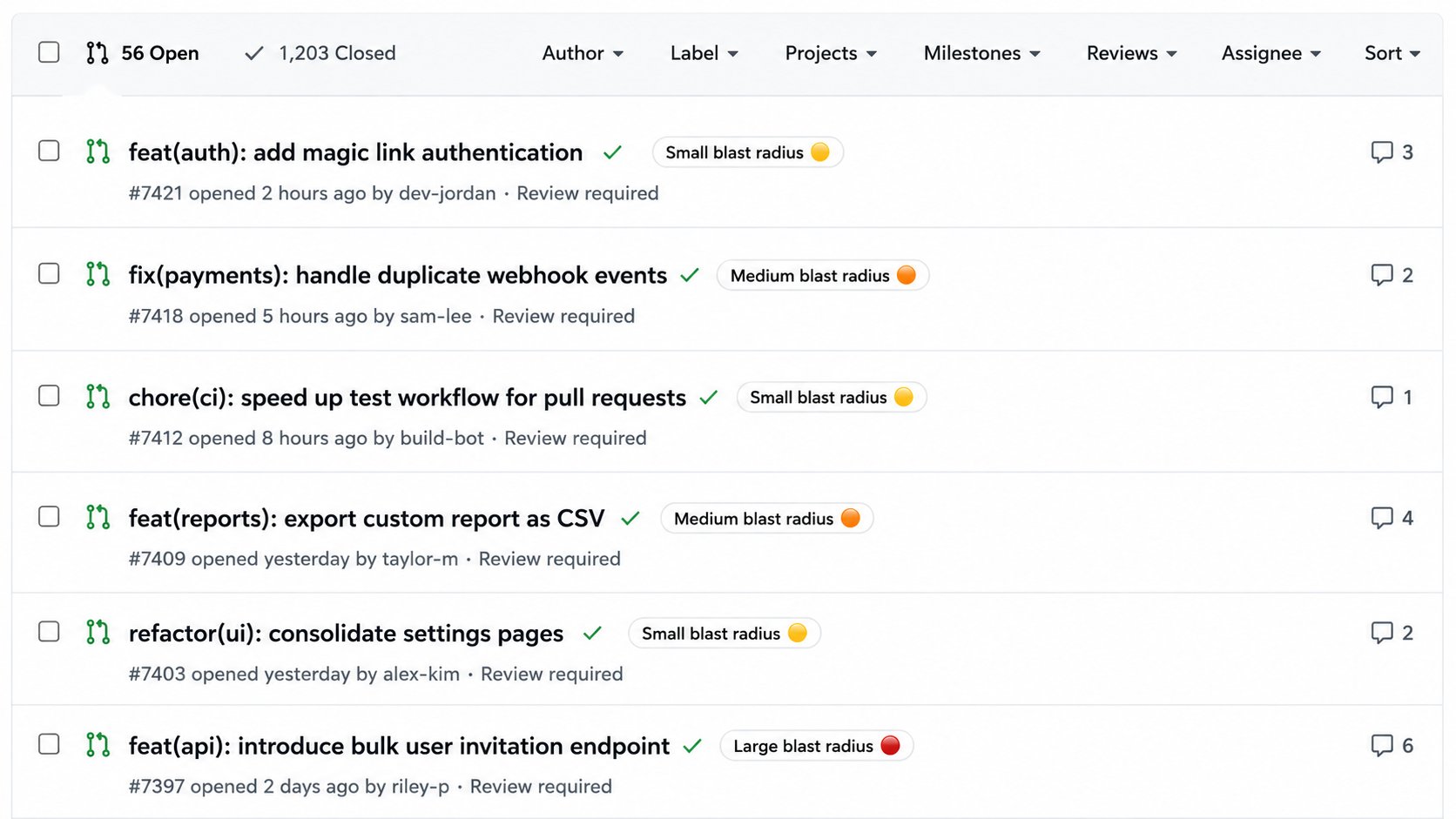
Blast radius is Qodo's classification of a code change's risk, based on its scope and sensitivity. Qodo makes this classification available as a native pull request tag (Azure DevOps) or label (GitHub, GitLab), so you can triage which pull requests need the closest review directly from your Git provider's pull request list.
## How blast radius is classified
Each pull request receives one of three risk levels:
* 🔴 **Large blast radius**
* 🟠 **Medium blast radius**
* 🟡 **Small blast radius**
**Azure DevOps**: Native tags don't support displaying emoji in pull requests. As a result, the tag appears as plain text, for example "Large blast radius".
The label reflects the highest risk level identified across the pull request's review cycle. If a later commit raises the risk, the label updates to match, but the pull request only ever shows one blast radius classification at a time.
## Set using the Qodo portal (Recommended)
Navigate to **Configurations** > **Workflow** > **Code review**.
Enable **Publish blast radius label**.
## Set using .pr\_agent.toml
```toml theme={null}
[review_agent]
publish_blast_radius_labels = true
```
Default: `false`.
## Related resources
* [Code review anatomy](/code-review/comment-anatomy#native-pull-request-labels): See how this label fits alongside other native labels Qodo can publish.
* [Generate PR labels automatically](/code-review/generate-pr-labels): Configure custom, content-based labels alongside the automatic blast radius label.
* [Optimize AI effort with Review effort mode](/code-review/use-qodo-in-prs/control-review-effort): See how Qodo also uses risk to control how deeply it reviews a pull request.
 ## How blast radius is classified
Each pull request receives one of three risk levels:
* 🔴 **Large blast radius**
* 🟠 **Medium blast radius**
* 🟡 **Small blast radius**
## How blast radius is classified
Each pull request receives one of three risk levels:
* 🔴 **Large blast radius**
* 🟠 **Medium blast radius**
* 🟡 **Small blast radius**